1
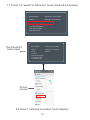
HD Screen
HD
Device Name:
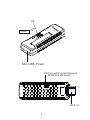
USB
Power
iPazzPort_cast-88896
Status:
Mode:
Disconnected from AP
DLNA(iOS devices compatible)
Local IPO:
AP SSID:
Local IP1:
192.168.49.1
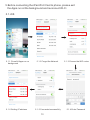
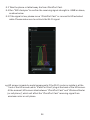
Open Wi-Fi and connect to 'iPazzPort_cast-88896' (password: 12345678).
And then open web browser on your device and visit:
http://192.168.49.1/index.html
or
Power
Adapter
( Recommended)
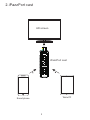
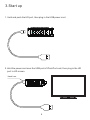
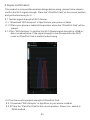
1.Turn on the HD Screen and change the video input to HD port.
2.Plug the iPazzPort cast into the HD port of the HD Screen, if needed,
please use a HD extension cable.
3.Connect one end of USB cable to the iPazzPort cast, and the other
end to the USB port of HD Screen
4.Some HD Screens can not provide enough power through USB port
so we need to use a 5V/1A adapter.
5.Check if the HD screen shown above.
5