1
Operation Examples (Degree of match inspection)
Continued from the preceding page
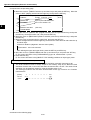
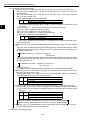
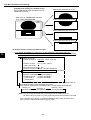
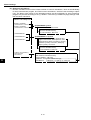
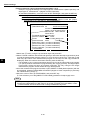
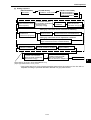
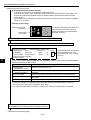
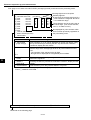
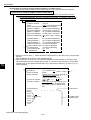
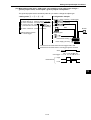
6. Move the cursor to 4 DTECT COORD with the up and down keys, and press the SET key. (If
the crosshair cursor does not need to be moved, proceed to step 9.)
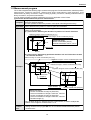
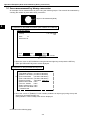
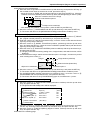
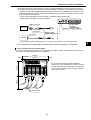
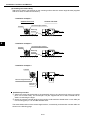
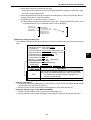
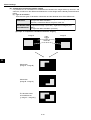
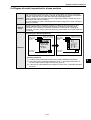
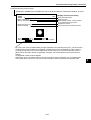
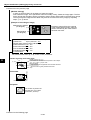
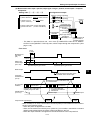
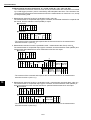
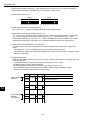
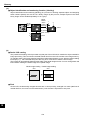
- Move the cursor to "FREE" with the left and right keys, and press the SET key. Move the
crosshair cursor to the detection point 0 with the up, down, left and right keys (in units of 1 pixel).
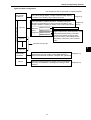
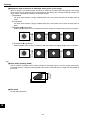
Move the crosshair cursor in the image
window to set detection point 0.
Object to be measured
- After defining the crosshair cursor position, press the SET key and ESC key.
7. Move the cursor to w UPPER MENU with the up and down keys, and press the SET key.
- The screen will return to the [MEASURING COND] (measurement condition) menu.
(8) Operation for gray scale search matching setting (setting the image 1)
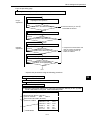
1. On the [MEASURING COND] (measurement condition) menu, move the cursor to 1 REGST
NO. (register number) with the up and down keys, and press the SET key.
2. Enter the number "01" with the up and down keys, move the cursor to YES with the left and
right keys, and press the SET key.
3. Move the cursor to 3 MODEL 0 POSITION (model 0, positioning) with the up and down
keys, and press the SET key. Move the cursor to SEARCH (enable search) with the left and
right keys, and press the SET key.
4. Move the cursor to 5 EVALUATE CRITERIA (criteria conditions) with the up and down keys,
and press the SET key.
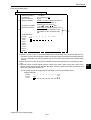
- The gray scale search matching setting menu, image window, and search window, will be
displayed.
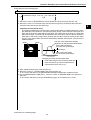
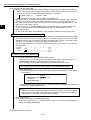
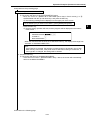
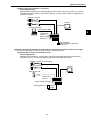
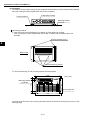
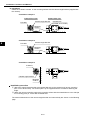
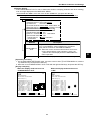
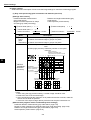
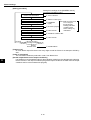
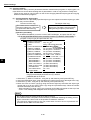
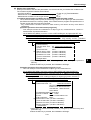
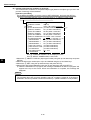
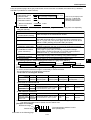
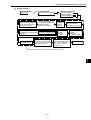
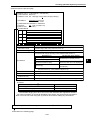
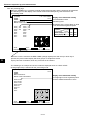
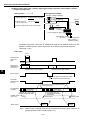
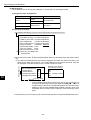
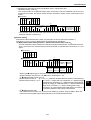
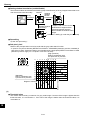
5. Create a reference image, search area and detection point 1 for image 1, the same as you did
when creating them in item (7).
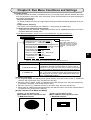
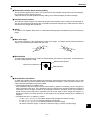
Image 1
Image window (solid line)
Search window (dotted line)
Detection point 1
Object to be measured
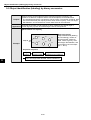
6. Move the cursor to w UPPER MENU with the up and down keys, and press the SET key.
- The screen will return to the [MEASURING COND] (measurement conditions) menu.
7. On the [MEASURING COND] (measurement conditions) menu, move the cursor to 6
UPPER MENU with the up and down keys, and press the SET key.
- The screen will return to the [TYPE00-MEAS1] (type: 00, measurement: 1) menu.
(9) Operation on the [EVALUATION COND] menu
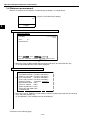
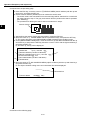
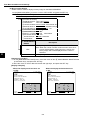
1. Move the cursor to 7 EVALUATION COND (evaluation condition) with the up and down
keys, and press the SET key.
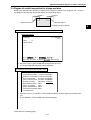
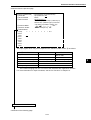
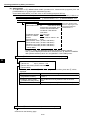
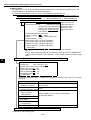
- The [EVALUATION COND] menu will be displayed.
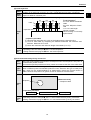
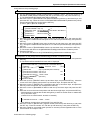
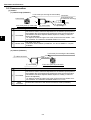
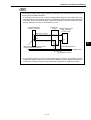
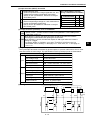
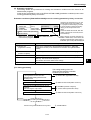
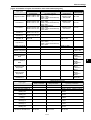
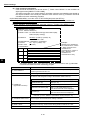
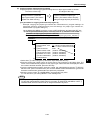
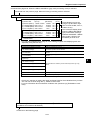
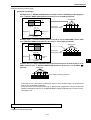
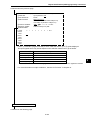
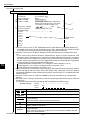
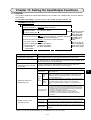
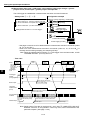
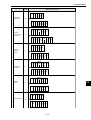
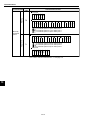
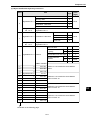
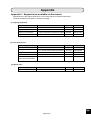
[EVALUATION COND] (TYPE00-MEAS1-DEG OF MATCH)
1REGST NO.
00(0~15)
[OUT]
2
2MATCH.(MDL 0)
−10000~ +10000
NO
3
3X COORD.(MDL 0)
000.0~511.0
NO
4Y COORD.(MDL 0)
000.0~479.0
NO
5LIGT LVL(MDL 0)
000.0~255.0
NO
4
7
0MAKE A TEST RUN
qUPPER MENU
(SET KEY)
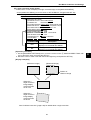
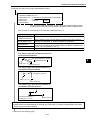
2. Move the cursor to 1 REGST NO. (register number) with the up and down keys, and press
the SET key. Enter the number 00 with the up and down keys, and press the SET key.
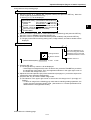
3. Move the cursor to 2 MATCH.(MDL0) (degree of match, model 0) with the up and down
keys, and press the SET key.
Continued on the following page
3-19
3