1
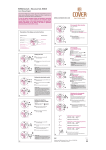
USER MANUAL REFEREE WATCH AR022 INTRODUCTION Congratulations on your new referee watch! This watch is a user-friendly tool to keep track of your time in multiple ways in various situations. To develop basic understandings and get the most out of your purchase, be sure to carefully read this manual and keep it on hand for future reference. IMPORTANT To activate the watch when first use, press A and C at same to unlock the blank screen. B C A D 12 ENGLISH FEATURES Time / Calendar. Time mode 12/24h. Automatic calendar. Referee mode : setting of game time, specific stopwatch for counting time-out. Alarm : 2 daily alarms. Stopwatch : 1/100 sec. precision for first hour, then 1 sec. Lap time (LAP), Split time (SPLIT). Memory function : 50 measurments can be stored in memory, and they can be recalled with fastest time, slowest time and average time. Soft EL backlight. ENGLISH 30 MODES LIGHT START STOP B C A D MODE RESET Press A to scroll below mode in sequence. Time > Referee mode > Alarm > Stopwatch EL backlight : press and hold B 2 seconds to activate EL backlight at anytime. 14 ENGLISH TIME MODE Display Hour, Minute, Seconds,Day of Week : 1. Press C to toggle 12/24 hour format 2. Press and hold D to toggle on/off key tone. Time Setting : 1. Press and hold A to enter setting mode for time. Press A to scroll : Year > Month > Date > 12/24h > Hour > Minute > Second 2. Press C or D to adjust the digit (flashing). 3. Press A to confirm and return to Time mode. ENGLISH 51 REFEREE MODE The lower line on display is a countdown for game time (default 45 minutes, you can adjust the match time in setting mode). 1. Press B to start or pause the countdown. 2. Press and hold D to reset countdown to default. The upper line on display is stopwatch for counting time-out. 1. Press C to start (upper line is flashing) or stop time-out stopwatch (not flashing). 2. Press and hold C to reset time-out stopwatch. 3. Time-out stopwatch will give beep 30 seconds before the end. Then, when the match timer plus stoppage timer matches, it will give different beep tone for 10 seconds. 16 ENGLISH REFEREE MODE Countdown Setting : 1. Press and hold D to reset all timer. 2. Then, press and hold D again to enter setting mode. You can see the first digit flashing. 3. Press C or D to adjust the digit. 4. Press B to confirm the settings. ENGLISH 71 ALARM MODE There are 2 alarms. 1. Press C to toggle alarm 1/2. 2. Press D to switch ON/OFF the alarm. When alarm is turn on, it will shown . Alarm Setting : 1. Press C to select alarm 1 or 2. 2. Press and hold A to enter setting mode for alarm. You can see hour digit flashing. 3. Press C or D to adjust the digit. 4. Press A to confirm and set minute digit. 5. Press C or D to adjust the digit. 6. Press A to confirm and quit setting mode. 18 ENGLISH STOPWATCH MODE 1. Press B to select Lap time or Split time mode. 1. Press C to start stopwatch 2. Press B to record Lap or Split time. 3. Press C again to pause or stop counting. 4. Press B to reset to zero. Everytime, when you hit the fastest record, a special tone will come out. ENGLISH 90 STOPWATCH MODE Stopwatch data records (Recall) : To view the data, the timer needs to Stop or Pause. 1. Press D to scroll fastest, slowest, average and individual Lap/Split time records. You can see Recall icon on display. Note : data recall will keep only the latest session even the timer reset. When new session start, previous data will be cleared ! 10 ENGLISH BATTERY REPLACEMENT When the LCD display becomes dim, replace with a new battery. This watch functions with lithium battery 3V CR2032. It is recommended to replace the battery with a professional. WARNINGS : Keep batteries away from children. If swallowed, contact a doctor or emergency personnel immediately. Batteries contain chemical substances. It should be disposed of properly according to local regulations. WATER RESISTANCE The watch is water resistant under normal use up to 30 Meter (3ATM) means resists to rain drops, water splash or showing only, as long as lens, push buttons, case remain intact. ENGLISH 11 CARE & MAINTENANCE IMPORTANT : Water damage will occur if thewatch buttons are pressed while under water and it will cancel the warranty. Avoid extreme force, shock, dust, temperature, or humidity. Such conditions may cause malfunctioning, a shorter electronic life span, damaged batteries, or distorted parts. The watch can be wiped clean with a lightly moistened cloth. Apply mild soap to the area if there are stubborn stains or marks. Do not use abrasive or corrosive materials to clean the watch, such as sun tan oil. Abrasive cleaning agents may scratch the parts and corrode the electronic circuit. Never attempt to disassemble or service your watch. Store your watch in a dry place when not in use. 12 ENGLISH