1
❐❐To view programme information
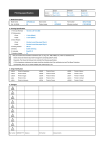
Displays information on current programme and / or current time, etc.
1 Move the pointer of the Magic remote control to the top of the TV screen.
2 Click the activated channel banner area.
3 The programme details will be displayed at the bottom of the TV screen.
✎✎ Image shown may differ from your TV.
Prev./Next
Pr. Change
Watch
Thu.
PM 4 : 28
PM 4 : 43
Current time
UP
DOWN
Programme name
Detail information on programme
(for digital broadcast)