1
BIOS Setup
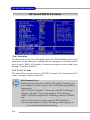
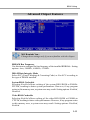
KB Power ON Password
If POWER ON Function is set to Password, then you can set a password in the
field for the PS/2 keyboard to power on the system.
Hot Key Power ON
If POWER ON Function is set to Hot KEY, you can assign a hot key
combination in the field for the PS/2 keyboard to power on the system. Settings:
Ctrl-F1 through Ctrl-F12.
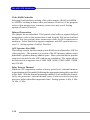
Onboard FDC Controller
The item is used to enable or disable the onboard Floppy controller. Select
Enabled when you have installed a floppy disk drive and want to use it.
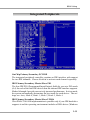
Onboard Serial Port 1/2
The items specify the base I/O port address and IRQ for the onboard Serial
Port 1 (COM A)/Serial Port 2 (COM B). Selecting Auto allows BIOS to automatically determine the correct base I/O port address. Settings: Disabled,
3F8/IRQ4, 2F8/IRQ3, 3E8/IRQ4, 2E8/IRQ3, Auto.
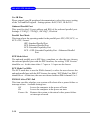
UART Mode Select
This setting allows you to specify the operation mode for serial port 2. Setting
options: IrDA, ASKIR, Normal.
IrDA
IrDA-compliant Serial Infrared Port
ASKIR
Amplitude Shift Keyed Infrared Port
Normal
RS-232C Serial Port
RxD, TxD Active
This setting controls the receiving and transmitting speed of the IR peripheral
in use. Setting options: Hi,Hi, Hi,Lo, Lo,Hi, Lo,Lo.
IR Transmission Delay
This setting determines whether the IR transmission rate will be delayed while
converting to receiving mode. Setting options: Disabled, Enabled.
IR Duplex Mode
This setting controls the operating mode of IR transmission/reception. Setting
options: Full, Half. Under Full Duplex mode, synchronous, bi-directional
transmission/reception is allowed. Under Half Duplex mode, only
asynchronous, bi-directional transmission/reception is allowed.
3-17