1
7TMOD
IGSS Modicon Modbus serial driver
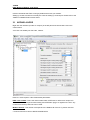
the connection “open” it either the user sends a command or if the user forces the driver to
establish a connection through a dialup/connection object.
The “Normal connect hold time” option allows you to define how many seconds the driver will
stay connected (online) if the user forces the driver to make a connection to the PLC. The “Send
cmd connect hold time” option allows you to specify how many seconds the driver will stay
online one the PLC node after the user has send a command. This latter is useful if the user
should be able to see the response of the command which he/she has just sent.
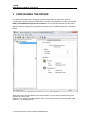
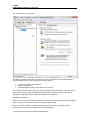
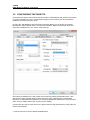
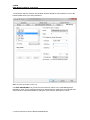
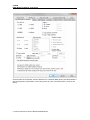
Once you are done defining the connection schedule continue to the “Connection Misc.” pane:
Since the driver is not continuously connected to the PLC you might want the PLC to store one
or historical data in designated areas in the PLC and let the driver fetch and timestamp these
data when it is online. If you e.g. want the driver to only be online each 4 hours but require
some important tags to be stored in the IGSS system each 5 minutes (e.g. for reporting or
trending) then you can use the “Collecting Historical Data” option to define where the data are
stored.
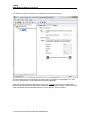
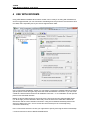
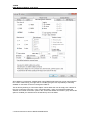
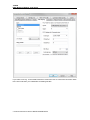
Click the “Settings” button to bring up the dialog used to define the layout of the historical data:
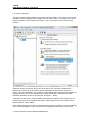
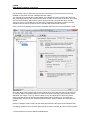
The dialog contains one row for each historical tag you want to define. The first 3 columns (Data
C:\USERS\CMA\DESKTOP\DRIVER
DOCS\7TMOD.DOCX