1
Rules for developing FloatLED
- An alternative to those other similar priced & bloated Hard Drive LED software on the market.
- Make FloatLED completely FREEWARE. Donations however accepted, but by far not required.
- No bloating, no ugly childish graphics/bad designed graphics, no bells, no whistles nor sounds.
- No skinned windows (typical of designers thinking they have created the “next big thing” within (GUI) design and layout).
- Just plain useful, and shows JUST exactly what it was intended to show....Drive ACTIVITY!
- Super space optimized, intelligent design and no tray icon filler.
- Use very low or no CPU-Time at all.
- Clean install, INI prefs, single exe (portable too), no registry entries and no hidden code and extremely stable.
Conclusion: I just reached those goals. An fine example of a serious project and a superb end result.
Some insight into the existence of FloatLED
There were some useful alternatives out there, but they was not in my opinion thoughtfully tuned/designed to what the
software was really trying to accomplish. It should be out of workspace, non-interrupting, easy, non bloated or contain
other functionalities that do not belong in such a software. Putting it into the tray is also not a good idea, because some
people “auto hide” their taskbar. Their software would be useless!!
The solution was to have an on-top drag-able and lock position window functionality. The design of the LED was also
thought hard of. Other software seemed to bloat the graphics, making the LED look like LEDs in the real world, with
chrome, borders and artwork taking up those precious pixels, why oh why? Just because Apple have a shitload of air
in their artwork, it don’t mean the rest of the hurd have to follow, you know.
Just show LED activity with read, write and read/write + the Drive volume letter as small as possible and as clear graphics.
Simple. So FloatLED was invented and created.
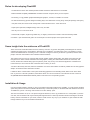
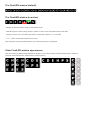
It will show all the volume letters in the system as blinking graphical icons simulating Read, Write or both at the same
time. If you have 1 HD with 2 partitions, these will be shown as C & D for instance. The maximum amount of LED’s is
26 (ABCDEFGHIJKLMNOPQRSTUWXYZ) which is also the max in the operating system.
Installation & Usage
Use the provided installer to install it, a menu group will be made with FloatLED.exe, ReadMe_vx.xx.pdf and the Uninstall
option along with the fact that the installer will add a entry in the Startup folder, so FloatLED start with Windows each time.
To disable this, just run “msconfig” and uncheck it from the “Startup” pane.
The size of the window is 18, 24 or 30 pixel in height as default. Or, size it up yourself from 10 to 1024 pixels! If you have
one drive, the icon/window will only be 26x18 pixels big horizontal or vertical (in default mode and including the minimize
button). Place it somewhere on you screen, where it would not be in any way of your workflow. Or, just activate the clickthrough feature and you can click behind FloatLED too!