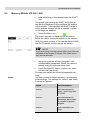
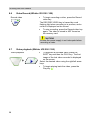
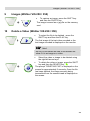
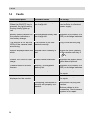
1
Working with the camera 8.3 Inspection Pull the rod smoothly out of the case and push the camera head to the area to be inspected. CAUTION! Do not exceed rod end limit! Do not bend or drag across sharp edges! CAUTION! Dry and clean the rod with a cloth before pulling it back, so that no dirt and soot can enter! 8.4 Information displayed on the monitor 8.4.1 Displaying the position of the camera head (Wöhler VIS 250/350) Pointer symbol Fig. 19: Display with pointer symbol and number of degrees Number of degrees A pointer symbol displayed in the top left corner of the screen always indicates the direction of gravity, meaning, towards the bottom. This ensures the user is able to recognize where top and bottom are in the pipe. A circle is displayed around the symbol if the camera head faces vertically upwards. A cross is displayed in the middle of the symbol if the camera head faces vertically downwards. The number of degrees displayed underneath indicates the downward gradient of the pipe. Example graphic: - 13° corresponds to a downward grade of 13°. NOTE! Example: Camera head facing vertically upwards: + 90° Camera head facing vertically downwards: -90° Camera head is aligned parallel to the ground above: 0° Distance counter 26 The distance indicated at the lower left shows how many feet of the rod are already pulled out of the case. You can select the unit meter or feet in the menu,