1
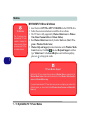
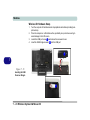
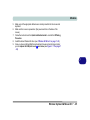
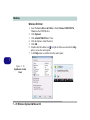
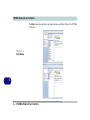
Windows XP Information
6.
7.
8.
9.
10.
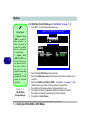
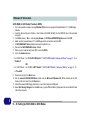
Press Enter and select the Strip Size (best set to default).
Press Enter and select the Capacity size (best set to default).
Press Enter to Create Volume.
Confirm the selection by pressing Y.
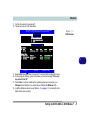
This will now return to the main menu.
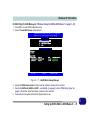
Intel(R) Matrix Storage Manager option ROM v6.0.0.1022 ICH8R wRAID5
Copyright (C) 2003-06 Intel Corporation. All Rights Reserved.
[ MAIN MENU
1.
2.
3.
4.
]
Create RAID Volume
Delete RAID Volume
Reset Disks to Non-RAID
Exit
[ DISK/VOLUME INFORMATION ]
RAID Volumes:
ID
Name
1
My RAID
Level
RAID0(Stripe)
Physical Disks:
Port Drive Model
1
HDT722516DLA380
4
ST380811AS
Serial #
VDK71GTE17AH6K
5PS196TS
[]-Select
Strip
128KB
[ESC]-Exit
Size
149.1GB
Status
Normal
Bootable
Yes
Size
153.4GB
74.5GB
Type/Status(Vol ID)
Member Disk(0)
Member Disk(0)
[ENTER]-Select Menu
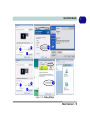
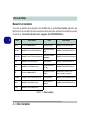
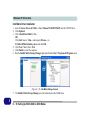
Figure E - 28 - RAID Created
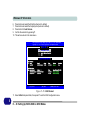
11. Select 4.Exit and press Enter, then press Y to exit the RAID configuration menu.
E
E - 48 Setting Up SATA RAID or AHCI Modes