1
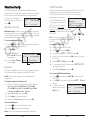
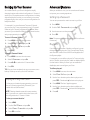
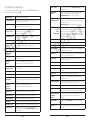
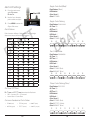
Searching Limit Search Your iScan can locate active • Signal Stalker II frequencies in your area that you can • Service Searches save to include in future scans. • Limit Search Limit Searches focus your search to a defined range. To perform a Limit Search: TIP: While searching, you may want to ignore a frequency. Press SKIP and your iScan will ignore the frequency.* 1. Press MENU to access the main menu. Signal Stalker II 3. Select Limit Search, and press . The search begins. Signal Stalker II sweeps quickly through several frequency ranges in 1 MHz blocks. 4. Press MENU. T F To search using Signal Stalker II: 2. Select Search , and press . T F 5. Scroll to Lo , press , and use the four-direction pad and SEL to set the value. A R 1. Press MENU to access the main menu. 6. Scroll to Hi , press , and use the four-direction pad and SEL to set the value. 2. Select Search , and press . 7. 3. Select Signal Stalker and press . 8. Your iScan stops for transmissions. To continue the search, press . A R D 4. Select All Bands or Public Safety and press . 5. Your iScan stops for transmissions. To continue the search, press . 6. To save a frequency, press MENU, select Store Channel , and press SEL. Your iScan adds the object to the default playlist, named by search type. Press to continue the search. D 9. To save a frequency, press MENU, select Store Channel , and press SEL. Your iScan adds the object to the default playlist, named by search type. Search Settings Each type of search includes settings that you can use to improve your experience. Service Search Service Searches sweep through frequencies specifically used by common radio services. Press Menu during a search. To perform a Service Search: Atten 1. Press MENU to access the main menu. 2. In the main menu, select Search , and press . • • • • • • • Public Safety Aircraft Railroad Amateur (HAM) Citizen's Band (CB) Marine FRS/GMRS/MURS 3. Select Service Search and press . 4. Scroll through the available services, select a service, and press . 5. Your iScan stops for transmissions. To continue the search, press . 6. To save a frequency, press MENU, select Store Channel , and press SEL. Your iScan adds the object to the default playlist, named by search type. *To restore all skipped objects, go to the main menu, select Restore Skipped , and press . 12 Signal Stalker II Attenuation Zeromatic Locates frequencies quickly Delay Pause before resuming search Special Mode Skips 1 MHz block where you have skipped five or more frequencies Frequency Ranges Limits the search range Rx Mode Automatic or forced AM/FM modes (Aircraft and Amateur bands) Lo Lowest frequency to search Hi Highest frequency to search 13 Service Search Limit Search