1
DYACON, Inc.
OBCLink on the Host PC
Overview
To begin the OBCLink application program on the Host, once it has been set up as a
shortcut, double click on the OBCLink.exe icon. It is assumed that the CT6 Series module
is powered on and that the CT6 Series module is connected to the Host computer with a
null modem cable. It is also assumed that a mouse is used when running the OBCLink
program from the Host.
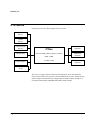
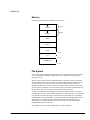
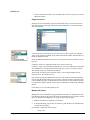
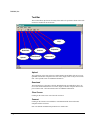
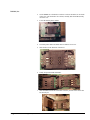
The Menu Bar and Tool Bar located near the top of the screen allow access to menu items
and tasks to be performed. The Status Bar located near the bottom of the screen displays
status information about the tasks being performed. Once a communication link has been
established, the work area displays information about the tasks being performed and can
also be used to enter shell commands directly. Refer to the Shell Command Set section of
the CT6 Series Software Developers Manual for additional information.
Menu Bar
Tool Bar
Work Area
Status Bar
24 • OBCLink
CT605 Reference Manual