1
STRIP BLINDER X
4.2.1.
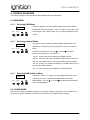
Selecting the Program
Tap the “Mode” button, "P" is shown, it indicates that Chase Mode is
P:01
activated.
Mode
Selecting Program: Tap “Up
Menu
” or “Down
” you can enter
program 01 to 16 and Auto and Full.
4.2.2.
Selecting Chase Speed
Tap “Menu” button, "SP:01" appears on the display, it indicates for
SP:01
Chase Speed Mode.
Mode
Selecting Speed: Tap “Up
Menu
” or “Down
” you can regulate the
speed between lowest speed 01 (speed of once every 30 sec.) and
4.2.3.
fastest speed 99 (speed of 0,1 sec.).
Selecting Chase Dimmer (Intensity)
Tap “Menu” button, "d:000" appears on the display, indication that
d:000
you have entered Chase Dimmer Mode.
Mode
Regulate the Intensity: Tap “Up
Menu
” or “Down
” to regulate the
intensity between 000 (Off) to 100 (highest output).
4.2.4.
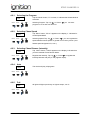
Auto
The device will play all programs.
AUTO
Mode
Menu
4.2.5.
Full
All lights will light up and stay on highest output, 100 %.
FULL
Mode
Menu
9/9