1
Technical Notes – TN 1 - ETG 3000
3 - Hardware Setup
SIM card
installation
This section describes how to install and setup SIM card in an ETG302x module
Step Action
1.
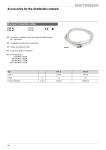
Power off the ETG 302x module and connect the GSM antenna
2.
Insert the SIM card inside the back of the ETG302x module after removing the
backplane
NOTE: Pay attention to the sense of the card
3.
Power on the ETG 302x module
4.
Connect a PC to the Ethernet port of the ETG 302x module
PC installation Pre-requisite:
• Web Designer software installation
• A Java Virtual Machine (JVM) must be installed on the PC.
o We recommend to install the JVM V1.4.02_14 from SUN provided
in the CD ROM delivered with the module
8