1
NOTE
When an external MODBUS host device is attempting to
communicate with the instrument over the serial or Ethernet port
while the instrument is starting up, the instrument may halt. In
order to prevent the problem from occurring, ensure that there are
no devices attempting communication with the instrument during
start-up. Once the sign-on message is displayed on the front
panel, it is safe to begin communications.
9.10.1. Boot Loader – Hardware Setup
Verify that the instrument is configured for an RS-232 connection. See Section 8.2 for
details on changing the COM port configuration. The instrument can be connected to the
PC COM port using a 9-pin serial cable (TAPI P/N WR77).
9.10.2. Boot Loader – Software Setup
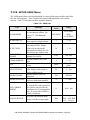
Table 9-2 lists the required firmware loader software and firmware options.
Table 9-2: Required Software
SOFTWARE TYPE
FILE TYPE/VERSION
PC Software
FirmwareLoader.EXE
Instrument Firmware
05498-00_XX.HEX (for ppb, ppm, ugm)
05498-01_XX.HEX (for ppb, ppm, pphm)
The firmware loader is available on Teledyne API’s website at http://www.teledyneapi.com/software/.
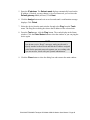
1. Install the firmware loader software onto a PC.
2. Verify the cable connections. Do not power up the instrument.
3. Run the firmware loader application on the PC.
4. Select the COM port that the instrument is connected to.
5. Select the HEX file for the appropriate firmware.
6. Refer to Section 9.10.2.1 to upload the firmware or to Section 9.10.2.2 to verify
the firmware.
P/N 06160F DCN6854 Teledyne API Model 465M O3 Monitor User Manual - Page 60