1
I
~
THE UNIVERSITY OF
NEW SOUTH WALES
SYDNEY"AUSTRALIA
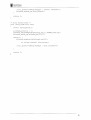
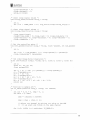
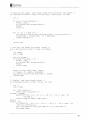
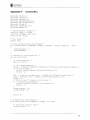
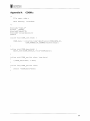
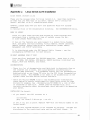
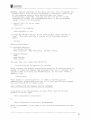
cd /usr/src
tar xzf rtlinux.tar.gz
I.e. Create a symbolic link from within the rtlinux directory to the
linux directory:
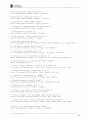
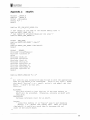
cd /usr/src/rtlinux
In -sf /usr/src/linux ./linux
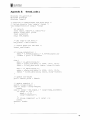
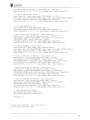
2. Patch the kernel with the RTLinux patch:
cd /usr/src/linux
patch -pI < /usr/src/rtlinux/kernel_patch-2.2
OR, if you're using a 2.4.xx kernel:
patch -pI < /usr/src/rtlinux/kernel_patch-2.4
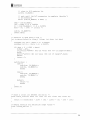
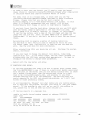
3. Now, configure the Linux kernel:
cd /usr/src/linux
make config
or
make menuconfig
or
make xconfig
Note: Enabling APM support is not recommended. APM BIOS calls may
have unpredictable effect on real-time performance.
Note: On Alpha, you need to enable RTLinux Support (CONFIG_RTLINUX). On
i386
and PPC, this is done automatically.
Note: Please make sure to specify the correct CPU type for the target
machine.
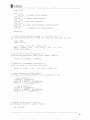
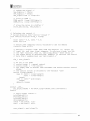
4. After you are finished configuring the Linux kernel, type:
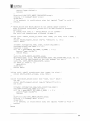
make dep
Note. Steps 5 through 7 are x86-specific.
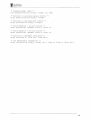
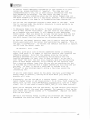
5. Compile the Linux kernel and modules:
make bzImage
make modules
5.b Install the Linux modules:
make modules install
cp arch/i386/boot/bzImage /boot/rtzImage
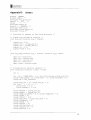
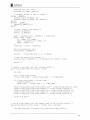
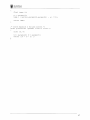
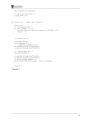
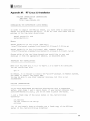
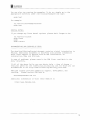
6. Configure LILa.
To do so, edit /etc/lilo.conf to contain the
following piece (you only need to do this once):
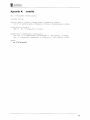
image=/boot/rtzImage
label=rtlinux
read-only
root=/dev/hdal
69