1
Getting Started 21
1.3 Charging the Battery
New batteries are shipped partially charged. Before you start using your phone, it is recommended that you
install and charge the battery. Some batteries perform best after several full charge/discharge cycles.
Note Only the AC adapter and USB sync cable provided with your phone must be used to charge the phone.
Charging is indicated by a solid amber light on the Notification LED. As the battery is being charged while the
phone is on, a charging icon ( ) also appears in the title bar of the Home screen. After the battery has been
fully charged, a full battery icon ( ) appears in the title bar of the Home screen.
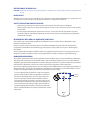
To charge the battery
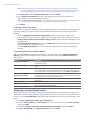
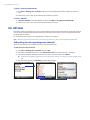
1. Connect the USB connector of the AC adapter to the sync
connector on the bottom of your phone.
2. Plug in the AC adapter to an electrical outlet to start charging the
battery.
1.4 Starting Up
After installing and charging the battery, you can now power on and start using your phone.
Turning your phone on and off
To turn on the power
1. Press the END/POWER button for a few seconds.
2. When you turn on your phone for the first time, the phone installs customization settings, and then
restarts.
To turn off the power
1. Press the END/POWER button for a few seconds.
2. Select Power off on the Quick List.
1.5 Changing Networks with Your Global Phone
Your wireless phone is set to CDMA mode by default. If you install a SIM card from Telus, the device
automatically switches to Global mode. However, you can change network modes manually in phone settings.
To change networks manually
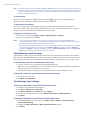
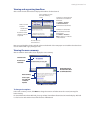
1. On the Home screen, click Start > All Programs > Settings > Phone > Networks.
2. Select Mode of Operation and use the NAVIGATION CONTROL to
select a different network.
• CDMA Only: access Telus CDMA network only.
• GSM Only: access GSM networks only (even if Telus CDMA
network is available).
• Global: searches for Telus CDMA network first, and if unavailable,
searches for GSM networks.
If GSM or Global mode is selected, you can set GSM Network Selection options. See “Phone Settings” in
Chapter 2 for more information.