1
The Follow Up
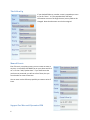
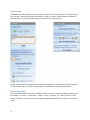
If you checked follow up, another screen is popped up as soon
as you hit “Done.” It is pre-populated with the same
information as was on the original event, but any field can be
changed. Note that the owner can also be assigned.
Manual Events
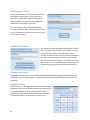
Even if there is not a phone event, you can create an event at
any time. Just find the CellTRAKR icon on your phone and click
on it. Click on “Add / Update Item.” If you have items that
you have not processed, you will see a list of them, but you
can also elect to create a new item.
You can even use the follow up capability to create a series of
items
Support For Microsoft Dynamics CRM
6