1
BBWC battery pack cabling ........................................................................................................................ 44
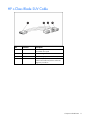
Using the HP c-Class Blade SUV Cable ......................................................................................................... 44
Connecting locally to a server blade with video and USB devices ................................................................... 44
Accessing a server blade with local KVM ........................................................................................... 45
Accessing local media devices .......................................................................................................... 45
Software and configuration utilities ............................................................................................... 47
Server blade deployment tools ..................................................................................................................... 47
HP BladeSystem c-Class Advanced management ................................................................................. 47
Network-based PXE deployment ........................................................................................................ 47
Deployment methods ........................................................................................................................ 49
Configuration tools ..................................................................................................................................... 53
SmartStart software .......................................................................................................................... 53
HP ROM-Based Setup Utility .............................................................................................................. 53
Array Configuration Utility ................................................................................................................ 55
Option ROM Configuration for Arrays................................................................................................ 55
Re-entering the server serial number and product ID ............................................................................. 56
Management tools...................................................................................................................................... 56
Automatic Server Recovery ................................................................................................................ 56
ROMPaq utility................................................................................................................................. 57
Integrated Lights-Out 3 technology ..................................................................................................... 57
Erase Utility ..................................................................................................................................... 58
Redundant ROM support ................................................................................................................... 58
USB support .................................................................................................................................... 58
Diagnostic tools ......................................................................................................................................... 59
HP Insight Diagnostics ...................................................................................................................... 59
HP Insight Diagnostics survey functionality .......................................................................................... 59
Integrated Management Log .............................................................................................................. 59
Remote support and analysis tools ............................................................................................................... 60
HP Insight Remote Support software ................................................................................................... 60
Keeping the system current .......................................................................................................................... 60
Drivers ............................................................................................................................................ 60
ProLiant Support Packs ...................................................................................................................... 61
Operating System Version Support..................................................................................................... 61
HP Smart Update Manager ............................................................................................................... 61
Change control and proactive notification .......................................................................................... 62
Care Pack ....................................................................................................................................... 62
Troubleshooting .......................................................................................................................... 63
Troubleshooting resources ........................................................................................................................... 63
Pre-diagnostic steps .................................................................................................................................... 63
Important safety information .............................................................................................................. 63
Symptom information ........................................................................................................................ 65
Prepare the server for diagnosis......................................................................................................... 65
Service notifications.................................................................................................................................... 66
Loose connections ...................................................................................................................................... 66
Troubleshooting flowcharts .......................................................................................................................... 66
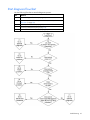
Start diagnosis flowchart ................................................................................................................... 67
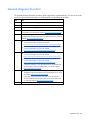
General diagnosis flowchart.............................................................................................................. 68
Server blade power-on problems flowchart ......................................................................................... 69
POST problems flowchart .................................................................................................................. 71
OS boot problems flowchart .............................................................................................................. 73
Server fault indications flowchart ....................................................................................................... 75
POST error messages and beep codes ......................................................................................................... 77