1
R E D C AT U s e r M a n u a l
R E D C AT U s e r M a n u a l
TROUBLESHOOTING GUIDE
SETTING UP THE REDCAT
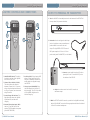
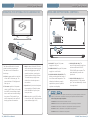
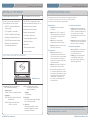
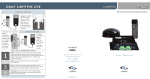
UNPACKING YOUR SYSTEM
DETERMINE SET-UP METHOD
Ensure that you have received all of
the components of your system.
The REDCAT is shipped with a table
stand connected and ready for use. A
• REDCAT™receiver/amplifier and
power supply
wall bracket is also included.
• LT-71 LightMic™ transmitter
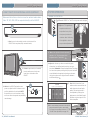
Tabletop (recommended):
• BC-TXLT transmitter wall charger
• Tabletop stand (attached to the
REDCAT) and wall-mount bracket
• Optional: second LightMic or
IR handheld microphone
Advantages of either include:
• Virtually no setup time
• Greater flexibility to move to
different locations
Wall-mount:
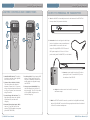
Note: Most problems are directly related to low battery power. Please
run through the “Battery Check” items first. For remaining troubleshooting, use known good, fully-charged batteries.
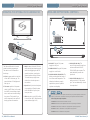
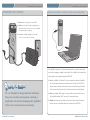
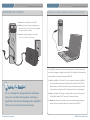
Battery Check
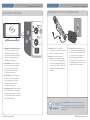
• Confirm batteries are charged
each night.
• Make sure the LT-71 is turned off
while charging so that it will attain
a full charge. Full charge will last
eight hours.
• Make sure the charge cord is
connected to the cradle charger.
• Inspect the battery contacts. Clean
• More permanent setup
and adjust if necessary.
Hearing Static
• Greater security
• Ensure the REDCAT is in an
acceptable location and the line of
site to the IR sensors is not impeded
(refer to placement in manual). A
single sensor will cover a 1600 sq. ft.
enclosed classroom.
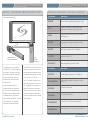
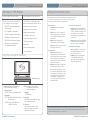
SELECTING A LOCATION FOR THE REDCAT
Low Volume or Feedback:
• Ensure microphone is positioned
appropriately, just below the collar
bone. If a headset microphone is in
use, the end of the mic boom
should be positioned at the corner
of the mouth.
• Check volume level on the REDCAT.
If the volume is too high, feedback
WILL occur. Adjust accordingly.
No Sound From Speaker
• Turn the REDCAT on. Confirm that
the POWER light located on the
front panel switch is on.
• Confirm signal is being received
at the REDCAT. The IR signal
light will be lit (red) indicating a
signal is being received.
• Ensure that no other LT71/HM70 is
operating on the same channel.
• If an external microphone is in use,
LightSPEED
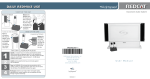
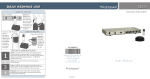
Tabletop Set-up
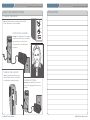
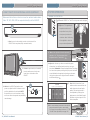
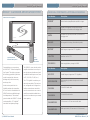
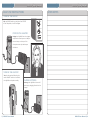
1. Set it up. Find a flat surface and
keep in mind the following:
• Power Source
Within 7 feet of an electrical outlet
• Proximity
BEST: Along the wall in the back of
the classroom
GOOD: Along either side of the
wall or in a corner
AVOID: Locations next to where
the teacher instructs (can
result in feedback)
• Height
3–6 feet high
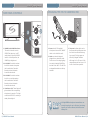
2. Plug it in
Uncoil the power cable and plug it
into an electrical outlet.
3. Turn it on
Flip the power switch on and
proceed to page 8 for system
operation instructions.
3 | REDCAT Users Manual
try a another LightMic that is known
to be working (if available) to isolate
the problem. If static persists with
“known good” microphone, the
LT-71 input jack has damage and
will need service.
If you review these instructions and still have questions, write down the serial
number and model number of your system and call LightSPEED Technical Services
at 800.732.8999, 6:30 a.m. – 5 p.m. PST.
REDCAT Users Manual | 16