1
IntuiKey Script Application
Table of Contents | en
3
Table of Contents
1
Introduction
4
1.1
Parts List
4
1.2
Requirements
5
1.3
ISA Input Locales
5
1.4
Optional Accessories
5
2
Installation
6
2.1
Software Installation
6
2.2
RS-232 Connection
6
2.3
Keyboard Preparation
6
3
ISA Startup
8
4
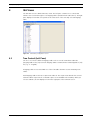
ISA Views
9
4.1
Tree Control (Left Pane)
4.2
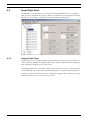
Forms (Right Pane)
10
4.2.1
Language Table Forms
10
5
ISA Menus
11
5.1
File Menu
11
5.2
View Menu
12
5.3
Transfer Menu
12
5.4
Server Menu
14
5.5
Window Menu
15
5.6
Help Menu
15
6
Using the ISA
16
6.1
Editing Text
16
6.1.1
Text Alignment
16
6.1.2
Inputting Font Characters by their Numeric Codepoints
16
6.2
Link Buttons
17
6.3
Configuring Softkeys to Execute Command Script (CCL) Macros
17
6.3.1
Assigning Macros
18
6.3.2
Organizing ISA Configuration (.int) Files per Allegiant Server (.alg) Files
18
A
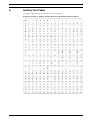
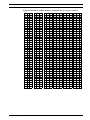
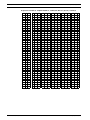
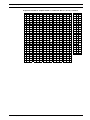
IntuiKey Font Tables
19
B
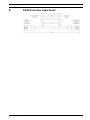
RS-232 Interface Cable Detail
29
C
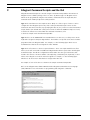
Allegiant Command Scripts and the ISA
30
Bosch Security Systems, Inc.
9
User’s Manual
F.01U.143.295 | 1.0 | 2009.11