1
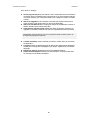
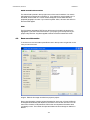
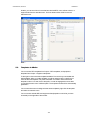
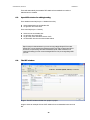
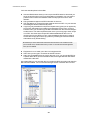
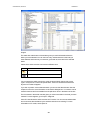
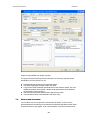
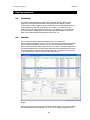
USER MANUAL, DROFUS VERSION 0.7 There will automatically be created a RFP attached to a standard room when a standard room is created. 6.3. Open RFP window for editing/reading From standard room list (Project -> Standard room list): Select a standard room and double click Or right-click and chose RFP From room list (Project -> Rooms): Select a room and double-click Or right-click and chose RFP Or go to the menu and select Rooms->RFP Or select RFP from the room list window toolbar Tips: På menyen for både standardrom og rom har en et valg i tillegg til Rediger RFP som heter Rediger RFP i nytt vindu. Normalt når en allerede har et RFP vindu oppe og velger å åpne RFP for et annet rom, så åpner det seg i det vinduet som allerede av åpnet, ønsker du derimot å ha to vinduer oppe samtidig (for å f.eks. kunne sammenligne RFP for to rom) kan du velge Rediger RFP i nytt vindu. 6.4. The RFP window Image 4: The RFP window will alter from project to project. Image 4 shows an example of how a RFP window for a room/standard room can look like. 21