1
TE USB FX2 Technology Stack Overview
Revision: 1.1
Generation 2
Migration from the second generation (aka DEWESoft) to the third generation (aka TE
to generation
USB FX2) of Trenz Electronic USB FX2 technology stack (firmware and driver).
3 migration
(firmware +
driver)
video
play list.
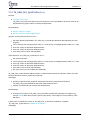
TE0300: migration from 2nd to 3rd generation (firmware + driver)
This video shows how to upgrade a Trenz Electronic TE0300 device form the second to
the third generation (firmware and driver). The video has been recorded on a Microsoft
Windows 7 (64 bit) operating system with a TE0300-01 FPGA module connected to a
USB port, but the procedure is almost the same for any Trenz Electronic USB FX2
device.
In this video, power-on reset is used.
Please note that TE0300 has master reset, thus a powered reset (S2 switch) is possible.
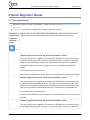
TE0320: migration from 2nd to 3rd generation (firmware + driver)
This video shows how to upgrade a Trenz Electronic TE0320 device form the second to
the third generation (firmware and driver). The video has been recorded on a Microsoft
Windows 7 (64 bit) operating system with a TE0320 FPGA module connected to a USB
port, but the procedure is almost the same for any Trenz Electronic USB FX2 device.
In this video, power-on reset is used.
Please note that TE0320 has master reset, thus a powerered reset ( S1D switch to ON) is
possible.
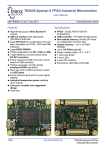
TE0630: migration from 2nd to 3rd generation (firmware + driver)
This video shows how to upgrade a Trenz Electronic TE0630 device form the second to
the third generation (firmware and driver). The video has been recorded on a Microsoft
Windows 7 (64 bit) operating system with a TE0630-00 FPGA module connected to a
USB port, but the procedure is almost the same for any Trenz Electronic USB FX2
device.
Please note that, unlike TE0300 and TE0320, TE0630-00 has no -master reset-, thus a
power-on reset is required.
Copyright © 2013 Trenz Electronic GmbH
Page 19 of 38
http://www.trenz-electronic.de