1
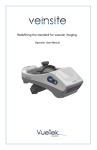
Redefining the standard for vascular imaging.
Operator User Manual
Document Part Number: VTS1000-OUM-E
Revision 1.6 English
VueTek Scientific LLC
22 Shaker Rd.
Gray, Maine 04039 USA
(207) 657-6565 TEL
(207) 657-6569 FAX
www.vuetekscientific.com
CEpartner4U BV
ESDOORNLAAN 13, 3951DB MAARN,
THE NETHERLANDS.
www.cepartner4u.eu
VueTek Scientific and Veinsite are trademarks of VueTek Scientific LLC
All contents of this manual are the proprietary copyright property of VueTek
Scientific LLC and are subject to change at the discretion without notification
by the manufacturer. No parts of this manual may be copied, transmitted or
disseminated to other parties without express written permission from the
manufacturer. Copyright violations will be prosecuted to the full extent
permissible by U.S. and International laws by VueTek Scientific LLC.
VueTek Scientific
Operator User Manual
Table of Contents
INTRODUCTION
4
SAFETY & CLINICAL
4
CONVENTIONS USED
INDICATIONS
CONTRAINDICATIONS
PATIENT AND USER SAFETY
GENERAL EQUIPMENT SAFETY
REMOTE MONITOR SAFETY
CLINICAL ANALYSIS
LIGHT EMISSIONS
USE IN OXYGEN ENRICHED ENVIRONMENT
SETUP & USE OF DEVICE
UNPACKING & INSPECTION
SETTING UP THE BATTERY CHARGER
CHARGING THE BATTERY
INSTALLING/REMOVING THE BATTERIES
DEVICE CONTROLS AND IMPORTANT FEATURES
REMOVING PROTECTIVE LENS COVERING
TURNING THE DEVICE ON/OFF
WEARING THE DEVICE
USING THE DEVICE
CONTROLS & INDICATORS
USING THE DEVICE WITH A REMOTE MONITOR
MAINTENANCE & SUPPORT
REPLACING DISPOSABLE HEADBASKET PADS
VUETEK HANDLING AND STORAGE
CLEANING
VEINSITE SPECIFICATIONS
VEINSITE STANDARDS
VEINSITE AND ACCESSORIES ORDERING INFORMATION
SERVICE AND SUPPORT
WARRANTY
APPENDIX A
4
5
5
5
6
7
8
8
8
9
9
9
9
10
11
11
11
12
12
14
15
16
16
16
17
17
17
18
18
18
19
3
VueTek Scientific
Operator User Manual
In tr o d uc t i o n
The Veinsite, from VueTek Scientific, is a near infra red (NIR) vein imager that is worn
on the head to improve the viewing of superficial, subcutaneous vasculature. The device
works by contrasting the vasculature from surrounding tissue while providing portable
and hands-free operation.
The Veinsite is designed to provide a non-diagnostic, enhanced visual aid that is used
alongside standard visual and tactile methodology. Video of the vasculature is viewed
by the user in the headset display. The headset and display combination facilitates both
visualization in the display and an open field of view directly to the subject’s anatomy
and practitioner’s surroundings.
S af et y & C li n ic al
Warning: U.S. Federal Law restricts this device to the sale by or on the order of
a licensed physician or other qualified medical professional.
The Veinsite is for use by a qualified medical professional only. Read all
Warning and Cautionary Statements and instructions in their entirety before
operating the Veinsite.
Con ventio ns Used
This manual and device packaging uses internationally accepted conventions in
describing information requiring further attention by the user.
WARNINGS: Indicate a hazardous situation which, if not avoided or adequate
precautions taken, could result in loss of life or serious injury to the user or
patient and potential device damage.
CAUTIONS: Indicate a hazardous situation which, if not avoided or adequate
precautions taken, could result in minor or moderate injury to the user or
patient, or device damage.
Caution, consult accompanying
documents
Manufacturer
Consult instructions for use
Fragile, handle with care
Qty
Allowable humidity range
Allowable temperature range
MRI Unsafe
Temperature limitation
Unit Power Switch
Quantity
Contrast Mode
Keep dry
4
Dispose of accordingly
Operator’s User Manual
English
Indicati ons
The Veinsite is a non-invasive, electronic device to aid in the visualization of
superficial, subcutaneous vasculature.
It is indicated for use in procedures requiring vascular or peripheral vessel
access.
It is intended for use in settings such as hospitals, ambulatory surgery centers,
blood drawing centers (diagnostic or donation), clinics/outpatient treatment
centers and office-based physician practices.
Users of the Veinsite must be medical professionals qualified to perform
vascular access procedures.
Contraindicatio ns
The Veinsite is not intended to be used as a diagnostic device or as a form of
treatment
It is not intended for imaging eyes, vasculature in the eye, or other structures
of the eye
It is not intended for tissue differentiation
It is not intended to enable direct or indirect medical procedures
Patient and Use r Safety
WARNINGS
The Veinsite is for use by qualified medical personnel only.
The Veinsite is a visual aid and is not intended to replace the medical judgment of a
qualified healthcare professional or the standard visual and tactile vascular access location
confirmation process.
The Veinsite is a visual aid and should not be solely relied upon when performing vascular
access procedures as a slight delay and difference in actual size of the vasculature in the
display may be experienced.
The Veinsite does not distinguish between arteries and veins. Use conventional visual and
tactile methods to discriminate between arteries and veins.
The Veinsite does not display the depth of veins which can vary based on patient physiology,
condition, and location of the anatomy being examined. Standard visual and tactile methods
and professional training should be used to confirm the vein depth and location.
Certain veins may appear larger than they actually are due to patient characteristics such as
vein depth and amount of adipose (fatty) tissue. Standard visual and tactile methods and
professional training should be used to confirm vein size, depth and location.
What is displayed by the Veinsite can be affected by factors including: patient’s vein depth,
amount of adipose tissue, age, physical condition and skin condition/traits (e.g. scarring,
tattoos and hair). These factors may completely prohibit veins from being displayed.
Standard visual and tactile methods and professional training should be used to confirm vein
depth and location. Deep veins in excess of about 7mm may not be visible.
5
VueTek Scientific
Operator’s User Manual
Using Veinsite on subjects in a bassinet or incubator while viewing through the acrylic or
polycarbonate (such as Plexiglas) may cause artifacts such as rings or patches of
blurring that block out part of the displayed image. This is caused by ambient conditions
such as a heating lamp and the reflective properties of the plastic. In an attempt to
correct this, the user may try changing the viewing angle of the Veinsite. In all cases, do
not rely solely on the Veinsite display for performing the venipuncture or vascular access
procedure. Follow standard conventional clinical verification and implementation of the
procedure using direct line of sight to the subject.
The VGA compatible video monitor must be certified for use with medical equipment (IEC
60601-1). Furthermore all configurations shall comply with the medical system requirements
(IEC 60601-1:2005, Clause 16, or IEC 60601-1-1:2000). A user connecting additional
equipment to data ports configures a medical system, and is therefore responsible that the
system complies with the medical system requirements. If in doubt, consult your facility’s
technical service department or your local Vuetek representative.
Do not operate machinery, equipment or vehicles with the Veinsite positioned on the head
and do not walk or climb stairs while wearing the Veinsite to avoid a tripping or falling
accident.
The Veinsite headset and battery charger are not safe for use in harsh
electromagnetic environments such as those exhibited with MRI equipment.
CAUTIONS
Do not examine eyes, vasculature in the eye, or other structures of the eye.
Do not look or have patients look directly into the illuminator at close range.
If the user cannot see the displayed image clearly and without strain, continued use may
cause eye discomfort and fatigue.
Although no known increased risks of exposure to near-infrared energy at levels emitted
by this product have been identified, exposure to the eyes should be avoided at all times.
Appropriate patient eye protection is recommended if the instrument is to be used to
view vessels near the eyes, such as the face or scalp.
In extremely bright conditions such as would occur in direct sunlight, the image’s
contrast may be reduced. If this occurs, shading the area to be imaged will improve the
overall contrast in the display.
It is recommended that the Veinsite be used with sanitary head covering, such as a
bouffant, to reduce the chance of cross contamination between users.
Do not wear the headset for a prolonged period or if you experience any strain including
to the neck or eyes.
Always keep the unit, charger, and battery out of the reach of children.
Gene ral Equipm ent Safety
WARNINGS
6
Operator’s User Manual
English
To avoid the risk of electrical shock, inspect the battery charger cable and plug for
damage before use. Do not use the Veinsite or accessories if damaged.
Use only VueTek Scientific supplied batteries, chargers, and accessories. In the event of
visible damage, do not use and contact VueTek Scientific for replacement.
Do not use the battery charger, or insert or remove the battery pack from the Veinsite in
an oxygen enriched environment.
CAUTIONS
Do not scratch the Veinsite protective lens cover or internal LCD display screens. Use
only non-abrasive, lint free materials to clean the device.
Clean the Veinsite between users.
If prior to or during the procedure, no contrast between the vascular system and
surrounding tissue is noted or if other anomalies are detected, discontinue use of the
device and contact VueTek for assistance.
Do not immerse any component of the Veinsite (including battery charger, batteries and
remote monitor cable, if used) in water or other liquids.
Do not insert any objects into any opening on the Veinsite.
Dispose of batteries and accessories per your facility policy or local regulations.
There are no user serviceable components on this device. Servicing is to be performed
only by the manufacturer or their authorized service centers. Other servicing voids the
warranty.
Read and observe all electro-magnetic compatibility (EMC) limits as outlined in Appendix
A in this manual.
Do not use this device near equipment with strong magnetic or electromagnetic fields
such as MRI or CT equipment.
Rem ote Monito r Safety
CAUTIONS
Follow all user instructions that accompany the monitor regarding safe product use.
Route cable to avoid contact with the patient and all sterile fields.
Route cable to avoid accidental tangling, pulling, or tripping.
Disconnect the Veinsite from external monitor when cleaning.
When using the external monitor feature, the connected monitor may experience a
momentary flicker due to AC electrical disturbances. The internal display of the Veinsite
will not be affected.
7
VueTek Scientific
Operator’s User Manual
Clinical Anal ysis
Clinical study results demonstrated that when using the Veinsite at least two (2) additional
suitable IV sites were observed that had not been seen by the eyes and tactile feel. This was
demonstrated at above a 99.5% confidence level. The study also demonstrated that subject
gender, subject group, subject weight (normal or overweight), subject ethnicity, subject skin
tone, or the viewing order did not affect the results (i.e., ability to observe additional potential
suitable IV sites versus the eye and tactile feel) of using the device. This was demonstrated
at above a 95% confidence level.
When further comparing the study results with subject age groups, weight, (normal or
overweight as a function of BMI), ethnicity, and skin tone that the number of potential IV sites
observed was greater (“more beneficial”) when compared to visual methods with the
following results:
The observation of adult/elderly subjects was more beneficial (i.e., more suitable
IV sites identified with the Veinsite) than observing IV sites of neonate/toddlers
and adolescents;
Observing IV sites of subjects with BMI equal or greater than 25 was more
beneficial (i.e., more suitable IV sites identified with the Veinsite) than to observe
IV sites of subjects with BMI less than 25. Observing IV sites of subjects with BMI
equal or greater than 30 is more beneficial (i.e., more suitable IV sites identified
with the Veinsite) than to observe IV sites of subjects with BMI less than 20;
Observing IV sites of Black or African American subjects was more beneficial
(i.e., more suitable IV sites identified with the Veinsite) than to observe IV sites of
White or Caucasian subjects.
Light Em issions
The Veinsite infra-red (IR) light emissions do not pose a potential hazard to the eye
under any conditions of intended use and is exempt in accordance with ANSI RP27.3
and IEC 62471:2006 standards addressing optical safety hazards associated with LED
IR Radiation. However, as with any bright light source, needless staring into the LEDs
should be avoided. Although there are no known increased risks of exposure of infants
to near-infrared energy at levels emitted by this product, needless exposure of the eyes
of infants should be avoided, and eye patches could be applied if the instrument is to be
used to view vessels of the face.
The Veinsite display does not pose a potential hazard to the eye of the user under
intended use and is also exempt in accordance with ANSI RP27.3 and CIE-S009/IEC62471:2006.
Use in O xyge n Enriched En vironm ent
The Veinsite has been designed and tested to be used in an oxygen enriched
environment. The power source does not exceed 10 volt-amperes nor does the surface
temperature of any component exceed 300°C.
Oils and grease should not be used on this device and the device should be kept clean
while in an oxygen enriched environment.
Do not insert or remove the battery pack or use the charger while in an oxygen enriched
environment. Move the device to a normal atmosphere before performing any battery
handling operations.
8
Operator’s User Manual
English
The charger is not to be used in an oxygen enriched environment and should not be
located in any area where a higher level of oxygen may be encountered.
S et up & Us e of D e v ic e
Unpacking & Inspection
The Veinsite kit contains everything necessary to get started with enhanced vein
viewing. Please carefully remove all of the kit contents, ensure that your kit contains all
of the items and visually inspect for any damage or missing items. Contact VueTek prior
to use if any items are missing or appear to be damaged.
Item
Veinsite Head Set
Carrying Case
Headband Replacement Pad
Operator’s User Manual (OUM)
Battery
Battery Charger System*
Qty
1
1
1
1
1
1
*Includes charger base and wall transformer
WARNING: Do not use the Veinsite or its accessories if damaged.
Setting up the Battery Ch arg er
The battery charging system consists of a charging cradle to accept the battery and a
wall mounted power supply to provide power to the cradle.
The power supply comes standard with several different terminal adapters to be
compatible with many international power configurations. Select the proper adapter for
the appropriate power outlet and insert the adapter into the power supply housing.
There should be an audible click when the adapter is correctly mated with the power
supply.
The charging cradle can be either wall or table top mounted. If the cradle is to be wall
mounted, self-adhesive pads are supplied that can be attached to the back of the cradle
to hold the device to the wall. For a more secure attaching method, screws and anchors
are also supplied for permanent mounting. A detailed diagram can be found in the
cradle’s shipping package.
Connect the power supply with the correct power adapter in place to a suitable (110-240
VAC, 50/60Hz) wall outlet. The indicator light in the base will glow red indicating power
is available but no battery is detected.
Cha rgin g the Battery
9
VueTek Scientific
Operator’s User Manual
WARNING: Do not perform battery operations (inserting/removing/charging) in
an oxygen enriched environment.
Batteries are shipped in a partially charged state. Prior to first use, it is
recommended that a full charge be done to ensure full use of the device.
Insert battery into charger cradle which causes the indicator light to blink green indicating
that charging has begun. Charging is complete when the indicator light turns steady
green, approximately five hours for full charge.
A fully charged battery will provide approximately 4 hours of continuous operation.
The indicator light can have four possible states as follows:
Solid Red No battery detected
Blinking Red
Fault condition, battery or charger defective
Blinking Green
Charging
Solid Green
Fully charged
To ensure that you always have a fully charged battery pack available, it is
recommended that a second battery pack be acquired to allow the use of the Veinsite
while the depleted battery is being charged.
Installing/Rem ovin g the Batteries
CAUTION: Do not use batteries if visibly damaged or the charger station
indicated a faulty battery.
Inspect the battery and contacts for contamination such as dust and dirt that could
prevent proper electrical contact. If necessary, clean with a non-abrasive, lint free wipe
or cloth.
Install the battery pack by pressing the blue tab on the battery and pivoting the battery
into the unit’s pocket (see Figure 1 below). Removal is the reverse of the installation
process.
When installing a battery pack, make sure that the blue tab securely locks in place to
retain the battery pack.
Figure 1: Battery Installation
10
Operator’s User Manual
English
Device Contro ls and Im porta nt Features
Top Adjustment Knob
Contrast control
Power On/Off
Battery
Rear adjustment
knob
Figure 2: Parts and Controls
Rem oving Prot ective Le ns Adjustment
Cove ring Knob
The Veinsite is shipped with a protective film covering the front IR lens material and must
be removed prior to use. Gently peel this covering off and discard. The device is now
ready to be used.
Turnin g the Device On/Off
Once the charged battery is installed, press the blue power button on the right hand side
of the unit to turn on the unit. Pressing the button again will turn off the unit.
The unit may be turned on prior to donning the device or once the device is positioned
on the user’s head.
If the device sounds three beeps after turning on, there is insufficient charge remaining
in the battery to continue. Change or charge the battery to continue to use the device.
CAUTION: Applying power to the Veinsite activates the infra-red (IR)
illuminators. Use normal precautions as listed in the Patient and User Safety
section of this manual.
11
VueTek Scientific
Operator’s User Manual
W earing the Device
CAUTION: To reduce the potential of contaminant transmission, it is
recommended that the Veinsite be cleaned and/or the disposable headband
pads be replaced between users. It is also recommended that sanitary head
covering such as a disposable bouffant be used while operating the device.
After placing the Veinsite device on the head, the head basket fit is adjusted by grasping
the adjustment knobs and turning clockwise to tighten and counter-clockwise to loosen
(see Adjustment Knobs: Figure 3).
With the device powered on, place the unit onto your head. Adjust the top adjustment
knob so that the display is aligned horizontally with your eyes.
Hold the unit in position to maintain horizontal alignment and adjust the rear knob of the
device so that the strap will fit easily onto your head. Increase the tension of the rear
adjustment knob to achieve a snug and secure fit.
For a more precise view of the display, repeat previous steps making minor adjustments
of the entire unit up or down on the forehead.
Figure 4: Representation of Screen
to Eye Positioning
Vertical Adjustment
Adjustment Knob
Front to Back Adjustment
Adjustment Knob
Figure 3: Headband Adjustments
Using the De vice
12
Operator’s User Manual
English
The Veinsite is a visual aid designed to be used in conjunction with conventional clinical
practice. With a working distance of approximately 10 to 20 inches [25 to 50 cm] from
the patient’s anatomy, the device provides hands free operation to complement current
methods of vein identification.
a)
Look into the display for an enhanced view of the vasculature (see Figure 5).
b)
Look below the unit to allow normal vision and follow normal clinical practice.
c)
Alternate between (a) and (b) as necessary
Normal viewing
Instrument based
viewing
Figure 5
WARNING: Do not rely solely on the Veinsite display for performing the
venipuncture or vascular access procedures.
If prior to or during the procedure, no contrast between the vascular system and
surrounding tissue is noted or if other anomalies are detected, discontinue use of the
device and contact VueTek for assistance.
The Veinsite is designed to be used in a wide range of lighting conditions including
fluorescent, incandescent and natural lighting. As the device provides its own light
source, a dimly lit room will not affect the efficacy of the Veinsite. In extremely bright
conditions such as would occur in direct sunlight, the image’s contrast may be reduced.
If this occurs, shade the area as much as possible to improve the image quality.
13
Operator’s User Manual
VueTek Scientific
Controls & Indicators
The Veinsite contains a LCD display that presents the image to the user as well as
several informational icons.
Battery Status
Fault icon
Contrast mode icon
Image with enhanced contrast
Note: All icons are shown for display purposes only
Contrast Selection
The Contrast Control Button (Figure 2) will alternate the display between low contrast
and high contrast. This selection alters the way the image is processed where fine detail
may be enhanced or suppressed. The user may find that one mode is preferred over the
other when factors such as patient age, condition, skin tone, and physiology (such as
hair) are considered. An indicator in the display will show which mode is currently active.
Auto Shutoff
The Veinsite is equipped with a detector that will turn off the device after approximately
10 minutes if no motion of the headset is detected.
Battery Status
The visual indicator appearing in the upper right hand corner of the display will show
eight bars when fully charged with each segment of the icon representing approximately
30 minutes of useful battery life remaining.
If the remaining battery life is insufficient to continue operation, the device will sound 3
beeps and turn off. The battery must be charged or changed at this point to continue
using the device.
Fault Indicator
If an internal fault is detected during use, the imaging will be disabled and an icon in the
form of an exclamation mark will be shown on the display. Contact VueTek or your
distributor for further information.
14
Operator’s User Manual
English
Using the De vice with a Re m ote Monitor
The Veinsite provides a video output port for connecting an optionally supplied VGA
Cable, part number VTS1000-VGA to an external display monitor. By using this cable
with a suitable monitor, observers can view, in real time, what the user of the Veinsite is
seeing through the device.
To connect the Veinsite to an external display:
a)
Slide the cable’s molded clip onto the top ridge of the Veinsite as shown in Fig. 6.
Loop the cable through the clip, allowing additional safety in the event the cable is
pulled.
b)
With the Veinsite turned OFF, gently pry open the protective cap on the left side of
the unit, exposing the VGA connection.
c)
Insert the molded connector on the cable into the receptacle in the unit. The
molded connector should fit snugly into the recess where the protective cap fits.
Do not force the connector or twist after insertion.
d)
Attach the other end of the VGA cable to an appropriate input of a monitor and
secure the support screws. Note that the Veinsite transmits a VGA compatible
signal to a monitor capable of receiving such a signal. This includes all standard
LCD, Plasma, and projector devices. PCs and laptops are not typically capable of
receiving a signal and therefore are not compatible with the Veinsite device.
e)
Turn the Veinsite on. The image will be simultaneously shown in the headset and
the external monitor. The image on the monitor may differ from what is visible in
the Veinsite’s display due to monitor settings and external lighting conditions.
CAUTION: When using the remote monitor feature, refer and adhere to all
instructions, paying special attention to the warnings and cautions found in
the section on Remote Monitor Safety.
Figure 6: Use of Remote Monitor Cable
15
VueTek Scientific
Operator’s User Manual
Maintenance & Support
The Veinsite does not require any periodic maintenance other than routine cleaning.
There are no user serviceable components within the device other than battery
replacement. Order replacement and additional batteries from your distributor.
Replacin g Disposab le He adb and Pads
The pads located on the head basket straps can be removed and replaced as desired.
Replacement pads may be ordered from your distributor and are available in varying
quantities.
The pads are attached to the head basket with Velcro™ strips. To remove the pads,
simply peel away the old pads and discard.
Replacing the pads consists of simply pressing the new pads into the areas indicated in
figure 7. Observe the correct side of the pad to attach to the Velcro strip. The rough
side should be against the strap, the smooth side to the user’s head.
Fig. 7
VueTek Handl ing a nd Stora g e
CAUTION: Always keep the Veinsite and charger out of reach of
children.
When not in use, power off the Veinsite to preserve battery life.
If the Veinsite is not to be used for an extended period of time, VueTek recommends
removing the battery prior to storage.
Always store the unit in a safe, secure location per your institution’s guidelines.
Operate at 32°F to 90°F [0°C to 32°C] and 0-80% relative humidity.
Store at -4 °F to 122 °F [-20°C to 50°C] and 0-95% relative humidity.
If carrying the unit for an extended distance, it is recommended that the device be placed
into its carrying case.
Store the device where it will not be accessible by children and untrained individuals.
16
Operator’s User Manual
English
Clean ing
As the Veinsite is an optical instrument, it is important to keep the optical surfaces clean
of contamination for optimum image quality.
Periodically inspect the device and if necessary, gently clean the front window that
houses the camera and light sources. Any cleaner that is recommended for glass is
acceptable; do not use cleaners that will leave a residue or abrasive as these will
degrade the optical surfaces.
The device’s housing can be wiped down using any common non-abrasive chlorine or
alcohol based cleaners normally found in a medical environment.
Do not allow any liquids to enter into any connectors or into the device itself. Use only a
cloth dampened with the cleaner to clean the device.
The headband pads may be cleaned or replaced as desired. Additional headband pads
may be purchased through VueTek Scientific or your supplier.
CAUTIONS:
Do not immerse any portion of the unit or its accessories in liquids or disinfectants.
Do not sterilize the Veinsite or its accessories using heat, steam or pressure.
Do not allow any liquids to enter into any connectors or into the device itself. Use only a
cloth dampened with the cleaner to clean the device.
Veinsite Specifications
Unit weight
35 oz / 1.0 Kg
Battery charge time
300 minutes typical
Approx. system ship wgt
7 lbs / 3.2 Kg
Display type
LCD
Working distance
10-20 inches (25 –50 cm)
Display resolution
640x480
Illumination wavelength
850 nm
External display output
VGA compatible
Battery type
Sealed 7.4V lithium ion
Exposed materials
Nylon, ABS,
polycarbonate
Battery run time
240 minutes (4 hours)
typical
Battery charger input
voltage
100-240 VAC, 50/60 Hz
Min/Max operating
temperature
32˚F / 90˚F (0˚C / 32˚C)
Humidity Operating
0-80% RH
-4˚F / 122˚F (-20˚C / 50˚C)
Humidity Storage
0-95% RH
Min/Max storage
temperature
Veinsite Standards
CIE-S009/IEC-62471:
ANSI RP27.3:
IEC 60601-1:
IEC 60601-1-1:
IEC 60601-1-2:
Photobiological Safety of Lamps and Lamp Systems
Recommended Practice for Photobiological Safety for Lamps - Risk
Group Classification
Medical Electrical Equipment Performance and Safety
Medical Electrical Equipment Safety
Medical Electrical Equipment Electromagnetic Compatibility
17
VueTek Scientific
Operator’s User Manual
Veinsite and Accessories Orderi ng Inform ation
VEINSITE
VTS1000-BAT
VTS1000-CHARGER
VTS1000-VGA
VTS1000-CASE
VTS1000-PAD2pk
VTS1000-PAD10pk
VTS1000-OUM
Headset Vein Viewing System
Battery Pack
Battery Charger Base / Power Supply Set
4.8 meter Remote Monitor Video Cable
Carrying Case
Replacement Headband Pad Set (2 pk of 10 ea)
Replacement Headband Pad Set (10 pk of 10 ea)
Operator’s User Manual (this document)
Note: This manual is available at www.vuetekscientific.com and selecting the ‘Manuals’ button on the
menu bar or by calling +1-207-657-6565
Service a nd Supp ort
CAUTION: The Veinsite and its accessories are not field-serviceable. Do not
attempt to repair or use a malfunctioning unit. Doing so could result in injury
and will void the product warranty.
Customer and Technical Support within the U.S. and Canada:
Telephone: 207-657-6567
Facsimile: 207-657-6569
W arranty
VueTek Scientific (“VueTek”) warrants that the Equipment conforms to any specifications provided
in writing by VueTek to Customer for that Equipment, is of sound materials and workmanship, is new
and unused, unless otherwise specified.
Except as provided in the above paragraph, VueTek is not making, and the Customer is not
relying on, any representations or warranties with respect to the Equipment, including without
limitation any implied warranty or merchantability, fitness for a particular use, or arising from
course of performance, course of dealing or usage of trade.
Standard Warranty
1. Standard Warranty Period. The Warranties with respect to any Equipment shall remain in
effect for the following period of time after delivery of the Equipment to the Customer (the “Warranty
Period”): (1) Twelve (12) months for each Veinsite vascular imaging device; and (2) Ninety (90) days
for any Veinsite battery.
2. Notice of Warranty Claim. If at any time during the applicable Warranty Period, the Customer
believes that the Equipment does not comply with any of the Warranties, the Customer shall promptly
notify VueTek of a Warranty Claim. If the Customer does not provide notice of Warranty Claim within
the Warranty Period, the Customer shall not have any right to claim that the Equipment does not
comply with the Warranties. The Customer shall inspect the Equipment promptly after delivery to the
Customer and promptly notify VueTek of any alleged breach of any Warranties or any errors relating
to the delivery of the Equipment.
3. Repairs and Replacements. If within the applicable Warranty Period the Customer notifies
VueTek that any Equipment does not comply with any of the Warranties and if in fact the Equipment
does not comply with any of the Warranties (not caused by misuse or abuse), VueTek shall, at
VueTek’s election and expense, either repair or replace the Equipment. The Customer shall not
return any Equipment to VueTek without first obtaining a return authorization number from VueTek or
VueTek’s authorized distributor. If Customer fails to follow all of VueTek’s return instructions,
including the packaging of the Equipment, the repair will not be covered by this Warranty.
18
A pp e nd ix A
Electro-magnetic Compatibility Declarations
Emissions All Equipment and Systems
The Veinsite is intended for use in the electromagnetic environment specified below. The customer or user of the
Veinsite should ensure that it is used in such an environment.
Emissions Test
Electromagnetic Environment – Guidance
Compliance
RF Emissions CISPR 11
Group 1
The VTS1000 (Veinsite) uses RF energy only for its internal function.
Therefore, its RF emissions are very low and are not likely to cause any
interference in nearby electronic equipment.
RF Emissions CISPR 11
Group 2
N/A
RF Emissions CISPR 11
Class A or B
B
Harmonics IEC 61000-3-2
Class A,B,C,D or N/A
Class A when using VGA cable and external monitor. Class B otherwise
Flicker IEC 61000-3-3
Complies or N/A
Complies
The VTS1000 (Veinsite) is suitable for use in all establishments, including domestic, and those directly connected to the public lowvoltage power supply network that supplies buildings used for domestic purposes.
CAUTION: When using the external monitor feature, the connected monitor may experience a momentary flicker due to
AC electrical disturbances. The internal display of the Veinsite will not be affected.
Immunity All Equipment and Systems
Immunity Test
ESD
EN/IEC 61000-4-2
EFT EN/IEC 61000-4-4
Surge EN/IEC 61000-4-5
Voltage Dips/Dropout
EN/IEC 61000-4-11
Power Frequency 60/60Hz
magnetic field EN/IEC
61000-4-8
EN/IEC 60601 Test Level
Electromagnetic Environment – Guidance
Floors should be wood, concrete or ceramic tile. If floors
are synthetic, the r/h should be at least 30% RH
Compliance Level
±6kV Contact, ±8kV Air
±6kV Contact, ±8kV Air
±2kV Mains ±1kV I/Os
±1kV Mains ±1kV I/Os (see
justification)
±1kV Differential
±2kV Common
>95% Dip for 0.5 cycle, 60%
dip for 5 cycles, 30% dip for
25 cycles, >95% dip for 5
seconds
3A/m
Mains power quality should be that of a typical
commercial or hospital environment
>95% Dip for 0.5 cycle, 60% Mains power quality should be that of a typical
dip for 5 cycles, 30% dip for commercial or hospital environment.
25 cycles, >95% dip for 5
seconds
3A/m
Power frequency magnetic fields should be that of a
typical commercial or hospital environment
±1kV Differential
Recommended Separation Distances between portable and mobile RF Communications equipment and the Veinsite
Equipment and Systems that are NOT Life-supporting
The Veinsite is intended for use in the electromagnetic environment in which radiated disturbances are controlled.
The customer or user of the Veinsite can help prevent electromagnetic interference by maintaining a minimum
distance between portable and mobile RF Communications Equipment and the Veinsite as recommended below,
according to the maximum output power of the communications equipment
Max Output Power (Watts)
Separation (m) 150kHz
to 80MHz D=(3.5/V1)(Sqrt
P)
Separation (m) 80 to
800MHz D=(3.5/E1)(Sqrt
P)
Separation (m) 800MHz to
2.5GHz D=(7/E1)(Sqrt P)
0.01
.1166
.1166
.2333
0.1
.3689
.3689
.7378
1
1.1666
1.1666
2.3333
10
3.6893
3.6893
7.3786
100
11.6666
11.6666
23.3333
Compliance
Electromagnetic Environment –
Immunity Test
EN/IEC 60601 Test Level
Level
Guidance
Portable and mobile communications equipment should be separated from the VTS1000 (Veinsite) by no less than the distances
calculated/listed below:
Conducted RF EN/IEC 61000-4-6
3 Vrms 150 kHz to 80 MHz
(V1)Vrms
D=(3.5/V1)(Sqrt P)
Radiated RF EN/IEC 61000-4-3
3 V/m 80 MHz to 2.5 GHz
(E1)V/m
D=(3.5/E1)(Sqrt P) 80-800MHz
D=(7/E1)(Sqrt P) 800 MHz to 2.5 GHz where P is the max power in watts and D is the recommended separation distance in meters. Field
strengths from fixed transmitters, as determined by an electromagnetic site survey, should be less than the compliance levels (V1 and E1).
Interference may occur in the vicinity of equipment containing a transmitter.
19
VueTek Scientific
22 Shaker Rd.
Gray, Maine 04039 USA
(207) 657-6565 TEL
(207) 657-6569 FAX
www.vuetekscientific.com
M-10571