1
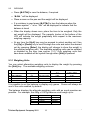
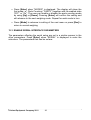
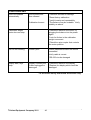
• Remove the item from the pan
• Press [Mode] to go back to “ANIMAL
[Esc] to return to normal weighing
rUN” to weigh another item or
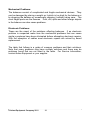
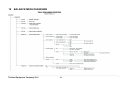
9.4.1.1 Animal Weighing Setup Parameters
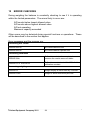
• Press [Mode] and then [Up] or [Down] to select Animal Weighing.
When “ANIMAL” is displayed press [Enter] to enter the function
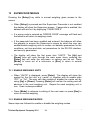
• Press the [Up] or [Down] key to select “SEtUP”
• Press [Enter] to select “SEtUP” to set up the balance for animal
weighing
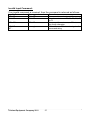
• Use the [Up] or [Down] key to scroll through the options for setting up
the mode. The display will show “MODE AUTO” or “MODE MANUAL”.
• Select “MANUAL” or “AUTO”
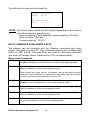
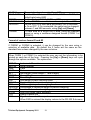
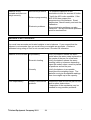
If “AUTO” is selectedThreshold (For AUTO mode only)
• The display will next show “THRESHOLD XX” where XX is the
minimum weight of the item required by the balance to start the process
for animal weighing. The value will be shown in the last selected unit.
• The XX can be changed to between 1 to 99 grams using the numeric
entry method (see section 7.1)
• To confirm the desired value, press [Enter]
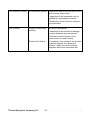
Test time
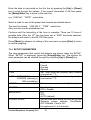
• After [Enter] is pressed to select “MODE MANUAL” or “MODE AUTO”,
it will display “TEST TIME XX”, where XX is the number of seconds
over which the balance will average to compute the final weight as set
during last operation
© Adam Equipment Company 2011
19