1
Introduction
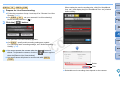
O Music files already registered on the camera’s memory card are
overwritten as music files are registered.
O Registering music files to your camera one track at a time is not
possible.
Adding EOS Sample Music
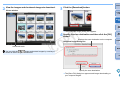
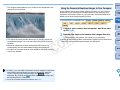
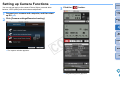
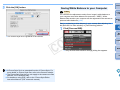
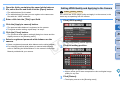
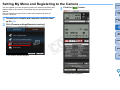
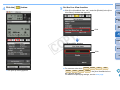
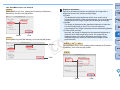
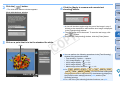
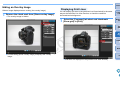
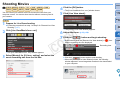
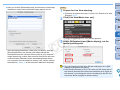
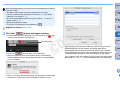
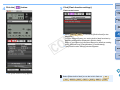
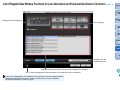
O Click the [EOS Sample Music] button.
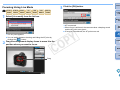
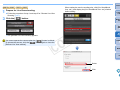
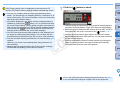
5 Click the [Close] button.
Contents at
a Glance
1
2
3
4
Downloading
Images
Camera
Settings
¿ The [Register Background Music] window closes.
¿ The EOS Sample Music on your computer is added to [List of
background music to register].
O This operation cannot be performed if EOS Sample Music is not
installed on your computer.
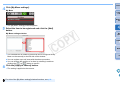
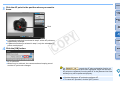
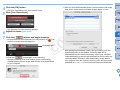
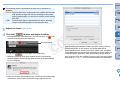
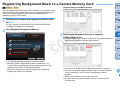
4 Click the [Register] button.
C
Y
P
O
Remote
Shooting
Preferences
Reference
Music copied through this function may not be used without
permission from the copyright holder, except for cases permitted
under applicable laws, such as for personal use.
Index
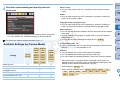
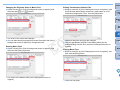
Music files meeting the following requirements may be registered to
the camera’s memory card.
¿ The music files in [List of background music to register] are
registered (copied) to the camera's memory card.
File format
Music file export: WAVE (.wav, .wave)
files in linear PCM
File time limit
Up to 29 min. 59 sec. per one file
File number limit
Up to 20 files
Channels
2 channels
70