1
19) Customize the Display (changing the units of measurement)
Unit of measure options: PSI, kPa, Bar, or kgf/cm2 plus °F or °C
90% of you will be happy with the monitor set to read pressures in PSI and temperatures in °F. You folks can
skip this section unless you have been pushing buttons and have inadvertently changed the default unit settings. The other 10% (Europeans and a few Canadians) will want to modify the display.
19.1) New Monitor (no transmitters have been “learned”)
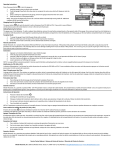
From the “Monitoring Mode”
Press & hold center button for 5 seconds to enter the “Pressure Setting Mode.”
Then press & release the center button to scroll through each tire.
After tire #22 (the last tire), the pressure unit (PSI) will flash.
Press the DN or UP button to scroll through kPa, Bar, etc.
When the unit of measure you want is flashing, press and release the
center button to confirm.
At this point the °F or °C will be flashing.
Press and release the DN OR UP button to change.
Press the center button again to confirm your choice.
Press and hold center button for 5 seconds or longer to exit and return to the “Monitoring Mode.”
33