1
2) TM66™ Operating Modes
In order to properly install and operate the TM66™ system, YOU MUST UNDERSTAND THE FOLLOWING 3
“MODES!” You do not need to memorize what they are. Just realize that in the set up stages you will be
asked to start a procedure in the “Monitoring Mode.” It’s important you know what that looks like.
The TM66™ has 3 Basic operating modes plus 3 advanced modes. The advanced modes are covered later in
the book. Section 9, 10 & 16.
2.1) Monitoring Mode
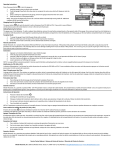
Most important is the “Monitoring Mode.” Once your setup is complete,
you will be in this mode 99% of the time. Take the monitor and press the
center button to turn the unit on.
If this is a brand new monitor and nothing has been installed, you will see
a single tire position and “---PSI” at the top.
Press the UP button and it will show ---°F.
Press the UP button again and it will move to the next tire showing ---PSI.
This confirms you are in the “Monitoring Mode. ” When you have transmitters
installed on your rig, instead of the bars (---), you will see numbers (either
pressure or temperature). Press and release the DN or UP button to scroll from
one tire to the next anytime you wish to check the pressures and temperatures
of your tires.
9