1
OPERATION
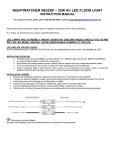
1. Turn on the wall switch to activate the light, the light is now under Night-time mode
NOTE: Allow approximately 30 seconds warm-up time before the sensor resumes normal activity.
2. To test, walk through the sensor’s detection area.
3. After the light is activated, keep out of detection area and the light will switch off automatically after 3 minutes. The
light will be activated again when detecting any movement.
If there is continuing movement in the detection zone, the light will stay on until movement ceases. (after 3 minutes)
LAMP REPLACEMENT
To isolate the unit, first switch off the unit from the mains power.
Allow bulb to cool before attempting to remove it.
Unscrew the lamp cover and take the old lamp out and replace with new one, close the lamp cover and tighten the screws.
WARNING: This fitting will become hot when in use.
Allow bulb to cool before touching.
NOTE: TH E INTEL LIGEN T M O TIO N SENSO R TR ACK IN G LI GH T I S DESI GNED TO ILLUM INATE WH EN TH E
DETECTIO N AR E A IS ENTERED BY A PER SO N AND WI LL DETECT M O VING H E AT SO URCE.
TH ERE IS NO
GU AR ANTEE IM PLIED TH AT IT WILL PRO VIDE TO T AL SECURITY O R PRE VENT ILLE G AL ENTRY.
SPECIFICATION
Detection method:
Passive Infrared Sensor (with continuous detect function)
Sensor range:
10m x 220° (maximum)
Power source:
AC 240V
Time adjustment:
Fixed at 3 minutes approx.
Load rating:
Grade C 120 Watts (as supplied) or J-Type 150 Watts Max.