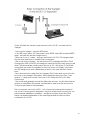
1
−
−
−
−
−
−
−
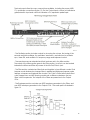
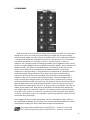
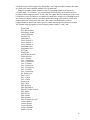
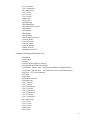
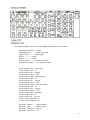
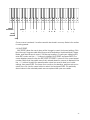
volume attack
volume decay
volume sustain
volume release
key cv (pitch of all 3 oscillators across range of keyboard)
osc 1 octave (pitch of single oscillator across range of keyboard)
osc 2 octave (pitch of single oscillator across range of keyboard)
− osc 3 octave (pitch of single oscillator across range of keyboard)
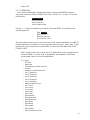
T.S GATE:
−
−
−
−
−
−
−
−
−
−
−
−
−
−
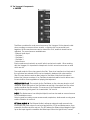
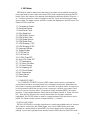
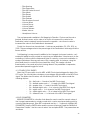
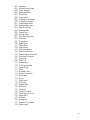
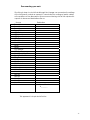
No Switch (default)
Glide Switch
Release Switch
Osc. 1Æ 2 Sync switch
Osc. 3-Æ1 FM switch
Osc. 3 KB Control switch
Osc. 3 Frequency Range switch
External Audio On/Off switch
Osc.1 On/Off switch
Osc.2 On/Off switch
Osc. 3 On/Off switch
Noise On/Off switch
Filter Mode switch
Envelope Gate switch.
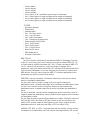
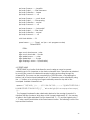
MIDI CTRL NO.
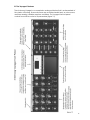
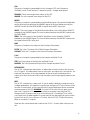
The Touch Surface can transmit user-selected MIDI CC Messages. For each
of the X, Y and A axes, the Touch Surface can be set to transmit MIDI CCs 1-31,
or it can transmit no MIDI information (off). The T.S. Gate can transmit MIDI CCs
64-127, values 0 (off) and 64 (on). If you are using the Voyager with a
sequencer, then you’ll want to transmit the CC numbers that corresponds to the
Touch Surface Destinations. If you are using the Touch surface to control other
MIDI devices, then you can choose the MIDI CC numbers appropriate to the
parameters you wish to control in that device.
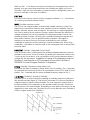
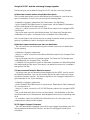
DIRECTION: normal or inverted – this selects a direction for the touch surface
axes to modulate the destination.
For the X-axis, Normal means moving from left to right increases the
destination’s value, inverted means right to left increases the destination’s value.
For the Y-axis, normal means moving from bottom to top increases the
destination’s value, inverted means top to bottom increases the destination’s
value.
For the A (area) axis, normal means changing the area covered from small to
large increases the destination’s value, inverted means large to small increases
the destination’s value.
For the Gate, Normal means the Gate signal turns a switch ON (Note: This turns 3
KB Cont OFF). When the Gate is OFF (No contact w/ the Touch Surface), the
switch is OFF. Inverse means a Gate Signal from the Touch surface turns the
destination switch off, and when the Gate is OFF, the Switch is ON.
AMOUNT: OFF, 50%, or 100%. This parameter sets the amount of touch surface
modulation of it’s destination. Each axis can be set independently. OFF means
51