1
2.4
CHECK-WEIGHING
Check-weighing is a procedure to display an indicator or sound an alarm when the weight on the platform
meets or exceeds the values stored in the memory. The memory holds values for a high limit and a low limit.
Either or both the limits can be set by the user.
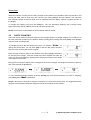
The LCD display will indicate whenever the weight is within or exceeds the limits by showing “OK” (mass is
between the limits), “HI”(mass is above the high limit) or “LO”( mass is below the low limit).
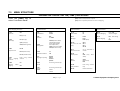
The limits can be locked by the manager (see the menu structure section) .A Limit Password must be used
to change the limits or recall other limits from memory.
Setting up the limits
In normal weighing, Press the [Low Limit] key. It will show the current low limit. The “LO” symbol will appear
on the display.
Press the [CE] key to clear the old value and then enter the new low limit using the numeric keys. Then
press [Tare] to accept the value. If you want to reset the value to zero, press [CE] to clear the value. The
limits are displayed in the weighing unit in use.
To set the high limit press [High Limit], the “HI” symbol will be on. Set the high limit in the same way the low
limit was set. Pressing the [Tare] key to enter the value will return the scale to weighing, with the Checkweighing function enabled. During parts counting and percent weighing, the limits are set in the same way
as above. The limits are displayed in pcs or %.
To disable the check weighing function, enter zero into both the limits as described above. When the current
limits are shown, press [CE] to clear the settings, then press [Tare] to store the zero values.
NOTE: The weight must be greater than 20 scale divisions for check-weighing to operate.
Limits storing and recalling
The indicator can store up to 10 sets of high and low limits in memory along with the weighing units in use
(including pcs and %) as well as settings for the beeper and bar graph. During Check weighing the current
limits can be stored or previously stored units can be recalled.
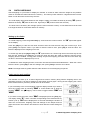
If you are already in the check weighing mode the display will ask if you wish to
store the current limits by showing “StOrE” or recall another set of limits by
showing “rECALL”. The [
Lim] key can be used to toggle between “StOrE” and
“rECALL”.
If you want to store the limits, when “StOrE” is displayed press the [Tare] key.
The display shows “St ”. Enter a number corresponding to the desired memory
location (0 to 9). “St X” will be displayed for 2 seconds indicating the location X
where the current limits, weighing units and settings for the beeper and bar
graph are stored. The indicator will continue to work with the current settings as
active.
Page5
© Adam Equipment Company 2013