1
System Settings
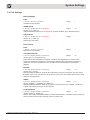
5.3 Port Settings
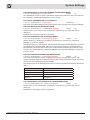
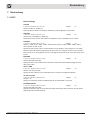
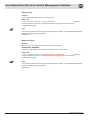
Basic Settings
PORT
1.3.6.1.2.1.10.7.2.1.1.portIndex
Specifies the port number.
integerr
ADMIN STATE
1.3.6.1.4.1.21108.1.27.1.4.1.4.portIndex
integerrw
Values: up (1), down (2)
Select the desired state of the port. A port can be either enabled (up) or disabled (down).
LINK STATUS
1.3.6.1.4.1.21108.1.27.1.4.1.5.portIndex
Values: up (1), down (2)
Displays the port status.
Integerr
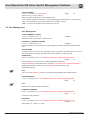
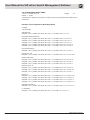
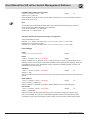
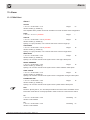
Port Control
PORT
1.3.6.1.2.1.10.7.2.1.1.portIndex
Specifies the port number.
integerr
AUTONEGOTIATION
1.3.6.1.4.1.21108.1.81.2.2.1.2.portIndex
integerrw
Values: auto (1), no negotiation (2)
Select whether auto-negotiation is disabled or enabled. Auto-negotiation is a function which
enables the participating interfaces to automatically determine the best possible transmission
parameters. The auto-negotiation function can either be activated (enable) or deactivated
(disable).
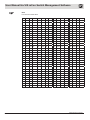
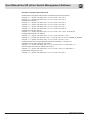
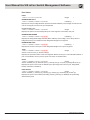
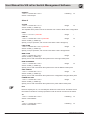
DUPLEX
1.3.6.1.4.1.21108.1.81.2.2.1.3.portIndex
integerrw
Values: full (1), half (2)
Select the data transmission mode for the respective port from the drop-down list. Half means
that data flows in only one direction via the port at a given time; Full enables data to flow in both
directions simultaneously.
SPEED
1.3.6.1.4.1.21108.1.81.2.2.1.4.portIndex
integerrw
Values: 10Mbit/s (1), 100Mbit/s (2), 1Gbit/s (3)
Select the data transmission rates for the port from the drop-down list: 10 Mbit/s, 100 Mbit/s or
1 Gbit/s, depending on the type of port interface.
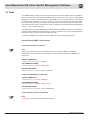
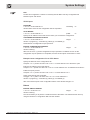
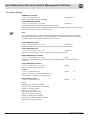
FLOW CONTROL
1.3.6.1.4.1.21108.1.81.2.2.1.5.portIndex
integerrw
Values: enable (1), disable (2)
Select if flow control is activated (enable) or deactivated (disable). If enabled, the port sends out
pause frames when the buffer capacity reaches a certain limit.
Management Software Ha-VIS mCon Series / Edition 2.4
15