1
Important Operating Considerations for Safety
Table of Contents
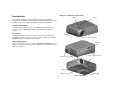
Introduction
3
•
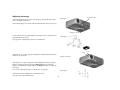
Place the projector in a horizontal position no greater than 15 degrees
off axis.
Connecting a computer
5
Required computer connections5
Displaying a computer image
6
Adjusting the image
7
Connecting a video device
8
•
Locate the projector in a well-ventilated area without any obstructions
to intake or exhaust vents. Do not place the projector on a tablecloth or
other soft covering that may block the vents.
•
Locate the projector at least 4' (1.2 m) away from any heating or cooling
vents.
Shutting down the projector
9
•
Use only the power cord provided. A surge-protected power strip is
recommended.
Troubleshooting your setup
9
•
Refer to this guide for proper startup and shutdown procedures.
•
Warning: Hg – Lamp contains mercury. Manage in accordance
with local disposal laws. See www.lamprecycle.org.
•
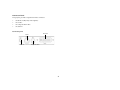
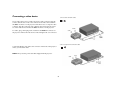
In the unlikely event of a lamp rupture, particles may exit through the
projector side vents. When the projector is turned on, keep people,
food, and drinks out of the "keep out" area around the projector, as
indicated by the "X" area below.
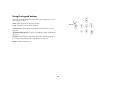
Using the keypad buttons
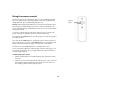
Using the remote control
16
17
Optimizing computer images
Presentation features
Optimizing video images
Customizing the projector
18
18
18
18
Using the menus
Picture menu
Settings menu
19
20
23
3’
Maintenance
26
Cleaning the lens
26
Cleaning the lamp filter screens 26
Using the security lock
26
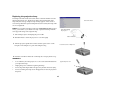
Replacing the projection lamp 27
Appendix
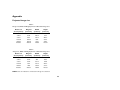
Projected image size
/1
m
6m
2’ / 0.
Follow these instructions to help ensure image quality and lamp life over
the life of the projector. Failure to follow these instructions may affect the
warranty. For complete details of the warranty, see the Warranty booklet.
29
29
2