1
User’s Manual
Troubleshooting
Q&A
Question
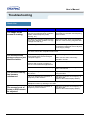
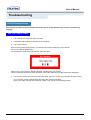
How can I change the frequency?
Answer
Frequency can be changed by reconfiguring the video card.
Note that video card support can vary, depending on the
version of the driver used.
(Refer to the computer or the video card manual for details.)
How can I adjust the resolution?
Windows 95/98/2000/XP: Set the resolution at the
Control Panel, Display, Settings.
Windows 3.1: Change the resolution and the colors using the
VGA Utility provided by the video card.
* Contact the video card manufacturer for details.
How can I set the Power Saving
function?
Windows 95/98/2000/XP: Set the function at BIOS-SETUP
of the computer or the screen saver. (Refer to Windows/
Computer Manual).
Windows 3.1: Set the function using the VGA
Utility provided by the video card.
How can I clean the outer
case/LCD Panel?
Disconnect the power cord and then clean the monitor with a
soft cloth, using either a cleaning solution or plain water.
Do not leave any remains of the detergent nor scratch the
case. Do not allow any water to go inside the monitor.