1
Analog signals to RS-485/RS-232 data acquisition A / D converter JSD AD11 series
Analog signal to RS485 or RS232 Converter, A/D Converter
JSD AD11
Features:
● Analog signal acquisition, isolated RS-485/232 output
● 12-bit AD converter, testing accuracy>0.1%
● Can be remotely reconfigured for modules accuracy by RS-485/232 Interface
● Three-port isolation (input/output/power supply): 3000VDC /60s
● Wide operating power supply: 8 ~ 32VDC
● High reliability, easy programming and installation
● International standard DIN35mm rail mounting for easy centralized wiring
● Can Program setting module address, baud rate , etc.
● Supports Modbus RTU
● Low cost, small size modular design
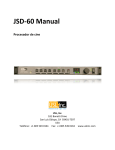
Picture 1: JSD AD11 Module Appearance
Applications:
● Analog signal testing/monitoring/control
● RS-485 remote I / O, data acquisition
● Intelligent building control, security engineering and other applications
● RS-232/485 industrial automation control system
● Industrial field signal isolation and long-term transmission
● Monitoring equipment operation
● sensor signal measurement
● Industrial data acquisition and recording
● medical, industrial product development
● 4-20mA/0-5V or 1-5V signal acquisition
General Description:
JSD AD11 series products realize the signal acquisition between sensor and host, to measure analog signals. JSD AD11
series products can be applied to RS-232/485 bus industrial automation control system, 4-20mA / 0-5V signal
measurement, monitoring and controlling, 0-75mV, 0-100mV and other small-signals measurement and signals isolation
and long-term industrial transmission and so on. Products include power supply isolation, signal isolation, linearization,
A/D conversion and RS-485 serial communication. Each serial interface can connect up to 255 pieces JSD AD11 Series
modules, communication using ASCII code or MODBUS RTU communication protocol, and its instruction set
compatible with the ADAM modules, baud rate can be set by the code, with other manufacturers control module hang in
the same RS-485 bus for easy programming
The copyright and products interpretation own to Shenzhen Jie Sheng Technology Co., Ltd. products update without notice
Phone: 0755-28099259 Fax 755 -28099259 official website: http://www.jsd-iae.com http://www.jsd-iac.com
Page 1of 12
Analog signals to RS-485/RS-232 data acquisition A / D converter JSD AD11 series
Picture 2: JSD AD11 module internal block diagram
JSD AD11 series is based on SCM intelligent monitoring and control system, all of the users set configuration
information such as Calibration value, address, baud rate, data format, checksum and status are stored in non-volatile
memory EEPROM.
JSD AD11 series products according to industry standard design and manufacture .They are three-port isolation(input,
output and power supply),and the isolation voltage between them is up to 3000 VDC, JSD AD11 series products have
better Anti-interference ability, high reliability and wide operating Temperature Range (- 45℃~+85℃。)
Function Description:
JSD AD11 signal isolation acquisition module can be used to measure one channel voltage or current signal,
1. Analog signal input
12-Bit acquisition accuracy, all products signal input range have been calibrated. In using, users also can program
Calibrate easily. About the specific current or voltage input range, please see product selection.
2. Communication protocol
Communication Interface: one channel standard RS-485 communication interface, or one channel standard RS-232
Communication interface, specify when ordering.
Communication Protocols: supports two protocols, characters protocol of the command set defined and MODBUS
RTU communication protocol. Can be programmed using the kind of communication protocol, can be achieved with
PLC, RTU of many Brands or computer monitoring system for networking communication.
Data Format: 10 Bits. 1 start bit,8 data bits,1 stop bit.
Address: (0 to 255) and baud rate (1200,2400,4800,9600,19200,38400 bps) can be set, the most long-distance about
communication networks is up to 1200 meters, through the twisted-pair shielded cable.
Communication interface of high anti-jamming design, ± 15KV ESD protection, communication response time is less
than 100mS.
3. Anti-jamming
According to need to set the checksum. Module internal has transient suppression diodes, can inhibit a variety of surge
pulse, protection module, and internal digital filter can also be well suppressed from the grid frequency interference.
Product Selection:
JSD AD11–V(I) □ – □
Input Voltage or Current Signal
V1:0-5V
I1:0-1mA
V2:0-10V
I2:0-10mA
V3:0-75mV
I3:0-20mA
V4:0-2.5V
I4:4-20mA
V5:0-±5V
I5:0-±1mA
V6:0-±10V
I6:0-±10mA
V7:0-±100mV
I7:0-±20mA
Vud:user-defined
Iud:User- defined
Interface
485: output is RS-485 interface
232: output is RS-232 interface
Sample 1: Model: JSD AD11-I4-485 4-20mA input,RS485 interface output
Sample 2:Model :JSD AD11-V1-232 0-5V input, RS-232 interface output
General parameters:
(typical @ +25 ℃, V s to 24VDC)
Input type: current / voltage input
Accuracy: 0.1%
The copyright and products interpretation own to Shenzhen Jie Sheng Technology Co., Ltd. products update without notice
Phone: 0755-28099259 Fax 755 -28099259 official website: http://www.jsd-iae.com http://www.jsd-iac.com
Page 1of 12
Analog signals to RS-485/RS-232 data acquisition A / D converter JSD AD11 series
Temperature drift:± 30 ppm / ℃ (± 50 ppm / ℃ max)
Input Resistance: 50Ω (4-20mA/0-20mA/0- ±20mA current input)
100Ω (0-10mA/0- ±10mA current input)
1KΩ (0-1mA/0- ±1mA current input)
>1MΩ(voltage input)
Bandwidth: -3 dB 10 Hz
Conversion rate: 10 Sps
Common Mode Rejection (CMR): 120 dB (1kΩ Source Imbalance @ 50/60 Hz)
Normal Mode Rejection (NMR): 60 dB (1kΩ Source Imbalance @ 50/60 Hz)
Input Protection: over-voltage protection, over-current protection
Communication: RS-485 protocol or RS-232 , standard characters protocols and MODBUS RTU
communication protocol
Baud Rate (1200,2400,4800,9600,19200,38400 bps) can be selected via software
Address (0 to 255) can be selected via software
Communication Response Time: 100 ms maximum
Power Supply: +8 ~ 32VDC wide range power supply, internal anti-reverse and over-voltage
protection circuit
Power Loss: less than 1W
Operating Temperature: - 45 ~ +80 ℃
Operating Humidity: 10 ~ 90% (no condensation)
Storage Temperature: - 45 ~ +80 ℃
Storage Humidity: 10 ~ 95% (no condensation)
Isolation Voltage: input / output: 3KVDC/1 minute, leakage current:1mA
Which output signal and power supply are common ground.
Shock Voltage: 3KVAC, 1.2/50us (peak)
Dimensions: 106.7 mm x 79 mm x 25mm
Pin Functions:
Pin
Name
Description
Pin
Name
Description
1
PW+
Power+
7
IN+
GND
Power-
8
IN-
Analog signal Input+
Analog signal Input-
2
3
INIT
Initialization state setting
9
NC
NO PIN
4
D+
RS-485 signal+
10
NC
NO PIN
5
D-
RS-485 signal-
11
NC
NO PIN
6
GND
Power-, Digital signal output ground
12
NC
NO PIN
Table 1: Pin Definitions
The copyright and products interpretation own to Shenzhen Jie Sheng Technology Co., Ltd. products update without notice
Phone: 0755-28099259 Fax 755 -28099259 official website: http://www.jsd-iae.com http://www.jsd-iac.com
Page 1of 12
Analog signals to RS-485/RS-232 data acquisition A / D converter JSD AD11 series
Top View
Picture 3 JSD AD11 Module wiring diagram
Initialization JSD AD11 modules:
All of the JSD AD11modules, If you use RS-485 network, must be assigned a unique address code,
address code value of hexadecimal numbers between 00 and FF. However, All the new JSDAD11
module uses a factory initial settings, as follows:
Address code: 01
Baud rate: 9600 bps
Checksum is forbidden
As the new module address codes are the same, their address will be contradictory to other modules,
so when you set up the system, you must reconfigure each JSD AD11 module address. JSD AD11
module can be connected the power cord and RS485 communication lines, through configuration
commands to modify the JSD AD11 module address. Baud rate, parity and status, communication
protocols also need to be adjusted according to user requirements. In the modified baud rate,
parity and status, communication protocol, you must first enter the module to the default state, or
the module can’t be modified.
Let the module into the default state:
JSD AD11 module has a special INIT pin. Connecting the INIT PIN to ground (GND PIN),
then open power, the module into the default state. In this state, the module is configured as follows:
Address code 00
9600 bps baud rate
Checksum is forbidden
At this time, via configuration commands you can modify the JSD AD11 module baud rate,
parity, checksum state and other parameters by setting the module communication protocol
command to select the communication protocol. When users are not sure a module specific
configuration, can also be configured by installing the jumper, so that the module into the default
state, then reconfigure the module. If clients need set the module to MODBUS RTU communication
protocol, see the MODBUS protocol section for instructions.
JSD AD11 character protocol command set:
Order is by a series of characters composition, such as first code, address ID, variables, an
optional checksum byte and a terminator (c r) which can show command. In addition to wildcard
address “**”synchronization command, the host only commands a JSD AD11 module once.
Command format: (Leading Code) (Addr) (Command) [data] [checksum] (c r)
(Leading code) prefix is the first letter of the command. All commands require a command
prefix, such as %,$,#,@,...
etc. 1 - Character
(Addr) module address code, if not specified below, range is from 00 ~ FF (hexadecimal). 2 Character
(Command) shows the command code or variable values. Variable length
[Data] some output command needs data Variable length
[Checksum] brackets Checksum (checksum) shows an optional parameter, only the checksum
The copyright and products interpretation own to Shenzhen Jie Sheng Technology Co., Ltd. products update without notice
Phone: 0755-28099259 Fax 755 -28099259 official website: http://www.jsd-iae.com http://www.jsd-iac.com
Page 1of 12
Analog signals to RS-485/RS-232 data acquisition A / D converter JSD AD11 series
is enabled, need this
Option. 2 - Character
(Cr) a control code character as identify, (c r) as a carriage return character, its value is 0x0D.
1 - Character
When enabled checksum (checksum), users need [Checksum]. It accounted for 2 - character.
Commands and responses must be attached checksum feature. Checksum used to check all input
commands to help you find the host to the module command module to the host response to errors
and mistakes. Checksum characters placed in command or in response to the character after the
carriage return before.
Calculated as follows: two characters, the hexadecimal number for all issued prior to the
ASCII values of and, then with hexadecimal digits 0xFF phase proceeds.
Examples: Disable checksum (checksum)
Command: $002(c r)
Response : !00020600 (c r)
Enable checksum
Command: $002B6 (c r)
Response: !00020600 A9 (c r)
‘$’ = 0x24 ‘0’ = 0x30 ‘2’ = 0x32
B6= (0x24+0x30+0x30+0x32) AND 0xFF
‘!’ = 0x21 ‘0’ = 0x30 ‘2’ = 0x32 ‘6’ = 0x36
A9=(0x21+0x30+0x30+0x30+0x32+0x30+0x36+0x30+0x30) AND 0xFF
Command response:
Response message depends on a variety of commands. Response also is consists of several characters, includes
leading code, variables and end tags. The first code of response signal has two:'!' Or '>' indicates that a valid
command and '?' means invalid. By checking the response information, you can monitor whether the command is valid
Notes:
1. In some cases, many commands use the same command format. To ensure that you use a command in the address
is correct, if you use the wrong address and this address represents another module, then the command will take effect in
another module, resulting in an error.
2. The command must be entered in uppercase letters.
1、Read Measurement Data Command
Description: Returns the analog input measurement data from the module in the currently configured data format
Command Format:#AA(c r)
Parameters: # delimiter character. Hexadecimal 23H
AA module address, range is 00-FF(hexadecimal). Factory address is 01, converted to hexadecimal
ASCII code for each character. Such as address 01 into hexadecimal are 30H and 31H.
(c r) is the terminating character, carriage return (0Dh)
Response : >(data)(c r) command is valid.
?AA(c r) invalid command or illegal operation.
Parameter Description: > delimiter character
(data) Returns data. The data format is in Engineering Units,Percent of FSR, Two’s complement hexadecimal,
Hexadecimal is each character ASCII code .Refer to Chapter 2 Command Set. (c r) terminating character, carriage return
(0Dh)
There is no response if the module is format error or communication error or address does not exist, the module
does not respond. If you are using serial communication software, but can’t enter the return key characters, please switch
The copyright and products interpretation own to Shenzhen Jie Sheng Technology Co., Ltd. products update without notice
Phone: 0755-28099259 Fax 755 -28099259 official website: http://www.jsd-iae.com http://www.jsd-iac.com
Page 1of 12
Analog signals to RS-485/RS-232 data acquisition A / D converter JSD AD11 series
to hexadecimal format for communicate
Example: Commands (character format) #01(c r)
(Hexadecimal format) 2330310D
Module response (character format) >+16.000 (c r)
(Hexadecimal format) 3E2B31362E3030300D
Description: In the address 01H module, input is (Data format is engineering units): +16.000 mA
2、Set JSD AD11 Module Command:
Description: Set address, input ranges, baud rate, data formats, checksum and state for an analog input module,
counter data are stored in a EEPROM.
Command Format: %AANNTTCCFF(c r)
Parameters: % delimiter character
AA module address, (range 00-FF) represents the 2-character hexadecimal
NN indicates new module hexadecimal address, value NN range is 00~FF
TT hexadecimal indicates type code. JSD AD11 must been set : 00
CC Baud Rate code (hexadecimal)
Baud rate code
Baud rate
03
1200 baud
04
2400 baud
05
4800 baud
06
9600 baud
07
19200 baud
08
38400 baud
Table 2 Baud rate code
FF Hexadecimal 8-bit represents the data format, checksum. Note from bits2 to bits5 not be set to zero.
Bit7
Bit 6
Bit 5
Bit 4
Bit 3
Bit2
Bit 1
Bit 0
Table 3 Data format, checksum and code
Bit7:Reserved bits (must set to 0)
Bit6:Checksum states, if 0: Disabled, if 1: Enabled
Bit5-bit2:Not use (must set to 0)
Bit1-bit0:Data Format Bit
00:Engineering Units
01:% of FSR
10:Twos complement hexadecimal
(c r) terminating character, carriage return (0Dh)
Response: !AA(c r) command is valid ?AA(c r) command is invalid or illegal operation,
or do not set up line before changing baud rate or checksum
Parameter Description:
! Delimiter character which indicates a valid command.
? Delimiter character which indicates an invalid command.
AA represents input module address
(c r) terminating character, carriage return (0Dh)
The copyright and products interpretation own to Shenzhen Jie Sheng Technology Co., Ltd. products update without notice
Phone: 0755-28099259 Fax 755 -28099259 official website: http://www.jsd-iae.com http://www.jsd-iac.com
Page 1of 12
Analog signals to RS-485/RS-232 data acquisition A / D converter JSD AD11 series
If you configure module for the first time, AA=00 and NN equal to new address. If
reconfigure module changing address, input range, data formats, AA equals to present configured address,
NN equals to the current or new address. If reconfigure module changing baud rate or checksum state,
must install command string, make them in listening mode, module address is 00H, also AA=00H,
NN=present or new address. There is no response if the format error or communication error or address
does not exist.
Example: command %0011000600(c r)
response !11(c r)
Description: % delimiter character
00 indicates you want to configure the JSD AD11 module original address set to 00H.
11 indicates new module hexadecimal address is 11H
00 indicates type code, JSD AD11 must been set to 00
06 indicates baud rate: 9600 baud
00 indicates data format is Engineering Units,checksum is disabled
3、Read Set Status Command
Description: Read configuration for a specified JSD AD11 module.
Command Format: $AA2(c r)
Parameter: $ delimiter character
AA module address, (range 00-FF) represents the 2-character hexadecimal
2 indicates read set state command
(c r) terminating character, carriage return (0Dh)
Response: !AATTCCFF(c r) command is valid
?AA(c r) command is invalid or illegal operation
! delimiter character
AA represents input module address
TT Type Code
CC Baud rate code, Table 2
FF Table 3
(c r) terminating character, carriage return (0Dh)
There is no response if the format error or communication error or address does
not exist.
Example: command $302(c r)
response !300F0600(c r)
! delimiter character
30 indicates JSD AD11 module address is 30H
00 indicates input type code
06 represents that baud rate is 9600 baud
00 represents that data format is Engineering Units, disable checksum
4、Offset Calibration Command
Description: Calibrates an analog input module offset errors
Command Format: $AA1(c r)
Parameter: $ delimiter character
AA module address, (range 00-FF) represents the 2-character hexadecimal
1 represents offset calibration command
(c r) terminating character, carriage return (0Dh)
The copyright and products interpretation own to Shenzhen Jie Sheng Technology Co., Ltd. products update without notice
Phone: 0755-28099259 Fax 755 -28099259 official website: http://www.jsd-iae.com http://www.jsd-iac.com
Page 1of 12
Analog signals to RS-485/RS-232 data acquisition A / D converter JSD AD11 series
Response: ! AA (c r) command is valid
?AA(c r) command is invalid or Illegal operation
! delimiter character which indicates a valid command.
? delimiter character which indicates an invalid command.
AA represents input module address
(c r) terminating character, carriage return (0Dh)
Products have been calibrated, user can use them directly. After calibrating offset
command, then calibrate gain errors. During calibration, JSD AD11modules need to be connected
to the input of the appropriate input signal. Different input range requires a different input voltage
or current. (See following Calibration information)
There is no response if the format error or communication error or address does
not exist.
Example: command $231(c r)
Response ! 23 (c r) Calibrate offset at address 23H module.
5、Span Calibration Command
Description: Calibrates an analog input module gain errors
Command Format: $AA0(c r)
Parameter: $ delimiter character
AA module address, (range 00-FF) represents the 2-character hexadecimal
0 represents gain calibration command
(c r) terminating character, carriage return (0Dh)
Response: !AA(c r) command is valid
?AA(c r) command is invalid or illegal operation
! delimiter character which indicates a valid command.
? delimiter character which indicates an invalid command.
AA represents input module address
(c r) terminating character, carriage return (0Dh)
Products have been calibrated, user can use them directly. After calibrating offset
command, then calibrate gain errors. During calibration, JSD AD11 module needs to be connected
to the input of the appropriate input signal. Different input range requires a different input voltage
or current. (See following Calibration information)
There is no response if the format error or communication error or address does
not exist.
Example: command $230(c r)
Response !23 (c r)
Calibrate gain errors at address 23H module.
6、Read Module Name Command
Description: Return the module name from the specified analog input module
Command Format: $AAM(c r)
Parameter: $ delimiter character
AA module address, (range 00-FF) represents the 2-character hexadecimal
M represents Read module name command
(c r) terminating character, carriage return (0Dh)
Response:!AA(Module Name)(c r) command is valid
?AA(c r) command is invalid or illegal operation
The copyright and products interpretation own to Shenzhen Jie Sheng Technology Co., Ltd. products update without notice
Phone: 0755-28099259 Fax 755 -28099259 official website: http://www.jsd-iae.com http://www.jsd-iac.com
Page 1of 12
Analog signals to RS-485/RS-232 data acquisition A / D converter JSD AD11 series
! delimiter character which indicates a valid command.
? delimiter character which indicates an invalid command.
AA represents input module address
(Module Name) module name JSD AD11
(c r) terminating character, carriage return (0Dh)
There is no response if the format error or communication error or address does
not exist.
Example: command $08M(c r)
Response !08JSD AD11 (c r)
Module is JSD AD11 at address 08H
7、Set Communication Protocol Command.
Description: Set the module communication protocol to characters protocol or
Modbus RTU protocol.
Command Format: $AAPV(c r)
Parameter: $ delimiter character
AA module address, (range 00-FF) represents the 2-character hexadecimal
P set communication protocol command
V protocol code, 0 or 1
0:Characters protocol
1:Modbus RTU protocol
(c r) terminating character, carriage return (0Dh)
Parameter: $ delimiter character
AA module address, (range 00-FF) represents the 2-character hexadecimal
0 represents gain calibration command
(c r) terminating character, carriage return (0Dh)
Response: !AA(c r) command is valid
?AA(c r) command is invalid or illegal operation
! delimiter character which indicates a valid command.
? delimiter character which indicates an invalid command.
AA represents input module address
(c r) terminating character, carriage return (0Dh)
Products have been calibrated, user can use them directly. After calibrating offset
command, then calibrate gain errors. During calibration, JSD AD11 module needs to be connected
to the input of the appropriate input signal. Different input range requires a different input voltage
or current. (See following Calibration information)
There is no response if the format error or communication error or address does
not exist.
Example: command $230(c r) Response ! 23 (c r)
Calibrate gain errors at address 23H module.
Description: Set the module communication protocol to characters protocol or
Modbus RTU protocol.
Example: command $00P1(c r)
response !00 (c r)
Set protocol command to characters protocol
The copyright and products interpretation own to Shenzhen Jie Sheng Technology Co., Ltd. products update without notice
Phone: 0755-28099259 Fax 755 -28099259 official website: http://www.jsd-iae.com http://www.jsd-iac.com
Page 1of 12
Analog signals to RS-485/RS-232 data acquisition A / D converter JSD AD11 series
Input Ranges& Data Formats
JSD AD11 uses three data formats:
00:Engineering Units
01:% of FSR
10:Twos complement hexadecimal
Input Ranges
I1:0-1mA
I5:0-±1mA
I2:0-10mA
I6:0-±10mA
I3:0-20mA
I4:4-20mA
I7:0-±20mA
V1:0-5V
V5:0-±5V
V2:0-10V
V6:0-±10V
V3:0-75mV
V4:0-2.5V
V7:0-100mV
Iud:user-defined
Vud: user-defined
Data Formats
+F.S.
ZERO
-F.S.
Displayed Resolution
Engineering Units
+1.0000
±0.0000
-1.0000
0.1uA
% of FSR
+100.00
±000.00
-100.00
0.01%
Twos complement hexadecimal
7FFFFF
000000
800000
1LSB
Engineering Units
+10.000
±00.000
-10.000
1uA
% of FSR
+100.00
±000.00
-100.00
0.01%
Twos complement hexadecimal
7FFFFF
000000
800000
1LSB
Engineering Units
+20.000
±00.000
-20.000
1uA
% of FSR
+100.00
±000.00
-100.00
0.01%
Twos complement hexadecimal
7FFFFF
000000
800000
1LSB
Engineering Units
+5.0000
±0.0000
-5.0000
100uV
% of FSR
+100.00
±000.00
-100.00
0.01%
Twos complement hexadecimal
7FFFFF
000000
800000
1LSB
Engineering Units
+10.000
±00.000
-10.000
1mV
% of FSR
+100.00
±000.00
-100.00
0.01%
Twos complement hexadecimal
7FFFFF
000000
800000
1LSB
Engineering Units
+75.000
±00.000
-75.000
1uV
% of FSR
+100.00
±000.00
-100.00
0.01%
Twos complement hexadecimal
7FFFFF
000000
800000
1LSB
Engineering Units
+2.5000
±0.0000
-2.5000
100uV
% of FSR
+100.00
±000.00
-100.00
0.01%
Twos complement hexadecimal
7FFFFF
000000
800000
1LSB
Engineering Units
+100.00
±000.00
-100.00
10uV
% of FSR
+100.00
±000.00
-100.00
0.01%
Twos complement hexadecimal
7FFFFF
000000
800000
1LSB
Engineering Units
+100.00
±000.00
-100.00
0.01%
% of FSR
+100.00
±000.00
-100.00
0.01%
Twos complement hexadecimal
7FFFFF
000000
800000
1LSB
Table 4 Input Range and Data Format
Example:
1. Input Range is I4:4-20mA, Input is 4mA:
Command #01(c r)
Engineering Units Response >+04.000(c r)
Percent of FSR Response >+020.00(c r)
Twos complement Response >199999(c r)
2. Input Range is V1:0-5V, Input is 3V
The copyright and products interpretation own to Shenzhen Jie Sheng Technology Co., Ltd. products update without notice
Phone: 0755-28099259 Fax 755 -28099259 official website: http://www.jsd-iae.com http://www.jsd-iac.com
Page 1of 12
Analog signals to RS-485/RS-232 data acquisition A / D converter JSD AD11 series
Command #01(c r)
Engineering Units Response >+3.0000(c r)
Percent of FSR Response >+060.00(c r)
Twos complement Response >4CCCCC(c r)
Module Calibration:
We have calibrated the module, the user can use directly.
You can also use the product calibration function to re-calibrate the module. During calibration, the module need to
be entered the appropriate signal, different input range needs different input signals.
In order to improve calibration accuracy, it is recommended to calibrate using the following equipment:
1. A stable output, low noise DC voltage / current signal source
2. A five and a half or more high-precision voltage / current measuring instruments to monitor the accuracy of the input
signal
Calibration:
1. According to the module input range, connects to the corresponding input signal.
Which JSD AD11 module zero calibration is at input 0, full scale calibration is at the input full-scale 120% . For
example
Inputting signal is 4-20mA, when calibrate zero, input 0mA, when full-scale calibration, input 24mA.
Inputting signal is 0-5V, when calibrate zero, input 0V, when the full-scale calibration, input 6V.
2. To JSD AD11 module input zero signal, usually is 0mA or 0V.
3. Until the signal stabilized, send the offset calibration $ AA1 command to JSD AD11 module.
4. To JSD AD11 module input 120% of full scale current or voltage signal.
5. Until the signal is stable, send the gain calibration $ AA0 command to JSD AD11 module.
6. Finished
Modbus RTU communication protocol:
Module default protocol is character communications protocol. If you need to set the module to Modbus RTU protocol,
please follow these settings:
1. Short connect INIT pin (pin 8) and GND pin (pin 7).
2. Connect the power cord and the communication interface cable.
3. Turn on the power, the module enters the default state automatically, address 00, baud rate 9600.
4. Wait 1 minute, module is initialization.
5. Send the command $00P1(c r), check the response, if is !00 (c r), set successfully.
6. Turn off the power, disconnect the INIT and GND connections.
7. The module has been set to the Modbus RTU protocol mode successfully.
Register Description:
Address 4X(PLC)
Address(PC,DCS) Data Explanation
Property
Data Explanation
40001
0001
Input Analog Signal
Read only
Measured data
40211
0211
Module Name
Read only
High:0x00 Low:0x21
Table 5 Modbus RTU Register Description
The copyright and products interpretation own to Shenzhen Jie Sheng Technology Co., Ltd. products update without notice
Phone: 0755-28099259 Fax 755 -28099259 official website: http://www.jsd-iae.com http://www.jsd-iac.com
Page 1of 12
Analog signals to RS-485/RS-232 data acquisition A / D converter JSD AD11 series
Product picture:
Notes:
1.All the units of the products’ size are “mm”
2. Please read the user manual carefully before using. If any question please contact our technical support department.
3. Please do not use this product in hazardous area. The power supply of this product should be 24VDC power source. It
is forbidden to use 220VAC power supply.
4.Calculating from the date of delivery, during normal use of the product, any quality problems are free repair or
replacement by Company during 2 years warranty,
5. To avoid invalid, or any failures, users disassemble this product is forbidden
The copyright and products interpretation own to Shenzhen Jie Sheng Technology Co., Ltd. products update without notice
Phone: 0755-28099259 Fax 755 -28099259 official website: http://www.jsd-iae.com http://www.jsd-iac.com
Page 1of 12