1
2. Physical Properties
Introduction
The UCTT is packaged in a ruggedized
case providing a powerful and compact
test solution that can withstand
the harsh environments encountered in
the field. This section describes the front
panel display and controls, test connector
panel and battery packs.
2.1 Front Panel
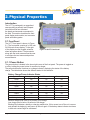
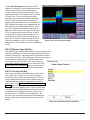
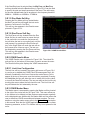
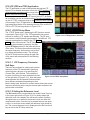
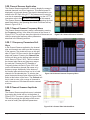
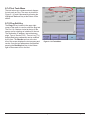
The UCTT front panel is shown in Figure
2.1. The front panel consists of a 10.4 inch
SVGA touch screen display. To the right
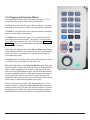
of the display are the keypad, selection
wheel and power button. These controls
along with the touch screen allow the user
to configure the test menus and perform
measurements.
Figure 2.1 UCTT Front Panel
2.1.1 Power Button
The power button is located in the lower right corner of the front panel. The power is toggled on
or off by holding the power button for a second or longer.
The power button also functions as a charge indicator, displaying the status of the battery
charge. The table below shows the different states for this indicator.
Battery Charge/Power Indicator States
Charge Indicator
Battery Charge
UUCT Power State
External Power
Green
Full
On
Yes
Blinking Green
Medium
On
Yes
Blinking Amber
Low
On
Yes
Green
Full
On
No
Green
Medium
On
No
Amber
Low
On
No
Amber
Full
Off
Yes
Amber
Medium
Off
Yes
Blinking Amber
Low
Off
Yes
Medium charge level is 88 to 18 percent of full charge.
Low charge level is below 18 percent of full charge.
Blinking Red indicates a battery or charging malfunction. If this occurs turn off the unit, remove
and reinstall the battery(s) and power up the unit again. If the battery status indicator continues
to blink red contact Sage for assistance.
Sage Instruments • UCTT User Manual Rev E 2/2013 Page 8