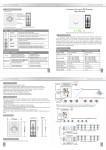
Transcript
*User manual*
*SP3704*
*SPARD Multi-functional Jump Starter*
Operation
Charging electronic products, smartphone/tablet PC etc.
Charge the jump starter
1. Choose proper adaptor B
1. Plug the wall charger in 100-240V AC socket, then connect DC
12V 1A output of the charger with 12V input of jump starter.
2. Or plug the car charger in car stocket, then connect DC output
of car charger with the 12V input of jump starter.
Thank you to choose SPARD multi-functional
jump starter! Wish you a safe journey!
2. Connect USB of adaptor B with USB 5V 1A output of jump starter
3. Connect adaptor B with the charging port of your electronic product
4. Press switch of jump starter, charging is starting.
The figures below show how to charge smartphone and MP3 player.
Parts and Function description
wall charger car charger
Figure 1
Figure 2
Jump starting 12V car
12V 1A input
12V 2A output
USB 5V 1A output
switch
3. Insert BLUE connector of Clips into the 12V jump
starter output, make sure the insertion is tight and
into proper depth.
4. Turn the ignition switch to START position.
5. Pull out BLUE connector from the jump starter within
30seconds after starting car.
6. Remove clips from car battery.
LED indicator
Flashlight
SOS LED
1. Make sure the LED indicator is 3 or more ON, otherwise charging
the jump starter first.
2. Clamping positive of car battery with RED clip tightly, clamping
negative of car battery with BLACK clip tightly.Warning: any
reverse polarity will cause danger!
19V 3.5A output
12V jump starter output
Charging notebook battery or providing power for notebook
1. Choose proper adaptor A
2. Connect USB of adaptor A with 19V 3.5A output of jump starter
3. Connect adaptor A with the charging port of your notebook
4. Press switch of jump starter, charging is starting or power is
being provided.
The figures below show how to charge notebook
Brief starting steps sketchs
Car products
Clips
Providing power for 12V electronic or car products
1. Use the original cable or choose the proper cable adaptor
2. Connect the cable with 12V 2A output of jump starter
3. Press switch of jump starter, power is being provided
.
Switch
LED indicator
LED indicator All Off All Flash
Capacity
0%
10%
1 ON
2 ON
3 ON
4 ON
5 ON
20%
40%
60%
80%
100%
LED indicator will be in flashing cycle when charging the jump starter.
The quantities of LED always ON show the capacity of the jump starter.
5 LEDs becoming ON show the jump starter is being fully charged.
Press the switch to start charging.
Please make sure at lease 1 LED ON otherwise the jump starter
needs to be charged first.
Flashlight and SOS LED
Press switch for 3 seconds to start LED lamp.
Then press shortly switch in turn: flashlight, strobe, SOS and off.