1
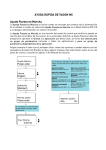
Keypad shortcuts 1. Quick activation of keypad contol If you have selected either the I/O terminal control (I/O term) or the fieldbus control (Bus/Comm) as the active control place but wish to take over the control from these to the keypad, this can be done in two different ways. A. Swap between keypad control and another control as active control place With the I/O terminals or fieldbus selected as the active control place, it is also possible to change the control to the local keypad and back to the original control place. button pushed down for 5 seconds. This Irrespective of your location in the menu structure, keep the will activate the Start & Stop keypad control. The display will jump to the editing mode of R3.2 Keypad Reference and you will be able to enter the desired frequency on the keypad. Push the start button to start the drive. button again for 5 seconds returns the control to the original control place (active control Pushing the place, P3.1) and its reference. NOTE: The motor starts if the start command of the active control place is ON and run at the formerly set reference. The keypad display will show monitoring value V1.1 Output Frequency. If any of the parameter values in menu M3 is changed in between the swapping the keypad reference will be reset to 0.00 Hz. B. Activate the keypad control and copy the output reference to the keypad start When motor is running: Keep the button pushed down for 3 seconds. The keypad will become the active control place and the current frequency reference and direction will be copied to the keypad. stop When motor is stopped: Keep the button pushed down for 3 seconds. The keypad will become the active control place and the current frequency reference and direction will be copied to the keypad. These features will not work unless you are in menu M3. If you are in any other than M3 menu and try to start the motor by pressing the START button when the keypad is not selected as the active control place you will get an error message Keypad Control NOT ACTIVE. If you are in any other than M3 menu and press the STOP button the motor will stop. See point 3 below. 2. Copy elsewhere set frequency reference to keypad Copy the frequency reference set elsewhere (I/O, fieldbus) to the keypad by keeping the button pushed down for 3 seconds. This shortcut will not change control places. This feature will not work unless you are in menu M3. enter 3. Stopping the drive regardless of the active control place stop By default, the motor can be stopped at all times by pushing the button regardless of the selected control place. This default setting can be inactivated by giving parameter Stop Button Activated (P3.4 or P3.6) (menu M3) the value 0. With this value given to the parameter, pushing the STOP button stops the motor only when the keypad has been selected as the active control place.