1
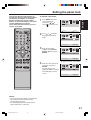
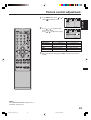
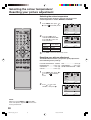
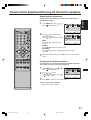
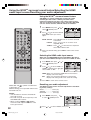
Setting the picture scroll
You can scroll the picture in CINEMA
WIDE2 and CINEMA WIDE3.
MENU in CINEMA
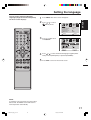
1 Press
WIDE2 or CINEMA WIDE3
mode.
Then press or to select
(SETUP) menu.
SETUP
LANGUAGE
ENGLISH
CLOSED CAPTION
OFF
PICTURE SIZE
PICTURE SCROLL
CINEMA MODE
FILM
:ADJUST
:SELECT
or to select
2 Press
“PICTURE SCROLL”.
SETUP
LANGUAGE
ENGLISH
CLOSED CAPTION
OFF
PICTURE SIZE
PICTURE SCROLL
CINEMA MODE
FILM
:ADJUST
:SELECT
or to display the
3 Press
SCROLL ADJUSTMENT
mode.
SCROLL ADJUSTMENT
0
:ADJUST
4 Press
or
to adjust the vertical position of the picture.
Normal (centre) position
SCROLL ADJUSTMENT
0
:ADJUST
To raise the picture, press
.
To lower the picture, press ▼.
SCROLL ADJUSTMENT
:ADJUST
NOTE:
The scroll amounts are as follows:
• 480i/480p signal source:
CINEMA WIDE1 : Not adjustable
CINEMA WIDE2 : –10 to + 20
CINEMA WIDE3 : –10 to +10
5 Press EXIT to return to the normal screen.
26
3X90721A_En_p26-30
26
22/6/06, 11:42 AM
-10