1
Chapter 2: Invoking BPEL2oWFN
4
‘--lola2file’
‘-L2F’
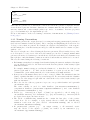
The same effect as the ‘--lola’ option, yet an output file is generated: If the input
BPEL process is read from ‘file.bpel’, the LoLA net is named ‘file.lola’.
‘--owfn’
‘-O’
Outputs an oWFN representing the semantics of the input process (see Chapter 3
[File Formats], page 6). This option should not used together with ‘-D’, ‘-D2F’, ‘-L’
or ‘-L2F’.
‘--owfn2file’
‘-O2F’
The same effect as the ‘--owfn’ option, yet an output file is generated: If the input
BPEL process is read from ‘file.bpel’, the oWFN is named ‘file.owfn’.
‘--dot’
‘-D’
Outputs a Dot representation of the Petri net (see Chapter 3 [File Formats], page 6).
Should not used together with options ‘-L’, ‘-L2F’, ‘-O’, ‘-O2F’. Implies option ‘-pn’.
‘--dot2file’
‘-D2F’
The same effect as the ‘--dot’ option, yet an output file is generated: If the input
BPEL process is read from ‘file.bpel’, the Dot representation is named ‘file.dot’.
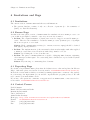
2.2 Examples
In this section we show some examples how BPEL2oWFN can be invoked.
‘bpel2owfn -f sample.bpel -L2F -s’
Reads the file ‘sample.bpel’, generates a structural simplified low-level Petri
net and saves it in a LoLA file ‘sample.lola’. For further information a file
‘sample.info’ is generated.
‘bpel2owfn -f sample.bpel -O2F -ddd’
Reads the file ‘sample.bpel’, generates a low-level open workflow net and saves
it in an oWFN file ‘sample.owfn’. For further information a file ‘sample.info’ is
generated. During the conversion several debug messages are printed to standard
output.
‘prog | bpel2owfn -D -ll | dot -Tpng -osample.png’
Runs the program prog and reads its output as BPEL process, generates a low-level
Petri net and outputs its Dot representation. This stream is read by Dot which
layouts the Petri net and creates an output PNG (Portable Network Graphic) file
‘sample.png’.
‘bpel2owfn -f sample.bpel -a’
Reads the file ‘sample.bpel’ and prints the abstract syntax tree (AST) to standard
output.
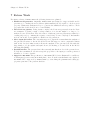
2.3 Exit Values
When BPEL2oWFN is invoked and run without any error, the exit value is 0.
0
No error. The input file could be correctly opened, parsed and the output file(s)
could be generated without any error.
1
Lexical or syntax error. This error occurs while lexing or parsing the input file. It
is thrown by the lexer or the parser, resp. Usually the ‘source’ of the error (i.e. the
filename and line number) is indicated together with the unexpected (last read) and
expected token.
An example: