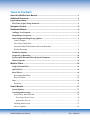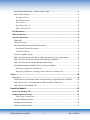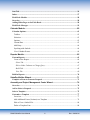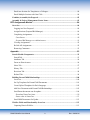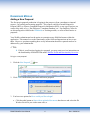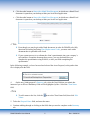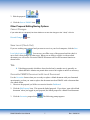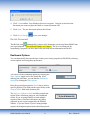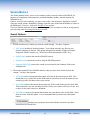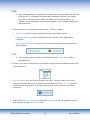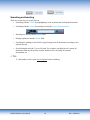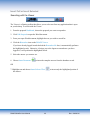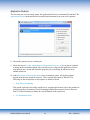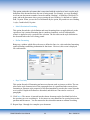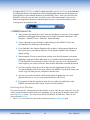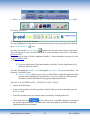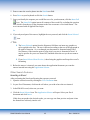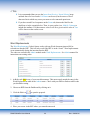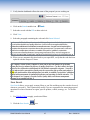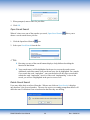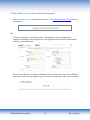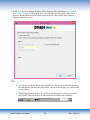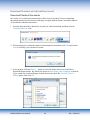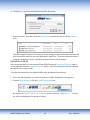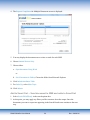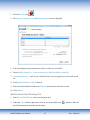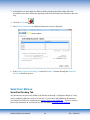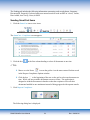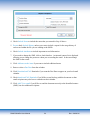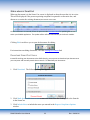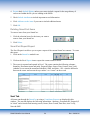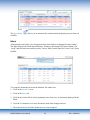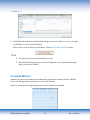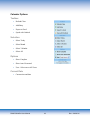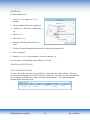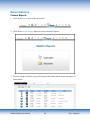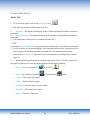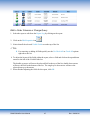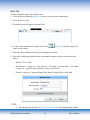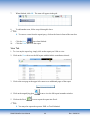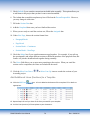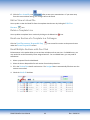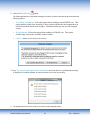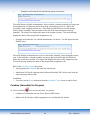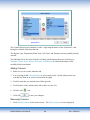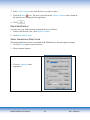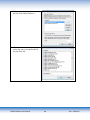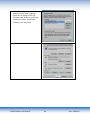
1
User Manual TABLE OF CONTENTS About the WebPro User Manual ................................................................................... 1 Additional Resources ................................................................................................... 1 Login Instructions ......................................................................................................... 1 First Time Login Change Password ........................................................................................ 2 Navigation Central......................................................................................................... 2 Dashboard Module ........................................................................................................ 4 Adding a New Proposal ............................................................................................................ 4 Responding to Proposals .......................................................................................................... 6 Other Proposal Editing/Saving Options ................................................................................. 7 Cancel Changes ....................................................................................................................... 7 Save Local (Check Out) .......................................................................................................... 7 Overwrite PMAPS Document with Local Document ............................................................. 7 Re-link Document ................................................................................................................... 8 Dashboard Options ................................................................................................................... 8 Proposal Log Reporting ......................................................................................................... 10 Update Q&A Document from Proposal Document ............................................................. 10 Delete Proposals ...................................................................................................................... 13 WebPro Filters ............................................................................................................. 14 Single Selection Filter ............................................................................................................. 14 Quick Filters ............................................................................................................................ 14 Reset Filters ............................................................................................................................. 16 Reset Individual Filters ......................................................................................................... 16 Reset All Filters .................................................................................................................... 16 Sort ........................................................................................................................................... 16 Reset Sort .............................................................................................................................. 16 Search Module ............................................................................................................. 17 Search Options ........................................................................................................................ 17 Searching and Inserting ......................................................................................................... 19 Insert Full or Insert Selected ................................................................................................. 20 Searching with the Viewer ................................................................................................ 20 Application Selector .......................................................................................................... 21 Inserting from Preview ......................................................................................................... 23 Preview Options .................................................................................................................... 24 PMAPS WebPro User Manual i Rev: 8/28/2014 Search & Insert Manually – Outside of the 'Cloud' .............................................................. 24 Other Search Features ........................................................................................................... 25 Inserting in Excel .............................................................................................................. 25 Word Replacements .......................................................................................................... 26 Save Search ....................................................................................................................... 27 Open Saved Search ........................................................................................................... 28 Delete Saved Search ......................................................................................................... 28 Edit Documents ....................................................................................................................... 29 Delete Documents .................................................................................................................... 29 Add New Documents............................................................................................................... 30 SmartAdd .............................................................................................................................. 30 Add New Record................................................................................................................... 31 Download/Checkout and Upload Documents ....................................................................... 35 Download/Checkout Documents ....................................................................................... 35 Upload Documents............................................................................................................ 36 Create an Attribute Group..................................................................................................... 38 Add a New Document to the library with a placeholder in your questionnaire ................... 39 Add a New Document (Need Answer)/Requesting Compliance .......................................... 41 Add a New Document with Word Replacement Codes........................................................ 43 Sending Documents to SMEs for New Answers or Updates ................................................ 44 Requesting Compliance Immediately ................................................................................ 44 Requesting Compliance–Sending from the SmartCart Pending Tab................................ 47 Verify ............................................................................................................................ 48 Overview .................................................................................................................................. 48 Internal Review (Documents cannot be automatically accepted back into PMAPS) ........... 49 Add to Smart Cart – Send document to SME and adds to SmartCart .................................. 50 Add to Smart Cart Pending Tab ............................................................................................ 51 SmartCart Module ....................................................................................................... 52 SmartCart Pending Tab ......................................................................................................... 52 Sending SmartCart Items....................................................................................................... 53 Status when in SmartCart ................................................................................................. 55 Download SmartCart Items................................................................................................... 55 Deleting SmartCart Items ..................................................................................................... 56 SmartCart Report Export ...................................................................................................... 56 PMAPS WebPro User Manual ii Rev: 8/28/2014 Sent Tab ................................................................................................................................... 56 Inbox......................................................................................................................................... 57 Pitch Book Module.................................................................................................................. 58 Overview .................................................................................................................................. 58 Adding Slides/Pages to the Pitch Book.................................................................................. 58 Pitch Book Manager ............................................................................................................... 59 Calendar Module ......................................................................................................... 62 Calendar Options .................................................................................................................... 63 Toolbox ................................................................................................................................. 63 Selection ................................................................................................................................ 63 Options .................................................................................................................................. 63 Current Date .......................................................................................................................... 63 Add Entry .............................................................................................................................. 64 Synching with Outlook ......................................................................................................... 64 View Calendar Events........................................................................................................... 64 Reports Module ........................................................................................................... 65 Custom Reports ....................................................................................................................... 65 Create a New Report ............................................................................................................. 66 Select Tab .......................................................................................................................... 66 Edit to Order Columns or Change Query ......................................................................... 67 Build Tab........................................................................................................................... 68 View Tab ........................................................................................................................... 69 Built-in Reports ....................................................................................................................... 70 SalesDocBuilder Wizard ............................................................................................. 71 Complete a Form to Generate Proposal ............................................................................... 71 Assembly and Project Management Center Wizard ................................................. 74 Overview .................................................................................................................................. 74 Add or Select a Proposal ........................................................................................................ 75 Select a Template .................................................................................................................... 75 Customize a Template ............................................................................................................ 77 Overview ............................................................................................................................... 77 Add Additional Lines (Sections) to a Template ................................................................... 79 Edit or View a Linked File.................................................................................................... 80 Delete a Template Line ......................................................................................................... 80 PMAPS WebPro User Manual iii Rev: 8/28/2014 Email one Section of a Template to a Colleague .................................................................. 80 Email Multiple Sections with One Click .............................................................................. 80 Combine (Assemble) the Proposal ......................................................................................... 82 Assembly & Project Management Center Icons .................................................................. 83 RFP Assignments Module .......................................................................................... 84 Overview .................................................................................................................................. 84 Logging in a New Proposal................................................................................................... 84 Assign Sections (Proposal/Bid Manager) ............................................................................. 86 Completing Assignments ...................................................................................................... 89 Contributors ...................................................................................................................... 89 Proposal/Bid Managers or Administrators ...................................................................... 91 Viewing Assignments ........................................................................................................... 92 Re-link All Assignments ....................................................................................................... 92 Removing Comments............................................................................................................ 93 Appendix ...................................................................................................................... 93 Search Module Components .................................................................................................. 93 Search Tab ............................................................................................................................ 93 Attributes Tab ....................................................................................................................... 96 Forms or Short Answer ......................................................................................................... 96 Notes Tab .............................................................................................................................. 97 History Tab ........................................................................................................................... 97 Revisions Tab........................................................................................................................ 98 Related Tab ........................................................................................................................... 98 Building Parent/Child Relationships .................................................................................. 100 Overview ............................................................................................................................. 100 Set Up Templates for Parent/Child Documents .................................................................. 101 Create/Upload Templates for Each Language .................................................................... 102 Add New Document with Parent/Child Relationships ....................................................... 103 Send Parent documents out for update................................................................................ 106 Download SmartCart Items ............................................................................................ 110 Status when in SmartCart ............................................................................................... 111 Send Child Documents for Update ..................................................................................... 112 WebPro Fields and Functionality Overview ...................................................................... 113 Capturing Data in WebPro .................................................................................................. 113 PMAPS WebPro User Manual iv Rev: 8/28/2014 Data Entry Fields ............................................................................................................ 114 Date Fields ...................................................................................................................... 115 Enter Date Manually....................................................................................................... 115 Pick List (Drop-down list) Fields: Single Selection .......................................................... 116 Pick List Fields: Single Selection - Internal Contact Master ............................................. 116 Multiple-Selection Pick List ............................................................................................... 117 Edit Values: Edit/Add to Pick Lists ................................................................................... 117 Add a New Client Name .................................................................................................. 117 Add an Internal Contact.................................................................................................. 118 Choose User Preferences ...................................................................................................... 120 Dashboard View.................................................................................................................. 120 Modifying Dashboard Columns ...................................................................................... 120 Adding Columns .............................................................................................................. 122 Removing Columns ......................................................................................................... 122 Move Columns to the Left on the Dashboard ................................................................. 123 Move Columns to the Right on the Dashboard ............................................................... 123 Reset Modifications......................................................................................................... 124 Search Results View ........................................................................................................... 124 Search Results Grid............................................................................................................. 125 Modifying Columns ............................................................................................................ 125 Adding Columns .............................................................................................................. 126 Removing Columns ......................................................................................................... 126 Reset Modifications......................................................................................................... 127 Select International Date Format ................................................................................... 127 PMAPS WebPro User Manual v Rev: 8/28/2014 ABOUT THE WEBPRO USER MANUAL Throughout the WebPro manuals there are graphical representations of screens. Please be advised that, due to client application customization, the names of some of the fields in those graphics may not match the names you use within your application. TIPS This symbol indicates a tip or best practices suggestion for WebPro users. ADDITIONAL RESOURCES Return to the PMAPS Portal for additional resources including our Administrator Manual, Quick Start Guides, Videos, Known Issues List and access to other support services. LOGIN INSTRUCTIONS 1. Open Internet Explorer and go to the assigned website URL provided by your administrator. 2. Enter the user name and password provided by your administrator. TIPS Clicking the Remember Me button upon logging in keeps you logged in during the entire Internet Explorer session. It is not a means of saving your user name and password. PMAPS WebPro User Manual 1 Rev: 8/28/2014 3. Click Login. First Time Login Change Password 1. Upon first login, you may be brought to the Password area in the Administration module to change your password. 2. Enter the password provided to you in the Current Password field. 3. Enter a new password of your choice in the New Password field. Passwords must be at least 8 characters in length using any combination of letters and numbers, but must contain at least one symbol. Any of the following symbols may be used !@#$%^*(). Do not use the & or + symbols as those are used in code and may cause the password change to not be accepted. We can change this rule on our end if you have specific requirements. 4. Enter the same password again in the Confirm New Password field. TIPS You may change your password at any time by clicking on the Administration link 5. Make a note of your password and save it in a secure place. NAVIGATION CENTRAL PMAPS Navigation Central is an interactive navigation screen accessible to users upon login. From this screen, users can learn more click to access specific PMAPS modules or their associated training videos. PMAPS WebPro User Manual 2 Rev: 8/28/2014 1. Clicking on the Stopwatch in the center of the screen takes the user to a brief description of the module. Click to go to that module in the application or click Learn More to access the associated training video. 2. You can choose to see Navigation Central upon login, or un-check the box to go directly to your Dashboard upon login. 3. Click to access your Dashboard from the bottom of the screen as well. PMAPS WebPro User Manual 3 Rev: 8/28/2014 DASHBOARD MODULE Adding a New Proposal The first step in proposal production is logging in the prospect, client, consultant, or internal request—for tracking and reporting purposes. This request could be a formal Request for Proposal (RFP), a client or consultant Request for Information (RFI), or any type of project you want to keep track of; e.g., Due Diligence, Consultant Database, etc. For simplicity, when we are discussing tasks related to the Dashboard or Tracking module, we refer to these entries as proposals. Your WebPro administrator has the option to customize many field label names within the application. This manual covers the functionality of the fields and instructions on how to use them. However, questions regarding how or why information should be captured needs to be addressed by your administrator. TIPS If this is your first time logging in a proposal, you may want to review instructions on the functionality of PMAPS fields under WebPro Fields and Functionality Overview. To log in a new proposal: 1. Click the New Proposal icon. 2. Click OK to confirm that you want to add a new proposal. 3. You have two options for How would you like to begin? a. Click the radio button to Start with an uploaded document, then browse and select the file Word or Excel file you wish to start with, or PMAPS WebPro User Manual 4 Rev: 8/28/2014 b. Click the radio button to Start with a blank Word document, in which case a blank Word document is opened on your desktop within your local Word application. c. Click the radio button to Start with a blank Excel document, in which case a blank Excel document is opened on your desktop within your local Excel application. TIPS Even though you may begin with a blank document, in order for PMAPS to be fully functional in tracking and using Word Replacement Codes, you must work with a document that is uploaded to the cloud. If your current process is to reformat the client’s questionnaire into your company’s style and have a template document that you use, you may do that before you complete the questionnaire using WebPro, or after you finish completing the questionnaire. In the following example, we have browsed and selected the Acme Proposal, so the path to that file is displayed in the field. 4. On the new, blank proposal’s Summary tab, select the first field that your admin has instructed you to fill out. Mandatory fields will be highlighted yellow. Select the Client Name field. TIPS To add a name to the list, click the Values. next to the Client Name field, then click Edit 5. Tab to the Proposal Name field, and enter the name. 6. Continue tabbing through or clicking on the fields that you need to complete on the Summary tab. PMAPS WebPro User Manual 5 Rev: 8/28/2014 7. Continue on to the remainder of the tabs and fill out all fields as directed by your admin. 8. Click on the Dashboard tab. icon to save your changes. If you attempt to exit the proposal 9. Click the Save before saving your changes, the following prompt is displayed: Now that you have logged in your proposal, you are ready search for database content and insert it into your questionnaire or document. Make sure the document you want to complete is open on your desktop by doing one of the following: From the proposal dashboard, select the proposal you want to work on and click the Edit to open it. button Or Open the document on your desktop. TIPS If you are ready to work on the proposal that you just logged in, you may skip to the Search Module. Responding to Proposals You may edit a proposal that has been uploaded to the “cloud” as long as another user has not checked the proposal out. If someone has the proposal checked out, it will alert you to that fact. To edit a proposal: 1. Select the proposal on the Dashboard by clicking on it. The proposal is highlighted. 2. Click the Edit icon either from the Dashboard view on the proposal grid or above the grid. PMAPS WebPro User Manual 6 Rev: 8/28/2014 3. Edit the proposal. 4. Click the Save to PMAPS icon. Other Proposal Editing/Saving Options Cancel Changes If you make edits to a proposal, but then decide not to save the changes to the “cloud,” click the Discard Changes icon. Save Local (Check Out) If you are working on a proposal and you want to save it to your local computer, click the Save Local (check out) icon . You can save an offline copy of the proposal and also check it out to lock it from changes by other users. When you are ready to replace it with an edited document, you will use the Overwrite PMAPS Document with Local Document function as shown below. TIPS Unlocking proposals which have been checked out by another user is generally an Admin function. Admins can permit other users to have rights to unlock as necessary. Overwrite PMAPS Document with Local Document Use the Overwrite feature when you are ready to replace a blank document with your formatted questionnaire or when you want to replace the document saved on PMAPS with a document that was edited offline. 1. Choose to the proposal you’d like to overwrite from the Dashboard. 2. Click the Edit Proposal icon. This opens the linked proposal. If you chose ‘start with a blank document’ when you logged in your proposal, the linked proposal is a blank Word document. 3. Click the Overwrite proposal icon PMAPS WebPro User Manual . The following prompt appears. 7 Rev: 8/28/2014 4. Click Yes to confirm. Your Windows browser icon opens. Navigate to and select the document you want to replace the blank or current document with. 5. Click Open. The new document replaces the old one. 6. Click Save to Pmaps to save your changes. Re-link Document This Re-link icon automatically re-inserts ALL documents you inserted from PMAPS into your open proposal. USE WITH EXTEME CAUTION!!! This is an excellent tool for repopulating a proposal you have done in the past with current information in PMAPS. Dashboard Options You can dramatically decrease the time it takes you to locate proposals in PMAPS by selecting various options and saving those preferences. You can access the Dashboard options by selecting the Show Options toggle next to the Search bar. After making your selections, you can hide the Dashboard Options by clicking the Hide Options. Enter the proposal name into the Search bar to locate a specific proposal. This field searches specifically on the Proposal Name field in the Summary tab. The My Line of Business Only checkbox controls the region of line of business shown in your Dashboard results. If you are using PMAPS to track multiple regions or lines of business, this shows only those proposals in your region (assigned by the PMAPS Admin). If you are unsure if you are using multiple regions, checking this option ensures that all proposals PMAPS WebPro User Manual 8 Rev: 8/28/2014 will show in the view. You can check In-Process to display only those proposals that have not yet been shipped. This is quick method of reviewing what is in your queue for the selected date range. If you only want to see proposals where you name has been chosen as an contributor, click the My Proposals Only checkbox: Use Due Date to narrow your results to view only proposals only within a specific date range, enter a date range. To view all proposals in the system, do not enter a date. Save Preferences to save your selected options. WebPro will default your Dashboard view to your saved preferences when upon login. The number of proposals displayed in the current search is always indicated above the proposal icons on the left-hand side of the screen. In this example, we have 201 Proposals Found as a result of the current search or filters that have been applied. You may also choose the number of proposals you want displayed on the screen. Your options are 5, 10, 15, 25, 50, or ALL. You may click on the page numbers to scroll through the pages. The proposal you have selected on the dashboard displays as the proposal you are working on. TIPS: If you have entered a proposal name in the proposal Search field and you then change the date range, PMAPS automatically searches for that name within the new date range. The Clear Search button removes all existing text from the Search field. Be sure to Clear Search before clicking Save Preferences so that no search text is saved as part of your default settings. PMAPS WebPro User Manual 9 Rev: 8/28/2014 If you are displaying a large number of results, select the number of items to view as 50 or less to increase the speed of your screen refreshing. Proposal Log Reporting You may export your proposal log by just clicking on the Export icon. 1. Choose desired filter options from the Dashboard. Click on this link to Modifying Dashboard Columns for instructions on how to modify your columns. 2. Click the Export icon. 3. Select the format you want your report exported in. You have three options: a. Excel b. XML c. Delimited Text. 4. A confirmation message appears confirming which option you chose. 5. Click OK to produce the report. Update Q&A Document from Proposal Document This process allows you to update your PMAPS library from a Word document where the response has been modified and you wish to update the PMAPS library with the modified response. You must have used the Insert Full option to insert a response into your proposal document, where a unique bookmark is associated to that Q&A, allowing you to quickly search PMAPS and update the contents of a Q&A from the proposal Word document. Bookmarks are only available in Word so this activity is limited to Word documents. Also, the bookmarks must not have been removed are the link between the Q&A and Word document will not exist and you will have to manually search for that Q&A using a regular text search. PMAPS WebPro User Manual 10 Rev: 8/28/2014 When you insert a Q&A from the PMAPS Search library into your proposal document (Word) it adds the unique GUI (graphical user interface) ID (identification) as a bookmark uniquely associated to that text in your Word document. You can look up the Q&A document in the PMAPS Search library using the GUI ID so that you can quickly update the Q&A from the Word document. To perform this reverse look it up, use the first 8 characters after the “qa_” and perform a search in PMAPS. This process is outlined in detail below, with screen shots. 1. Open the proposal Word document that contains the updated responses. 2. With your cursor, select the entire area included between the two bookmarks. TIPS If you do not see the bookmark icons, you may need to “Show bookmarks” in Word. To do this, open any Word document not in the cloud (from your computer). Then, go to either the File menu/tab or Microsoft icon and select Word Options. Click on the Advanced tab and locate the Show document content section. Check the Show bookmarks option and click OK. PMAPS WebPro User Manual 11 Rev: 8/28/2014 Be sure to replace any custom content and replace it with placeholders or codes for word replacement. You can use the Insert Word Replacements replace this content with the appropriate code. tool to quickly 3. Click on the Insert menu/tab and select Bookmarks. The Bookmarks menu will display a list of all bookmarks in the document and the bookmark related to the selected text will be in the Bookmark name field. This is the GUI ID for this Q&A. 3. With your cursor, select the first 8 characters after the qa_ and copy to your clipboard. Then, click Cancel. 4. Go to your Viewer toolbar and paste into the text field followed by an asterisk *, then click the binoculars icon or hit the Enter button on your keyboard. 5. Copy the response you are updating to PMAPS to your clipboard. 6. Return to the Viewer toolbar and click the binoculars icon. You may have to click twice as the first click may only activate the Viewer as your current application in Windows. 7. You will arrive on the Search page where this record automatically is selected. 8. Click Edit Document icon. This will open the record for editing. 9. With your cursor, select the entire area included between the two bookmarks. Remove the bookmark in the Q&A document by clicking on the Insert menu/tab and selecting Bookmarks; click the Delete button and then the Close button. There should be no PMAPS bookmarks in the Q&A documents. PMAPS WebPro User Manual 12 Rev: 8/28/2014 10. Click the Save Document icon and close the Q&A document. Repeat these steps to update additional Q&A documents from the Word document. Delete Proposals 1. Select the proposal you wish to delete from the Dashboard. 2. Click the Delete Proposal icon. 3. You will be prompted to confirm the deletion. TIPS Your Admin will determine which users have permission to delete proposals from the Dashboard. If you do not have permission to delete, the icon will not be visible. PMAPS WebPro User Manual 13 Rev: 8/28/2014 WEBPRO FILTERS Auto filters may be applied to any column displaying a filter icon . Each column represents an attribute located on one of the Dashboard or Search tabs. You can modify the columns shown in your results view by clicking the Modify Columns icon, available in both the Dashboard and Search results screens. Click here to jump to Dashboard View Click here to jump to Search Results View Filters are also available in the SmartCart. While you cannot modify the columns shown, these columns were selected by your Admin and are customizable. Single Selection Filter When you only need to select a single value in a column you many use a single-selection auto filter. 1. Select a column you wish to filter on, for example, Region. The filter icon heading signifies that you may use an auto filter on the column. in the column 2. Right-mouse click on the value you wish to filter by displayed in your dashboard view to filter for only that item in that specific column. All other attribute options are automatically removed from the results screen. 3. Repeat Steps 1 and 2 to apply one filter to each of the columns you choose. TIPS When you right-mouse click, if you see the following Web menu, you are attempting to right-click in the wrong place. This functionality only works within the Dashboard or the Search Results grid. Quick Filters The Quick Filter allows you to apply one or more filters to your Dashboard, Search or SmartCart results grids, one column at a time. You may apply auto filters using the Modify Filters icon or by clicking the filter icon applicable columns. . that appears next to the column heading on PMAPS WebPro User Manual 14 Rev: 8/28/2014 1. Click on the Modify Filters icon. The WebPro Filters dialog box appears with no results. 2. From the Add new filter drop-down list, select the field to filter. 3. The display shows all available values in that field, along with the number of records in each. 4. Check the boxes for one or more items to filter. 5. If desired, add another filter by selecting an additional field from the Add new filter dropdown list. This list will display only the records that are under the filter established previously (in step 4). Check one or more items to filter. 6. Repeat step 5 as desired until PMAPS displays the desired results. 7. Click Apply. In the example below, we selected USA as the region, which displayed the available Departments, and we selected Marketing and Sales/Marketing. TIPS: Filters are tabbed and multiple filters can be viewed from the Modify Filters screen for easy navigation. Just select the appropriate tab and you can see the results for that filter. Specify a single date or a range of dates to filter on date fields such as Due Date in the Dashboard. Numerical fields show counts by value. In multi-select pick lists, choose one or more values. Counts are not show as more than one value may appear on any given record. PMAPS WebPro User Manual 15 Rev: 8/28/2014 Reset Filters Reset Individual Filters 1. Click on the filter icon in the column heading for the filter you want to reset. The WebPro Filters dialog box appears. The boxes for the items you are currently filtering on are checked. 2. Click Show All Options. 3. Uncheck the box(es) for the items you no longer want to filter. Note the option to Uncheck All. 4. Check the box(es) for the items you want to filter. Note the option to Check All. 5. Click Apply. 6. Or, select Remove This Filter to delete the filter while maintaining other filters in place. Reset All Filters 1. Click to remove all filters. Sort You can sort any column in your Dashboard, Search Results or SmartCart Grid. 1. Choose the column you want to sort by mouse clicking in the column heading. Before you click on the column, the column header contains a filter icon and the name of the field only. 2. Once you click on the column, a sort icon is displayed. Click the up arrows to sort A-Z (ascending). 3. Click the down arrows to sort Z-A (descending). 4. The column heading that includes the sorting icon designates which column and which direction the current dashboard is sorted by. Reset Sort 1. Click to remove all sorts. PMAPS WebPro User Manual 16 Rev: 8/28/2014 SEARCH MODULE The Search module allows you to access content you have stored or indexed in PMAPS for purposes of completing client proposals, consultant database updates, internal requests for information, etc. If this is your first time searching, you may want to take a few minutes to familiarize yourself with your search options. Remember, filtering works the same in the Search Module as it does in the Dashboard. To review, click to the WebPro Filters section. If you are familiar with search options and filtering, and you are ready to work on your proposal, you may skip to the Searching and Inserting section. Search Options 1. Decide which areas of content you want to search through. You have 4 options: All Content includes all indexed content. Your admin can index any files on your network, intranet, or internet. This option automatically includes all indexed content along with PMAPS content; e.g., Word, PowerPoint presentations, PDFs, etc.). PMAPS Only restricts the search to PMAPS content. Question Only restricts the search to only the PMAPS question. Summary Field Only restricts the search to text located in the Summary field on the Attributes tab. 2. Choose the method for how PMAPS matches what you enter in the Search field to the content. You have four options: All Words retrieves documents that contain all words in the search criteria field. This means that every word in the Search field must be somewhere in each document you are searching in order for them to meet your criteria. Any Words retrieves documents that contain any of the words in the search criteria field. This means that if you are searching for three words, your criteria will be met if one, two, or three of the words exists in a document. Exact Phrase retrieves documents that contain the exact phrase in the search field. (Note: there are issues with this option. It is recommended that you do not use until further notice.) includes any synonyms associated with the current text you have entered into the Search field. PMAPS WebPro User Manual 17 Rev: 8/28/2014 TIPS Your synonyms library is created by your admin so it is not only industry specific but client specific. If you think of synonyms that would help you locate your content more easily, send them to your Admin for adding to your synonym library. An example of a most frequently used synonym grouping is firm, company, corporation, and organization. 3. Choose what level of compliance needs to be met. You have 3 options: All Documents retrieves both Compliant and Non Compliant Documents. Compliant Documents retrieves only the documents that have been designated as Compliant. Non Compliant Documents retrieves only the documents that have been designated as Non Compliant. TIPS The compliance status of each record is displayed in the Search Results grid as a designated color. 4. Decide if you want to narrow down your search by a time period when the documents expire. Your options are: 5. Save Preferences saves all of your selections in this area. You may change your Search Options at any time and re-save to update your preferences. Be sure to Clear Search before saving preferences to ensure you do not save any specific words as part of your default preferences. 6. You can hide the Search Options by clicking the Hide Options and can toggle back to show them again by clicking Show Options link. PMAPS WebPro User Manual 18 Rev: 8/28/2014 Searching and Inserting There are several ways to search for text: Searching with the Viewer by highlighting a word or phrase and clicking the binoculars Searching with the Viewer by entering text into the Viewer Search text box. Entering text directly into the Search field Pasting copied text into the Search field. Searching for nothing (search field is empty) brings back all documents according to any options selected. Search using the asterisk (*) as a wild card. For example, searching invest* returns all documents with any form of the word to include invest, investing, investment, investments, etc. TIPS Remember to select your Search Options before searching. PMAPS WebPro User Manual 19 Rev: 8/28/2014 Insert Full or Insert Selected Searching with the Viewer The Viewer is a floating toolbar that allows you to select text from any application that is open on your desktop. To search with the Viewer: 1. From the proposal Dashboard, choose the proposal you want to respond to. 2. Click Edit Proposal to open the Word document. 3. From your open Word document, highlight the text you wish to search for. 4. Click the Binoculars icon on the PMAPS Viewer. If you have already logged in and checked the Remember Me box, it automatically performs the highlighted search. Otherwise, it brings you to the logon screen and once you have logged in, it will perform the highlighted search. 5. Select the answer you want to use. 6. Choose Insert Document to insert the complete answer from the database record. OR 7. Highlight text and choose Insert Selected Text the answer. . PMAPS WebPro User Manual 20 to insert only the highlighted portion of Rev: 8/28/2014 Application Selector The first time you select an insert option, the Application Selector is automatically launched. The Application Selector opens and lists all currently open documents from your local computer. 8. Choose the proposal you are working on. 9. Check the box to Use this Application for all insertions from now on if you plan to continue working on the selected document. This will allow you to skip past the application selector step until you have saved and closed the proposal you are working on and moved on to another document. 10. Under Insert Into Selected Application, select an insertion option. All of these options depend upon Word to format as selected. This is outside the control of PMAPS. The following are the descriptions of each option, as defined in Word. Keep Source Formatting This option retains the look of the copied text by assigning the Normal style to the pasted text and applying direct formatting. Direct formatting includes characteristics such as font size, italics, or other formatting to mimic the style definition of the copied text. Use Destination Styles PMAPS WebPro User Manual 21 Rev: 8/28/2014 This option retains the style name that is associated with the copied text, but it uses the style definition of the document where the text is being pasted. For example, you copy Heading 1 text from one document to another. In one document, Heading 1 is defined as Arial bold, 14point, and in the document where you are pasting the text, Heading 1 is defined as Cambria bold, 16-point. When you use the Use Destination Styles option, the pasted text uses Heading 1 style, Cambria bold, 16-point. Match Destination Formatting This option discards the style definition and most formatting that was applied directly to the copied text, but it retains formatting that is considered emphasis, such as bold and italic, when it is applied to only a portion of the selection. The text takes on the style definition in the document where the text is being pasted. Define Formatting Brings up a window which allows the user to define the font, size, color and other formatting option including establishing indentation for that insert. However, this screen is displayed for each insertion. Kept Text Only This option discards all formatting and non-text elements such as pictures or tables. The text takes on the style characteristics of the paragraph where it is pasted and takes on any direct formatting or character style properties of text that immediately precedes the cursor when the text is pasted. Graphical elements are discarded, and tables are converted to a series of paragraphs. 11. Click Insert. The answer is inserted into the chosen document on the first blank line below the question you were searching in. It also inserts an extra blank line for spacing between the question and the answer. You are returned to the selected document to continue searching. 12. Repeat Steps 1 through 6 to complete your document. PMAPS WebPro User Manual 22 Rev: 8/28/2014 As long as the PMAPS Viewer and IE remain open, the Application Selector is not launched for subsequent inserts. The application selector automatically inserts into the document you selected until you close Internet Explorer or the PMAPS Viewer. After you close IE or the PMAPS Viewer, the very next time you click on one of the insert buttons or the preview button, the Application Selector is launched again for you to select the document you are working on to insert answers into. PMAPS VIEWER TIPS The first time you launch the Viewer after any installation or after any Viewer update installation, if the applications prompts you to, launch it from the Start Menu > All Programs > PMAPS Viewer. Otherwise, launch normally. Create a shortcut on your desktop by right-clicking on the PMAPS Viewer and selecting Send To>Desktop (create shortcut). If you find that a new Internet Explorer tab or window is being opened which each new search, go to your Internet Explorer>Tools>Internet Options>Tab Settings to change settings. When using the Viewer to search when working in an Excel document, you cannot highlight a word and click the binoculars as you would in Word. Beginning in version 8.3, the PMAPS Viewer includes a Search Text Box. Just type in or copy/paste the word or phrase you wish to search for, then click the binoculars to launch the Search. For Web or online forms, they will not appear in the Application Selector screen. You may highlight text from the form, paste it into PMAPS’ Search field, locate your record, copy text from preview, and paste it into the form. Any time you want to work on a different document or application, save your proposal and close it. Or save your proposal and close the Viewer. If you prefer to hide the Search bar in the Viewer toolbar just right-click on the PMAPS icon and select Hide Search Text box from the options. Inserting from Preview If you need to preview a document to decide whether or not it’s the one you want to use or if you want to insert selected text that retains your formatting, you can preview it and then insert while you are in Preview mode. You can preview Word, PowerPoint, or PDF files. There are two ways to launch Preview. 1. The Preview icon is the very first icon on each row of the Search Results grid. PMAPS WebPro User Manual 23 Rev: 8/28/2014 2. The Preview icon is also available on the Search tools menu bar above the Hypertext field. Preview Options The first group of icons is for insertion: You may highlight text in the preview mode and insert that text into your proposal by clicking the Insert Selected Text icon. You may also use the Insert Document icon to insert the entire answer into your proposal. The second group of icons is for the Pitch Book. To learn what those icons are for, click on the Pitch Book link. The third group of icons is for the Compliance module. To learn what those icons are for, click on the Compliance link. TIPS If you are working on a Word questionnaire, check the Use this Application for all insertions from now on box. You may also launch the PMAPS Viewer through the Start Menu. Go to your Start Menu > All Programs > PMAPS Viewer. Copy to Clipboard allows you to copy text selected from within the hypertext field to your document clipboard for future pasting. If you are working in Clipboard mode, each time you insert PMAPS will bring up the Application Selector. Search & Insert Manually – Outside of the 'Cloud' 1. Open a Word document. 2. Copy a word or phrase out of the question or identify what you want to manually type into the Search field. 3. Select the location where you want the answer inserted by clicking in that area. 4. Click on the Web icon in your systems tray. It probably displays at least part of the words Proposal Software. The entire name won’t be displayed, unless that is the only application open on your desktop. PMAPS WebPro User Manual 24 Rev: 8/28/2014 5. Paste or enter the word or phrase into the Search text field. 6. Press Enter on your keyboard or click the Search button. 7. Once you identify the response you would like to use for your document, click the Insert Full icon. The Insert Full option inserts all contents of the record file, excluding the question area which is from the top of the document to the first occurrence of two hard returns. The text is inserted with all applied Word styles. Or 8. If you only need part of the answer, highlight the text you need, and click the Insert Selected icon. TIPS The Insert Selected option from the Hypertext field does not insert any graphics or styles applied to the text. The text is inserted according to the text of the paragraph at the point of insertion. So, even though your documents is formatted using Times New Roman, if the insertion point is using Arial, your text is formatted in Arial. It may be quicker for you to use Insert Full, and then delete the text you do not want to include. If you Insert Selected from Preview, it does bring the graphics and keeps the record’s formatting. 9. Before the answer is inserted, you must choose the application/document you want the answer inserted into using the Application Selector. Other Search Features Inserting in Excel After performing the Search and locating the response you need: 1. Open the selected record by clicking the View Document icon. 2. In your Excel Document, click into the cell where you wish to have the text inserted 3. In the PMAPS record, select text you want. 4. Click the Insert Selected icon. The Application Selector will open. Select your Excel document and click Insert. If this does not produce the desired results, you can copy text from preview and paste it into the formula bar or directly into the cell. PMAPS WebPro User Manual 25 Rev: 8/28/2014 TIPS It is recommended that you use the Insert from Preview / Insert Selected steps outlined above for best results. Full Insert can be used, but be aware of Excel character limits which may cause your answer to be truncated upon insert. If you have stored Excel responses on the Forms tab, shorten the label for the checkbox as in the example below. Then, in your results view, Modify Columns to include the attribute. If a short answer exists it will for a given result a value of True will be shown on the results screen. Word Replacements The Word Replacements (Codes) feature works with any Word document inserted full or selected text into the RFP. This will only work if the RFP is in the “cloud.” Word replacements occur automatically during the insertion into the RFP. The codes are created in the Admin module under Word Replacements. See Admin manual for instructions on creating codes. 1. Add the code PSI in one of your search documents. This must exactly match the entry in the Word Replacements table in the Admin menu. Check with your DBA to find out which code you should be testing. 2. Choose an RFP from the Dashboard by clicking on it. 3. Click the Edit icon to open the proposal. 4. Place your cursor in the RFP where you want the answered. PMAPS WebPro User Manual 26 Rev: 8/28/2014 5. Verify that the dashboard reflects the name of the proposal you are working on. 6. Click on the Search module icon . 7. Select the record with the PSI or other code in it. 8. Click View. 9. Select the paragraph containing the code and click Insert Selected. 10. When you are automatically taken back to your open RFP, verify that the code has been replaced with the Prospect’s Name. Save Search Save Search allows you to apply as many filters as you like and then save the search to be used whenever you need it. This is particularly useful if you are responsible for answering proposal questions for a line of business or region, specific product, vehicle, strategy, etc. To use this tool: 1. Use WebPro Filters to apply your desired filters. 2. Click the Save Search PMAPS WebPro User Manual icon. 27 Rev: 8/28/2014 3. When prompted, enter a name for your filter. 4. Click OK. Open Saved Search When it’s time to use one of the searches you saved, Open Saved Search choose a saved search from a pick list. 1. Click the Open Saved Search allows you to icon 2. Select your Saved Search from the list. TIPS Hovering over any of the search buttons displays a help balloon describing the function of that button. Your search term(s) will be highlighted in the preview text on the results screen. Additional words that contain your search term may also be highlighted. For example if you search the word “implement”, your search results will only show records that contain the word “implement”, however if the word “implementing” is also in the record, you will see it highlighted in the preview text as well. Delete Saved Search Users may delete their own Saved Searches. When a user clicks on Open Search, it displays only that user’s list of saved searches. The user also receives a warning prompt them that it will delete the auto-Verification if one exists based on the filter they are deleting. PMAPS WebPro User Manual 28 Rev: 8/28/2014 Edit Documents 1. Select the record you want to edit. The record text appears in the Hypertext field, and the attributes are highlighted in the Search Results grid. 2. Click the Edit icon. The edit screen is displayed: 3. Make changes to the document. 4. Click Save . If you decide not to save the changes, click Cancel . 5. Click on the Attributes tab and make any edits to the attributes. For example, if you have updated or verified the record’s accuracy, update the Date Last Verified. If you have not verified the record but corrected grammar or a typographical error, the date the Word document was last edited is automatically captured on the History tab. 6. Save your changes to the Attributes tab, if necessary. Delete Documents To remove a Q&A Document from your database: 1. Select the document by clicking on it in the Search Results Grid. The record’s text is displayed in the hypertext field. PMAPS WebPro User Manual 29 Rev: 8/28/2014 2. Click the Delete Document icon. Add New Documents PMAPS WebPro offers multiple ways to add content. Users can add new Q&A records from an open Dashboard document, as described in SmartAdd. Users can also add new Q&A records from the Search module, with options to use a specific Word template. Additionally, at your Administrators discretions WebPro users can also add PowerPoint, Excel and Adobe PDF files to the Search module through the Add New Record function. SmartAdd Working within an RFP in the cloud, users can now highlight a question and answer pair and add it to the Search database using the Smart Add feature with just a few clicks. 1. In the Proposal Editor window, highlight the question and answer you wish to add. 2. Click Add Q&A . WebPro will open a new database document and automatically paste your selected text into it being sure to add two hard returns after the question text as shown. You may also format the records as needed during this step. 3. Select an Attribute Group. 4. Enter any notes you like, which will be inserted into the Notes tab of the record. PMAPS WebPro User Manual 30 Rev: 8/28/2014 5. Click Save . Add New Record To add new content from the Search Module: 1. Click the Add New Record icon. 2. You will first need to select the document type you wish to add. In this example we are adding a typical proposal Q&A type of document using Word. Then click Next. PMAPS WebPro User Manual 31 Rev: 8/28/2014 3. Choose whether you want to upload an existing document from your computer by selecting the Browse button or choose from a Template to open a blank document in PMAPS. In this example, we have chosen a Template from the drop-down list. For more on Templates please see our Administrator Manual. 4. WebPro will open a new PMAPS document with two tabs. In the Edit Document tab, you will type or paste your new Q&A content, making sure to place two hard returns after the question. PMAPS WebPro User Manual 32 Rev: 8/28/2014 5. Then, click the Attributes tab (or use the arrows to navigate). 6. Select an Attribute Group from the drop down list. See Creating Attribute Groups for more information. OR Fill out the Attributes—one field at a time. All mandatory (yellow) fields must be completed. Mandatory fields may differ in your application based on field customizations made by your Administrator. Be sure to check the box for Q&A at the bottom of the Attributes tab. This ensures PMAPS will insert only the Answer portion of your record into an proposal or other active document. PMAPS WebPro User Manual 33 Rev: 8/28/2014 7. Click Save. The Save Options Window will be displayed. The radio button Save Without Requesting Compliance will be the default selection and if you are simply adding a new piece of content which has already been approved for use, just click the Save button to complete adding the record. TIPS: You can also add Excel, PowerPoint and PDF files directly to your WebPro database now through the Add New Record function. Just select the file type you wish you add in step 2 above. When adding PowerPoint files, you will be given the option to add the entire file as one record to add each slide as an individual record with the same attributes. PMAPS WebPro User Manual 34 Rev: 8/28/2014 Download/Checkout and Upload Documents Download/Checkout Documents In Version 9, we created new functionality to allow users to use their Viewer to download documents directly from the Search results page to bypass both the Smart Cart and the Indexer. To download or checkout documents: 1. From the Search module, identify the records you wish to download, and then click the Download/Checkout icon. 2. When prompted to confirm the number of documents for download, click OK to proceed or Cancel to modify your selection of records. 3. At the prompt, click the Browse… button to select the folder where you would like to download the documents. By default, the option to Open folder when completed is checked. If you would like to upload changes to these documents, check the Checkout Files For Editing option, then click OK. PMAPS WebPro User Manual 35 Rev: 8/28/2014 4. Click the Save button to download/checkout the documents. 5. Each document’s file name will be the Document ID number plus the text in the Summary field. Note that using this option will not activate Track Changes in the downloaded documents and these documents cannot be processed through the Smart Cart. These documents must not be renamed if planning to use the Upload Documents feature to make changes. Upload Documents Only documents that have been extracted from PMAPS using the Download/Checkout option may be uploaded using the Upload Documents option. If the document name has been changed, the upload will be unsuccessful. To update documents that were updated offline after downloaded/checked out: 1. Place only the documents you wish to upload into a folder designated for this purpose. 2. From the Search Results, click the Upload Documents icon. 3. By default, the Upload checked out documents option is selected. Click Browse… to locate the folder containing the documents to upload. PMAPS WebPro User Manual 36 Rev: 8/28/2014 4. Open the folder containing the documents to upload, then, select those to be uploaded and click Open. You may upload multiple documents at once. 5. Once the window refreshes to display the files selected for upload, click the Upload button. 6. Each document is uploaded, replacing the original with the revisions or updates. Note that revisions are tracked automatically on the Revisions tab. PMAPS WebPro User Manual 37 Rev: 8/28/2014 Create an Attribute Group Attribute Groups allow you to save commonly used sets of attribute data as groups to shorten the time it takes to add a new record to the database. To add an attribute group to the library: 1. Locate a record in your database that has a set of attributes that you’d like to save. 2. Click Save as Attribute Group. 3. Enter the name for your Attribute Group. A message that your Attribute Group has been successfully saved appears. TIPS All Attributes created by all users appear on one list. If you have different business units creating Attribute Groups, consider beginning each attribute group with a business unit code to keep items listed for each business unit grouped together in alphabetical order. For Attribute Groups that everyone uses, e.g., General Firm Information, consider beginning those with an * to sort them to the top of the list. PMAPS WebPro User Manual 38 Rev: 8/28/2014 Add a New Document to the library with a placeholder in your questionnaire When you encounter a new question that is not in the database and for which you need to gather an answer you will 1. Click Edit Proposal to open it. 2. Highlight the sample question. 4. Copy the question. 5. Click on the Search 6. Click New Document. module icon in the Navigation bar at the top of the screen. . 7. Paste the question into the new blank Q&A record. 8. Press your Enter key (on your keyboard) twice to properly format the question and answer areas. 9. Enter Please enter answer here as a placeholder for the answer. Apply any other formatting you choose at this time. 10.Click on the Attributes tab or use the arrows to navigate. 11. Fill out the Attributes—one field at a time – by selecting from the drop-down lists or entering/selecting dates. Or select an Attribute Group Template. All mandatory (yellow) fields must be completed. 12. Click Save. 13. Click the radio button Request Compliance Immediately. PMAPS WebPro User Manual 39 Rev: 8/28/2014 14. Enter the Due Date. This field is mandatory. 15. Enter a note for the recipient. 16. The Overwrite Existing Q&A box is checked. Do not uncheck this box. 17. Click Save. This processes the record through the SmartCart. The compliance email template is generated, the record is attached to that email as a Word document and the email is sent to the SME you assigned in the Attributes. 18. Go back to the open proposal by clicking on the Proposal Editor your task tray. icon in 19. Locate the question you just added to the database. We are going to link this question to the record to automate insertion once we get the response back. 20. Go to the end of the question and press your keyboard Enter key twice to create a line to insert the answer placeholder into. 21. Highlight the question you just added to the database. 22. Click the search binoculars on the PMAPS Viewer applet 23. Select the question you just added to the database by clicking on it. 24. Click Insert Full 25. Choose Use Destination Styles. PMAPS WebPro User Manual . 40 Rev: 8/28/2014 27. Click Insert. 26. Click Save Proposal 27. Close Edit Proposal . screen. Add a New Document (Need Answer)/Requesting Compliance 1. In the Search module, click the New Document. displayed. icon. A new, blank Word document is 2. Either type or copy and paste the question into the blank Word document. Press Enter twice to place two hard returns, then enter an answer placeholder. PMAPS WebPro User Manual 41 Rev: 8/28/2014 3. Click the Attributes tab or use the arrows in the upper right. Apply attributes individually, or select an Attribute Template. 5. Click Save. 6. Click the radio button to Save to SmartCart. 7. Enter a note, if applicable, to be included in the email to the SME. 8. The Overwrite existing Q&A box is automatically checked. 9. Click Save. PMAPS WebPro User Manual 42 Rev: 8/28/2014 Add a New Document with Word Replacement Codes If you are using Word Replacement Codes, you may select a code in the New Document screen to insert into a new Q&A that you want to add to PMAPS. 1. Click the New Document. icon. The new, blank Word document is displayed. 2. Paste your Q&A. 3. Click on the Word Replacement Codes icon. PMAPS WebPro User Manual 43 Rev: 8/28/2014 4. Select the code from the list. 5. Click Insert. 6. Click Next. 7. Choose an Attribute Group or select individual attributes. . 8. Save. 9. Choose Save without Requesting Compliance. Sending Documents to SMEs for New Answers or Updates Requesting Compliance Immediately Instead of storing items in the SmartCart to send all at once, you can request compliance instantly using the same method as SmartCart. 1. Locate the document you want to request compliance on. 2. Click Preview mode. The following toolbar is displayed: The third toolbar offers Compliance/SmartCart activities. Hover over each icon with your mouse to display the function of the icon. 3. Choose the Request Compliance option you want to use for this particular document. PMAPS WebPro User Manual 44 Rev: 8/28/2014 Request Compliance On Selected this icon. Request Compliance On Page . Submits the current page for compliance. Please note that for PowerPoint, it will insert the slide as an object into a Microsoft Word document. . Submits the entire document for compliance. Request Compliance On Document Please note that for PowerPoint, this option is not available. . Highlight the text you want to submit, and click Whichever method is used, the same compliance options are activated. The selected text, page, or document will be placed in a new Microsoft Word document. 4. Review the Edit Document tab and make any necessary changes or comments. PMAPS WebPro User Manual 45 Rev: 8/28/2014 5. Click the Attributes tab or use the arrows in the upper right. 6. Apply/Edit attributes specific to the document. 7. Click Save. 8. The Request Compliance Options box appears. 9. Click Request Compliance Immediately. 10. Enter the Due Date. This field is required. 11. Enter a note. The notes are displayed, along with other information about each record, in the file that the SME receives from you. This note directs the SME how to handle each record. You can let the SME know that this is a new question that you need an answer for or that the record has expired and you need them to review it. 12. Click Save. PMAPS WebPro User Manual 46 Rev: 8/28/2014 13. The compliance document is assembled, added to the SmartCart Sent folder, emailed to the assigned SME and you are returned to the previewed document. The assigned SME receives an email with the document created as an attachment. 14. Close the active Preview and return to Search by clicking the Windows close icon . Or 15. Toggle back to Search, leaving the Preview window open. Requesting Compliance–Sending from the SmartCart Pending Tab 1. Locate the document you want to request compliance on. 2. Click Preview mode. The following toolbar is displayed: The third toolbar offers Compliance/SmartCart activities. Hover over each icon with your mouse to display the function of the icon. 3. Choose the Request Compliance option you want to use for this particular document. Request Compliance On Selected this icon. . Submits the current page for compliance. Please Request Compliance On Page note that for PowerPoint, it will insert the slide as an object into a Microsoft Word document. Request Compliance On Document . Submits the entire document for compliance. Please note that for PowerPoint, this option is not available. . Highlight the text you want to submit, and click Whichever method is used, the same compliance options are activated. The selected text, page, or document will be placed in a new Microsoft Word document. 4. Review the document and make any necessary changes or comments. 5. Click the Attributes tab or use the arrows in the upper right. 6. Apply attributes individually, or select and attribute group. 7. Click Save. PMAPS WebPro User Manual 47 Rev: 8/28/2014 8. The Request Compliance Options box appears. 9. Click Save to Smart Cart. A Notes field appears. 10. Enter a note. The notes are displayed, along with other information about each record, in the file that the SME receives from you. This note directs the SME how to handle each record. You can let the SME know that this is a new question that you need an answer for or that the record has expired and you need them to review it. 11. Click Save. This prepares the record to be sent from the SmartCart Pending tab later on. 12a. Close the active Preview and return to Search by clicking the Windows close icon . Or 12b. Toggle back to Search, leaving the Preview window open. VERIFY Overview Verify allows all users, who have permission, to select groups of documents within the database to export as follows: 1. Internal Review Only – Create Document(s), but do not email or track in SmartCart. PMAPS WebPro User Manual 48 Rev: 8/28/2014 When you choose this option, you may Open the Documents Using Word or Save them to a folder of your choice. Do not use this option if you wish to automatically Approve these documents via the SmartCart Inbox. The Internal Review method is ideal if you wish to send records out to someone who will not be returning the records with updates but instead may be approving to the next review cycle (expiration date). 2. Add to Smart Cart – Send document to SME and adds to SmartCart. This process automatically bundles and emails the documents using the default email text in your system and 3. Add to SmartCart Pending Tab – This option adds the selected records Internal Review (Documents cannot be automatically accepted back into PMAPS) 1. Select Search PMAPS only in the search options box. 2. At this point, you may apply any filters you like to narrow down the output. Once the documents you want to export are appearing in the Search Results area continue to the next step. 3. Click the Verify icon. PMAPS WebPro User Manual 49 Rev: 8/28/2014 4. The Request Compliance for Multiple Documents screen is displayed. 5. You may display the documents one at a time or totals for each SME. 6. Choose Internal Review Only. 7. Choose either: a. Open documents Using Word or b. Save Documents in Folder; Choose the folder from Microsoft Explorer 8. Click Include Attributes Table. 9. For Order By, select Main Topic. 10. Click Submit. Add to Smart Cart – Send document to SME and adds to SmartCart 1. Select Search PMAPS only in the search options box. 2. At this point, you may apply any filters you like to narrow down the output. Once the documents you want to export are appearing in the Search Results area continue to the next step. PMAPS WebPro User Manual 50 Rev: 8/28/2014 3. Click the Verify icon. 4. The Request Compliance for Multiple Documents screen is displayed. 5. You may display the documents one at a time or totals for each SME. 6. Choose Add to SmartCart – Sends document(s) to SME and adds to SmartCart. 7. Click Include History—only if you want the history of every proposal you used each record for. 8. Click Include Attributes Table, if desired. 9. Select from the attributes listed in the Order By drop-down to order the records. 10. Click Submit. Add to Smart Cart Pending Tab 1. Select Search PMAPS only in the search options box. 2. Under the Type column, right mouse click on one of the Q&A icons non-Word documents from the search results. PMAPS WebPro User Manual 51 , which excludes all Rev: 8/28/2014 3. At this point, you may apply any filters you like to narrow down the output. Once the documents you want to export are appearing in the Search Results area continue to the next step. 4. Click the Verify icon. 5. The Request Compliance for Multiple Documents screen is displayed. 6. Select Add to SmartCart Pending Tab and click Submit. Continue through the SmartCart Module to finish the process. SMARTCART MODULE SmartCart Pending Tab Any documents you previously added to the SmartCart through a Compliance Request, Verify, or have manually added are ready to be sent out. If you want to add additional documents to your SmartCart, follow the instructions for Adding Items to the SmartCart. If you are ready to process the documents in your SmartCart, you can jump to Sending SmartCart Items. PMAPS WebPro User Manual 52 Rev: 8/28/2014 The Pending tab includes the following information concerning each record shown: Summary, Document ID, Proposal (if selected when user entered search to work on RFP in “cloud,” Owner, Date Added, Auto Verify, Notes, & SME. Sending SmartCart Items 1. Click the SmartCart icon to view items. The SmartCart - Compliance screen appears. 2. Click the box in the first column heading to select all documents at one time. TIPS Mouse over the Notes icon on the grid to view the notes entered for that record in the Request Compliance Options window. Click the box at the beginning of the row on the grid to select one document at a time. While you may send the documents out one at a time. The application is designed to send the documents in batches so that the recipients receive all their documents bundled in one attachment instead of being peppered with separate emails. 3. Click Request Compliance. The following dialog box is displayed: PMAPS WebPro User Manual 53 Rev: 8/28/2014 4. Check Include Notes to include the notes that you entered in Step 10 above. 5. Do not check Include History unless you want to include a report for the usage history of each record within the file you are sending to the SMEs. 6. Check Include Attributes to include important record information. 7. If you need to change the SME, click to check that box. An internal contact list is displayed allowing you to change the person to whom you are sending the email. It does not change the SME on the record. 8. Click Add notes to the items if you want to include additional notes. 9. Enter or select a Due Date from the calendar. 10. Click Download an ICAL Reminder if you want the Due Date to appear on your local email calendar. 11. Check Attach an ICAL Reminder if you’d like to send it along with the documents so that email recipients may also have a reminder on their calendar. 12. Click Add CCs to email if you’d like to send the document not only to the identified contact (SME), but also additional recipients. PMAPS WebPro User Manual 54 Rev: 8/28/2014 Status when in SmartCart When any document is in the Smart Cart, a note is displayed to show the user that it is in review. This will be displayed if the person requesting compliance requested it on the entire doc, and choose to overwrite the existing document, not create a new one. Once the document is returned, follow the process under SmartCart Inbox for updating documents within your PMAPS application. The update will be reflected automatically in the Search module. Clicking Edit icon allows you to open the document for editing. For instructions on editing documents, click this Editing Documents link. Download SmartCart Items Instead of emailing your documents to the SMEs directly, you may want to download your documents to your computer and manually attach them to emails. To download your documents: 1. Click Download. The following dialog box appears: 2. Click Mark downloaded items as sent to move the items from the Pending tab to the Sent tab in the SmartCart. 3. Click Include Notes to include the notes you entered in the Request Compliance Options window. PMAPS WebPro User Manual 55 Rev: 8/28/2014 4. Do not check Include History unless you want to include a report for the usage history of each record within the file you are sending to the SMEs. 5. Check Include Attributes to include important record information. 6. Click Add notes to the items if you want to include additional notes. 7. Click OK. Deleting SmartCart Items To remove items from your SmartCart: 1. Click the selection boxes for the items you want to remove from your SmartCart. 2. Click Delete. SmartCart Report Export The Excel Export icon allows you to export a report of the current SmartCart contents. To create this report: 1. Click on the SmartCart module icon. 2. Click on the Excel Export icon to export the current results to Excel. 3. The report is exported and opened in Excel. The report contains the following columns: Summary, Document (name and path), Proposal Name, Owner, Date Created, Auto Verify (whether it was run on the automated schedule), SME, and Notes. SH—what the difference between the owner and sme-att tab says author—no “owner” on the record. Sent Tab All items sent through the SmartCart or using a Compliance Request are displayed in this window. The sent tab displays the following information: Summary, Document ID, Proposal (if in “cloud” and selected when entering search, Owner, Date Created, Date Due, Auto Verify, Notes & SME. PMAPS WebPro User Manual 56 Rev: 8/28/2014 The Resend icon to SMEs allows you to automatically send documents displaying on your Sent out Inbox All documents sent back to your designated return email address are displayed in this window. The Inbox displays the following information: Summary, Document ID, Proposal Name (if in “cloud” and selected when entering search), Owner, Date Created, Date Due, Auto Verify, Notes & SME. To accept the documents back into the database, the Admin can: 1. Click on the SmartCart icon. 2. Click on the Inbox tab. 3. Click the box on the left of at the beginning of one of the rows of documents displayed in the Inbox. 4. Click the Edit button to review the document, make final changes and save. 5. Check the boxes for all of the documents you want to approve. PMAPS WebPro User Manual 57 Rev: 8/28/2014 6. Click Approve. TIPS Instead of approving the documents one at a time, you may instruct your SMEs to return their updates to the DBA, Admin, or Writer to review. When the content has been approved for Re-link into the database, then forward the emails to the Inbox email so users with appropriate rights can mass Re-link them with the check of one box. Pitch Book Module Overview The Pitch Book module allows you to assemble two types of indexed documents: Microsoft PowerPoint, and Portable Document Format (PDF). You may not mix document types in one Pitch Book. For example, you are working on a PowerPoint presentation and use the Search module to find existing presentations to use to build this new one. You can add one or more (or all) slides to your Pitch Book from the Preview mode from as many existing presentations as needed. Once you have added all the slides desired, you can access the Pitch Book to organize the slides by moving them around or deleting. The Pitch Book stays in your queue until you delete it. Once you have incorporated all the slides and arranged them appropriately, you can checkout and develop your new presentation file, saving it to the appropriate location on your server or desktop. Note: Refer to the Administrator manual for instructions on Indexing Documents. You must have a WebPro license to index documents. Web Essentials users do not have the ability to index documents. If you are a Web Essentials user, and would like to upgrade to WebPro, please contact your Sales Rep or Client Relationship Manager at Proposal Software, Inc. at [email protected]. Adding Slides/Pages to the Pitch Book To add pages or documents you must be in Preview mode. The following instructions will guide you through the process. These instructions and examples are specific to working with PowerPoint documents; however, the process is identical for PDF documents. 1. Make sure you have the File Type attribute column displaying in your Search Results grid. If it is not shown, use Modify Columns to adjust your view. 2. Search for content as outlined in the Search Module. PMAPS WebPro User Manual 58 Rev: 8/28/2014 3. Once you identify a PowerPoint document you wish to use in your Pitch Book, open that document by clicking the Preview icon. The PMAPS Viewer toolbar opens automatically when you enter the Preview mode. 4. Once in Preview mode, several additional options are available. The second toolbar is used to add pages or the whole document to the Pitch Book. The first button adds the selected page to your Pitch Book. The second button adds the entire document. 5. Once you have added all desired slides from the document in Preview mode, you can simply return to the current search session by clicking on the Internet Explorer icon on your Windows taskbar (leaving the Preview open), or you can close the Preview window. Repeat Steps 1 through 4 above for additional documents until you have added all desired documents to your Pitch Book. Pitch Book Manager When you are ready to manage all the documents added to your Pitch Book, 1. Click the Pitch Book icon. This brings you to the Pitch Book Manager where you can rearrange and delete pages, as well as assemble the final Pitch Book. 2. To rearrange a page, click on the page to move and drag-and-drop it to the correct location. A large cursor indicates the new location. Repeat this process until you have achieved the desired order and content for your Pitch Book. PMAPS WebPro User Manual 59 Rev: 8/28/2014 3. Click the remove button Book. for that page, if you want to remove a page from the active Pitch 4. Click the Save Order button to save any changes made to the order of the Pitch Book. The Pitch Book assembles starting at the top from left to right, then down to the next row of documents and again from left to right. 5. When the Pitch Book is complete and you are ready to build your final document, click the Create Pitch Book (Checkout) button. PMAPS WebPro User Manual 60 Rev: 8/28/2014 6. The Downloading Documents progress bar indicates the status. 7. When you are prompted, name the Pitch Book and save it to the desired location. PMAPS WebPro User Manual 61 Rev: 8/28/2014 8. Click Save. 9. The Pitch Book remains in the Pitch Book manager in case you’d like to use it as a template or add slides to it for a future Pitch Book. When you are ready to delete the Pitch Book, click the Delete this Pitch Book button. TIPS You may only work on one Pitch Book at a time. Only Pitch Books that you have created are displayed in your Pitch Book manager when you are in the PMAPS. CALENDAR MODULE Admins may choose which date fields automatically populate the internal calendar. PMAPS Users, with the appropriate permissions, can view the calendar. Please see instructions for applying that option in the Administrator Manual. PMAPS WebPro User Manual 62 Rev: 8/28/2014 Calendar Options Toolbox Refresh/Clear Add Entry Export to Excel Synch with Outlook Selection Select Today Select Month Select 3 Months Select All Options Show Complete Show Auto-Generated User: Select one or All Users Current Date Current time and date PMAPS WebPro User Manual 63 Rev: 8/28/2014 Add Entry To add a calendar event: 1. Click Add Entry under the Toolbox heading. 2. Choose whether it has been completed 3. Click the Date field and a calendar pops up. 4. Select a Date. 5. Select the Priority. 6. Enter the item that is due in the What field. 7. Click the Proposal Name drop down arrow to display your proposal list. 8. Select a proposal. 9. Enter the Section; e.g. questionnaire, executive summary, etc. 10. Your name is automatically entered in the Who field. Synching with Outlook View Calendar Events To view a list of all events due on a specific day, click on that day on the calendar. The lower part of the screen displays a list of the events due on that day. From this screen you can mark the event complete or change some of the previously selected options. You cannot change the Proposal Name from this screen. PMAPS WebPro User Manual 64 Rev: 8/28/2014 REPORTS MODULE Custom Reports 1. Click on the Reports icon on the top tool bar. 2. Click on the Custom Reports option to create customized reports. 3. The next window will show a log of all reports and includes details about each report, as shown below. PMAPS WebPro User Manual 65 Rev: 8/28/2014 Create a New Report Select Tab 1. To create a new report, click on the New Report icon. 2. Select the type of report from the drop down list. a. Proposals – This option will bring up all the available tracking label fields to include in your report b. Q+A Documents – This option will bring up all available search attributes to include in your report 3. Type in the name of the report; for example Proposals 2012. TIPS Checking the Save as Public Report option will allow all other users to see and access the report. 4. Use the scroll bar to navigate through the list of tracking fields and click on the check box in front of each of the tracking fields that you would like to be included in your report. 5. Click on the Sort Results By drop-down list to select the primary tracking field to sort the report by. 6. When finished completing the New Report main screen, click Ok. The new report will now appear in the log view showing all the attributes for that report including: Scope – To be viewed Publicly or Privately Type – Type of Report; Proposal or Search Record Created – Date report was created Creator – Who created the report Last Edited – Date the report was last edited Edited By – Who made the last edits Report – The name of the report PMAPS WebPro User Manual 66 related Rev: 8/28/2014 Edit to Order Columns or Change Query 1. Select the report to edit from the Report Log by clicking on the report. 2. Click on the Edit Properties icon 3. Notice that all the selected Visible Fields are at the top of the list. TIPS For removing or adding all fields quickly use the Un-Check All or Check All options right above the list. 4. To adjust the layout of the fields within the report, select a field and click on the up and down arrows to the left of the Visible Fields list. The double up arrows will move the selected field to the top of the list, double down arrows will move the field to the bottom of the list. The single up or down arrow will move the selected item up or down one. 5. When finished adjusting the fields for the report, click OK. PMAPS WebPro User Manual 67 Rev: 8/28/2014 Build Tab To build a dynamic report with variable terms: 1. Click on the report from the Report Log that you wish to create conditions for. 2. Click on the Build tab. 3. The build screen will appear as shown below. 4. To add a term/condition to the report, click on the corner of the window. Add Term icon on the upper left 5. Select the desired attribute from the pick-list drop down menu. 6. Select the available operation from the representative options as shown in the screen shot below: Boolan: True or False Date/Numeric: =(equal to), !=(not equal to), < (less than), > (greater than), <=(less than or equal to), >=(greater than or equal to), In list, or Not in list Textual: =(equal to), Contains, Begins With, Doesn’t Begin With, or Ends With TIPS The reporting tool provides the Query Returned Results total within thin the window. PMAPS WebPro User Manual 68 Rev: 8/28/2014 7. When finished, click OK. The term will appear in the grid. 8. To add another term, follow steps 4 through 6 above. TIPS To remove a term from the report/query, click on the letter in front of the term box. 9. 10. icon when finished. Click the Save Click the View tab to see the report. View Tab 1. To view any the report log, simply click on the report you’d like to view. 2. Click on the View tab to see the full report with the labels or attributes selected. 3. Click to the next page at the upper left corner to see additional pages of the report. 4. Click on the magnifying glass 5. Click on the Excel icon to view the full report in another window. icon to export the report into Excel. TIPS You may also export the report to XML or Text Delimited. PMAPS WebPro User Manual 69 Rev: 8/28/2014 Built-in Reports In PMAPS WebPro and Web Essentials, there are several Built-in Reports. For example, the first report on the list is the Proposal Shipped Reports. 1. Click on the Proposal Shipped Reports. The following screen is displayed. PMAPS WebPro User Manual 70 Rev: 8/28/2014 2. Select the Date Proposal Shipped range. 3. Select the Category. The category names reflect the customized names you have assigned to the Summary tab of the Tracking module. 4. Select the Output To. 5. Click the icon to run the report. SALESDOCBUILDER WIZARD Complete a Form to Generate Proposal 1. Log in to WebPro. 2. Select or log in the proposal for which you want to complete a SalesDoc. If you need to log in the proposal, follow the instructions for Add New Proposal. 3. Select the proposal by clicking on it on the Dashboard. The proposal will be highlighted in blue. 4. Click the Create Sales Doc icon. PMAPS WebPro User Manual . 71 Rev: 8/28/2014 5. Click the New Sales Doc icon. 6. Select the appropriate Sales Doc from the list: PMAPS WebPro User Manual 72 Rev: 8/28/2014 7. Fill out the form: 8. Click Save Sales Doc. TIPS If you are interrupted when filling out the form, you can also click Save Sales Doc Session (allows partial) to save what you have completed 9. An error check is run and the results are displayed at the top of the form. PMAPS WebPro User Manual 73 Rev: 8/28/2014 10. Click Generate Proposal. 11. Select the format to use for generating your proposal. The administrator may restrict generation to only PDF if they wish. 12. The document is assembled in the designed order and the Word Replacements tool is run on the entire document. ASSEMBLY AND PROJECT MANAGEMENT CENTER WIZARD Overview The Assembly and Project Management Center is a project management tool, built right into PMAPS that can provide vast control over each aspect of the proposal process. This module can be used to create template questionnaires with standard attachments ready for printing or to create a template form document such as biographical groupings. This feature acts as a file manager, tracking each section of the proposal. Administrators have the ability to create templates that can be automatically linked to a new proposal. Lines or sections of the template can be added or deleted depending on the details of each specific proposal's requirements. This section covers selecting, customizing, and assembling templates. Please see the Assembly and Project Management Center Module section of the Admin manual for instructions on creating templates. PMAPS WebPro User Manual 74 Rev: 8/28/2014 Add or Select a Proposal 1. Begin in the Dashboard module. 2. Log in the proposal or select an existing proposal by clicking on it to highlight it. Please see Add New Proposal for instructions on entering a new proposal. 3. Click the Edit Assembly icon above the proposal log. 4. The Assembly and Project Management Center screen is displayed with a blank template containing one line of data. 5. In the upper right-hand corner of the screen there is a status bar that’s details status in three categories. Select a Template 6. Load Template: a. Click the Load Template displayed. PMAPS WebPro User Manual icon. The Choose template to load dialog box is 75 Rev: 8/28/2014 b. Choose a template from the list. You may need to use the scroll bar on the right-hand side of the screen to view the entire list. Once you have found the template, click on it to select it. c. Choose Replace current contents. TIPS If you want to use two different templates, choose Replace current contents then return to this screen and choose Add to current contents. PMAPS WebPro User Manual 76 Rev: 8/28/2014 d. Click Load. e. Click OK to confirm that you want to replace the current contents with the chosen template. f. Click Close. You are returned to the Assembly and Project Management Center main screen. The blank line has been removed and your template has been loaded. The status table is also updated because some of the pieces of the template are finals so they are now considered completed. Customize a Template Overview The Admin that created the template has probably filled out some of the template options. However, you may edit those options and customize the template for the proposal you are working on. The Type field displays the type of file that is linked to the current section. Many of the template sections will be linked to standard documents when they are created. For some sections, the files will change with every proposal—such as the questionnaire. Therefore, you will need to link some of the sections to the associated files after you select the template. If the current section is not linked to a file, the icon is displayed. See the Assembly & Project Management Center Icons list for examples of the available icons. To link the section to a file: 1. Click the icon in the Type column. 2. Choose the appropriate option for the file you are linking. PMAPS WebPro User Manual 77 Rev: 8/28/2014 Link to the existing RFP (client questionnaire or standard questionnaire). This option automatically links to the questionnaire that has been uploaded to the “cloud.” TIPS Linking to an existing RFP ensures that your Word Replacement codes will be functional. Link to a Q&A or Indexed document (in PMAPS). Enter the document ID of the database record you wish to link. Upload a document to link to from your computer. Browse your network to locate the file to link to. Link to a document on the web. Enter or paste the url address to complete this step. 3. Click OK. TIPS You may link files to the sections at any time during the process. However, you will not be able to assemble the document until you link all the sections to a file. 4. Change the Status if desired. PMAPS WebPro User Manual 78 Rev: 8/28/2014 5. Check Include if you want the current item included in the assembly. This option allows you to add items to the project that you don’t want or need assembled. 6. The Admin that created the template may have filled out the Person Responsible. However, you may change it at this time. 7. Fill in the Section Due date. 8. Add the Completed date once you have finalized the section. 9. When you are ready to email the sections out, fill out the Assigned date. 10. Under New Page, choose the section format from: Paragraph Break Page Break Section Break – Continuous Section Break – Next Page 11. Check the Merge box if you want documents merged together. For example, if you split up the questionnaire and assign different sections to different members of the proposal team, this feature will join the document back together during assembly. 12. The Notes field allows you to enter notes pertaining to the section. When you email the section out for completion, the Notes are included in the email. 13. Click the Move Line Down Assembly project. or Move Line Up icons to reorder the sections of your Add Additional Lines (Sections) to a Template 14. Click the Add Line appropriate. icon. A line is added to the bottom of the template. Fill in details as 15. Repeat Step 8-15 until you have all the lines you need for your template. 16. Link the lines (sections) of the template to your documents. PMAPS WebPro User Manual 79 Rev: 8/28/2014 17. Click the Save Assembly icon often to save your customizations. If you move away from this screen without saving, your changes will not be saved. Edit or View a Linked File You may edit or view the linked file from the template wizard screen by clicking the Edit/View Document icon. Delete a Template Line You may delete a template line or section by clicking on the Delete Line icon. Email one Section of a Template to a Colleague Click the Email Document to Responsible Party under the Person Responsible column. icon to email the section to the person chosen Email Multiple Sections with One Click Enhancements in this update allow you to send out multiple emails at one time. For PMAPS users, you may send a link to their Assembly Center assigned sections. For non-PMAPS users, you may send an Attachment. 1. Select a proposal from the Dashboard. 2. Select the Person Responsible for each section from the drop-down list. 3. Fill in the Section Due date for each section. The Assigned date is automatically filled out once the sections are emailed. 4. Check the check all checkbox. PMAPS WebPro User Manual 80 Rev: 8/28/2014 5. Click the Email Selected button. The following dialog box is displayed showing the number of sections that are being emailed and the following options: Yes, Include Attachments –Select this option when sending to a non-PMAPS user. This option includes a link to the Assembly Center sections and attaches the assignment to an email and sends the email to the assignee. Individual emails are sent for each assigned section. No Attachments –Select this option when sending to a PMAPS user. This option includes only a link to the Assembly Center sections. Cancel – returns you to the previous screen. 5. Once Yes, Include Attachments or No Attachments has been chosen, a confirmation message is displayed to confirm whether or not the sections were sent successfully. 6. The Assignee for each section receives an email for each assigned section. PMAPS WebPro User Manual 81 Rev: 8/28/2014 Example email when the No Attachments option was chosen: The email does not include an attachment. It does include a calendar reminder (as long as the Section Due date was filled out before the section was emailed) as well as a link to the Assembly Center assigned sections area. This allows the PMAPS user to make changes directly in the Assembly Center and reduces the risk of the latest document not being uploaded. The subject line displays the name of the assigned section. The email message displays the name of the proposal the assignment is for. Example email when the Yes, Include Attachments was chosen. Use this option for nonPMAPS users: The email includes an attachment as well as a link to the Assembly Center assigned sections area. It also includes a calendar reminder (as long as the Section Due date was filled out before the section was emailed) The subject line displays the name of the assigned section. The email message displays the name of the proposal the assignment is for. Back in the Assembly Center, the system: Auto-populates the Assigned date with date emailed out. Attaches an iCal for all outgoing emails (Microsoft Outlook 2007 & later only) with the subject/message and due date. In addition: Users may use the Export button on the main Assembly Center screen to send to Excel Combine (Assemble) the Proposal 13. Click the Combine icon to run the assembly. This process: Combines all documents into one file in Word or PDF format. Replaces all Word codes with the appropriate text as defined by the Admin. PMAPS WebPro User Manual 82 Rev: 8/28/2014 Assembly & Project Management Center Icons Add Line to template. Load Template is used in the Assembly Wizard to choose a template to associate with a proposal and load it. Allows you to open an existing template, add additional lines, and save it as a new template. Allows you to combine and run the assembly project. This process automatically replaces all Codes with their Word Replacements, and allows you to run the file in Word or .PDF format. Once you have loaded a template and customized it, you need to save it so it keeps your changes. Allows you to revert back to the last time you saved your assembly using the Save Assembly icon. These icons allow you to reorder the lines on your template. Allows you to email the document linked to this line to the Person Responsible Allows you to view and edit the document linked to this line. Allows you to delete the current line. Document type icon: Document located on your local computer or network. Document type icon: PMAPS record. Document type icon: PMAPS Proposal uploaded to the “cloud.” Completion status of template. PMAPS WebPro User Manual 83 Rev: 8/28/2014 RFP ASSIGNMENTS MODULE Overview The RFP Assignments feature allows the Proposal/Bid Manager (Lead Writer field) to assign individual questions or sections of a proposal to a contributor (PMAPS user) for completion, email links to contributors for completion using the database content or outside materials, and then merge the updated individual sections into one document with the Re-link All Assignments icon. The RFP Assignments module tracks the assignments that are made for every proposal added to PMAPS. The link is displayed on the Navigation bar at the top of the screen. The link is highlighted if the current user has any open or not yet completed assignments. By clicking this link, the user can see all their own assignments for all proposals, but only their own assignments. If the user is the proposal/bid manager or an administrator, they see all assignments for all proposals and can filter the list based on a single user. If assignments need to be made to non-PMAPS users, those assignments must be made and managed through the, SmartCart, Assembly Center and email. Note: In these instructions, we are using the term contributors for section assignees. You may assign sections to any registered PMAPS user. Logging in a New Proposal 1. Click the New Proposal icon to enter the proposal details in the Dashboard/Tracking module (see Add New Proposal in the WebPro user manual for detailed instructions). 2. Upload the proposal: a. Select the Start with Uploaded Document option b. Locate and select your file from your network files c. Upload the questionnaire or document for assignments. The questionnaire may be uploaded when the proposal is originally logged in or at a later time. However, the questionnaire must be uploaded before you can begin assigning sections. 3. Fill out the Summary tab with at least all mandatory fields. Mandatory fields are highlighted in yellow. Keep in mind that the information you enter into the dashboard area can automatically flow into your finished document to customize it. PMAPS WebPro User Manual 84 Rev: 8/28/2014 4. If you are including a cover letter and you have entered the Client’s address information in the Client Name table 1 of the application, click the Address link to pull the Client’s address into the current proposal. If you have an attention line on your cover letter, be sure to enter the contact name for this proposal in the Attention field. 5. Define the Compliance Options. The Compliance Options may be defined or customized for each proposal. The Compliance Options appear as a drop-down list at the top of the Proposal Section Assignment Editor page. This page is launched when a contributor clicks on a Section link in the Assignments tab or in the RFP Assignments module. To define the Compliance Options: a. On the Assignments tab, click the Compliance screen is displayed. button. The Compliance Options b. Click in the box and type in your first term. c. Press enter on your keyboard to move to the next line. d. Type in the second term and so on. 1 The Client Name table is the area you are taken to when you click on the ? icon to the right of the Client Name drop down list and click Edit Values. PMAPS WebPro User Manual 85 Rev: 8/28/2014 e. Click Save. 6. Go back to the Dashboard tab, and click Save. Assign Sections (Proposal/Bid Manager) 1. Once the questionnaire has been uploaded, click Edit Proposal to open the questionnaire or document to be assigned. 2. Highlight a question or section of the RFP and click the Assign Section to User button. The Assign button is only visible when the current PMAPS user has been designated as the Proposal/Bid Manager for that proposal. 3. This action copies the text and opens a new window with the following fields to be filled out: Assign Section To: this list initially displays a list of recently selected contributors. This list is specific to the proposal manager that is assigned to the current proposal. To assign a section to a contributor that is not on the Assign Section To list, click on the Show all users link. The Assign Section To list now displays all PMAPS users. Select the contributor from the list. This new name will appear on the short list until removed. To remove a writer from the short list, click on the name on the list, then press delete on your keyboard. PMAPS WebPro User Manual 86 Rev: 8/28/2014 Due Date: the date when this answer should be completed by. When you select the Due Date for the first assignment, that date is automatically populated for the remaining sections. However, you may choose a different date for each section. 4. The system inserts a bookmark around the selected text in the proposal that will later be used to merge the completed sections together. This is similar to how the Q&A bookmark is formatted. 5. The system creates a comment to the right of the section displaying the following information: Assigned to On (Date and Time) By Due. 6. Continue through the document, assigning all sections. To increase your speed for this task, try this: a. Click on the Assign Section To field. b. Begin typing the last name of the contributor into the field unit the system lands on the correct name. c. Press Tab on your key board twice, which will land you on the OK button. (if you need to change the date, tab only once, and change the date and then tab again). d. Press Enter on your keyboard to save and return to your questionnaire. PMAPS WebPro User Manual 87 Rev: 8/28/2014 9. When all the assignments have been made, click Save to PMAPS and close your proposal. The minute you save, WebPro sends Outlook emails to all contributors informing them that an individual question, section, or multiple sections from an RFP were assigned to them. The email includes the number of assignments, the name of the proposal, and a hyperlink to the Assignments area where they can view and complete their assignments. For each proposal assigned, the assignees only receive one email that displays a count of the number of assignments along with a link to the assignments. PMAPS WebPro User Manual 88 Rev: 8/28/2014 Completing Assignments Contributors To view and work on assignments, contributors may: 1. Click the link in the email to go directly to the RFP Assignments module. 2. The RFP Assignments module shows only the current PMAPS user's assignments for all proposals they are contributing to, unless the contributor is also the Proposal/Bid Manager (Lead Writer) or has an Administrator role. In that case, the Proposal Manager would see all assignments for all proposals they are associated with. If the current PMAPS users is an Administrator, they would see all assignments for all proposals. To see all assignments for one specific proposal: 1. Select the proposal from the dashboard. 2. Click on the Assignments tab. 3. Click on the underlined link in the Section column to open the assignment. PMAPS WebPro User Manual 89 Rev: 8/28/2014 4. Complete the assigned section. You may manually enter your response, OR Search for an answer in the PMAPS content library. a. Enter a blank line in the section for the answer to be inserted. You can simply click at the end of the question and press enter on your keyboard once or twice to make room in the document for inserting the content from the library. b. Go back to the question and select (highlight) the word(s) to search for. c. Click the search binoculars on the PMAPS Viewer. d. Locate the information to insert into your proposal. e. Click the Insert Full button. f. Choose the document to insert into: Proposal Software: Proposal Section Assignment Editor Microsoft Word. PMAPS WebPro User Manual 90 Rev: 8/28/2014 Proposal/Bid Managers or Administrators All Assignments that have been made are displayed on the Assignments tab of the current proposal or on the RFP Assignments screen from the Navigation bar. The RFP Assignments module icon is displayed at the top of the screen. The icon is highlighted if the current user has any open or not yet completed assignments. If the user is an administrator, they will be able to filter the list based on a single user. When the user clicks on the link, they see a list of all assignments that are assigned to them. The list consists of a grid with the following columns: Section – the first 100 characters of the section to be edited Date Assigned – automatically populated when the assignment is made Assigned By – automatically entered when the assigner makes the assignment) Date Due – highlights past due dates in a different color if the section is not marked complete. Assigned To – person assigned to the task Proposal (name) Assigned Status – values are Accepted, Rejected, Reassigned, Not Viewed) Status – values are New, In progress, and Completed Compliance – the compliance variables entered by clicking the Compliance Options button on the Assignments tab for each proposal. 1. Click on the proposal name in the proposal name column to open the RFP in the PMAPS WebPro Viewer or download the proposal if the Viewer is not installed. Note: If the Viewer is not installed, the user will receive a JavaScript error. PMAPS WebPro User Manual 91 Rev: 8/28/2014 2. Click the link in the Section column to view the assigned sections. 3. When brought up in this mode, the user will also see a new set of buttons at the top of the Assignment Word window: Accept Reject Reassign a. If the user clicks Accept or Reject, the status of the document changes. b. If the user clicks Reassign, a drop down list of all WebPro users comes up and the user can select a user. Once the document is reassigned, it is closed and it will no longer appear in the user’s queue. The new user receives an email indicating the document is assigned to them and that it was reassigned from the current user. The new status of the document is Reassigned. 4. The user can edit the document and save at any time. When saving, they will be prompted that Saving will confirm that you accept this document if the user has not already accepted. The document will be saved in its current state. 5. The user may also change the compliance status of the document according to selections on a drop down. 6. When the new Completed button is clicked the status of the section changes to completed. The view is exportable to Excel. Viewing Assignments Assignments tab -- In the Dashboard/Tracking module, a new Assignments tab shows all assignments for the selected proposal. This tab displays the same columns listed above, but are filtered by proposal instead of user. When a contributor clicks on the Assignments tab, only their assignments for that proposal are displayed. When the proposal manager of the current proposal or any administrator views the Assignments tab, they see all the assignments for that proposal. Re-link All Assignments The Re-link All Assignments button allows the any contributor to import completed sections into the existing RFP. Upon clicking this button the Viewer opens each assigned section and imports each section back into the current RFP. The user has the option to save – just as they would if they were editing the RFP from scratch. PMAPS WebPro User Manual 92 Rev: 8/28/2014 If not all sections of the RFP are completed, a warning is presented to the user indicating that all sections are not marked complete, and the outstanding sections are highlighted in the screen. The assignments list may be exported to Excel. Note: This report addresses the creation of a Compliance Grid requested by some PMAPS users. Using the Assembly Center, you may then wrap other documents (cover pages, cover letters, exhibits, etc.) around the questionnaire and export to Word or PDF format for delivery to customers. Removing Comments Once all sections have been completed, contributors or proposal/bid managers may remove all comments in the proposal by clicking the Remove WebPro Comments button from the toolbar on the Proposal Editor document they opened from the Dashboard. APPENDIX Search Module Components Search Tab When you enter the Search module you will land on the Search tab initially. The Navigation bar at the top of the screen, as well as the Search bar, will be visible regardless of which tab you have selected. PMAPS WebPro User Manual 93 Rev: 8/28/2014 TIPS: If you have any Filters in place, you will also see a “Results Filtered” icon next to the number of Documents found. The hypertext view will not reveal any formatting, graphics or other non-text elements. To view the whole record, simply click the View Document icon for the record you wish to view and the record will open in Word. Double-click when selecting a record in the Search results grid and be taken directly to the Attribute tab. Just below the Search bar you will see: The total number of Documents Found on the left The Search Document ID of the record you have selected in the results grid below on the right. Note that you are on the Search tab. The other tabs store information about your database records and will be activated when you select a record from the results. Then, below the tabs you will see the row of Search functions. Depending on your level of access the icons shown here will vary. Below the function icons, a hypertext view of the record you have selected below in the results grid will be displayed. The color key for the results grid is always displayed. Non-Compliant Docs are records which are past their expiration date. Per Bid is an option when selecting the review cycle attribute for each record. PMAPS WebPro User Manual 94 Rev: 8/28/2014 Click on a record in the results grid to select it. The hypertext screen will update based on your selection and the additional tabs will be activated with the data for the highlighted (selected) record. PMAPS WebPro User Manual 95 Rev: 8/28/2014 Attributes Tab The Attributes tab captures and displays all of the ownership and categorization information covering the current record. Forms or Short Answer The Forms tab (may be called Short Answer in your application) allows you to capture an abbreviated answer for insertion into Excel or Web Forms. PMAPS WebPro User Manual 96 Rev: 8/28/2014 There is also a field for stipulations, comments, or notes pertaining to the short answer. Notes Tab The Notes tab captures and display an unlimited amount of notes for the current record in your database. To apply notes, just type directly into the Notes field. Once saved, the Notes tab will become highlighted in yellow as shown. History Tab The History tab displays the usage history of the current record. It shows the Date inserted, Who inserted it, the Proposal Name (if the document is uploaded to the cloud), the Method of insertion, and whether or not it has been Re-linked. The fields Last Insertion and Times Inserted can be added to the Search Results grid using Modify Columns. PMAPS WebPro User Manual 97 Rev: 8/28/2014 Revisions Tab The Revisions tab displays the details on every revision made to either the document itself or anything on the Attributes tab. New in Version 9, you can now revert back to a previous version. TIPS: The Last Revision is the last time that any part of the record was edited. The Date Edited is last date that the content itself was edited, meaning a user opened the record using the Edit button or sent and updated the record via the SmartCart. Related Tab Please also see our Appendix for complete details on Building Parent/Child Links. The Related tab allows you to link documents to each other and displays documents that are linked to the current record. This feature is available only to users who have permission to Edit search documents. PMAPS WebPro User Manual 98 Rev: 8/28/2014 Some reasons why you may want to link documents are when you want to allow easy access to documents that would be attachments or additional information for a record in your database or when you have several versions of one record in different languages. To set up a related link: 1. Click the Search module icon on the Navigation toolbar: 2. Identify two documents that you’d like to link to each other and note the Search Document ID number for each. 3. Select one of the records you wish to relate by clicking on it in the Search Results grid. 4. Click on the Related tab. You can choose to relate the documents only, or create a Parent/Child relationship. 5. Enter the Document ID to link to. 6. Decide the relationship of the records and choose the appropriate option, either Add Related Document, Add Parent Document or Add Child Document. The Related tab will now be highlighted yellow, to indicate to users that related records exist. The related document will now be listed as shown below and you can click the View Document icon to preview the record. To remove a link, click on the Remove Link icon. PMAPS WebPro User Manual 99 Rev: 8/28/2014 Building Parent/Child Relationships Overview The Parent/Child feature allows administrators and content managers to manage documents that have parent documents in one language and child documents in one or more additional languages. Following is the Parent/Child relationships best practices workflow: 1. Gather all or singular parent documents using the Verify module for export/email to content experts. This emails the documents in batches instead of by the individual document. 2. Receive updated parent documents back from content experts, review, and use preferred method to move the updates to the SmartCart Inbox . 3. Once all parent documents are available in the SmartCart Inbox, approve all documents at once to PMAPS. The approval process automatically checks the “Needs Translation” box and enters the approved date as the “Needs Translation Date” for all child documents associated with only the parent records that had actual edits to the document contents. If just an attribute is changed, the box is not checked. The next time a Sales Doc is generated using the newly approved documents; the new information is pulled into the Sales Doc. 5. Content managers for each child language filters by the language and the Needs Translation option to download the documents as individual field. They use the Download All files to send to the translation services team. If there are minor changes to a child document and the content manager determines the document can be edited locally and not sent to translation services, the content manager may manually update the document using the Edit Document function. 6. Once the updated child documents are received from the translation services team, the content managers save the files to a folder and use the Upload Documents feature to import the updates back into the system. This action will un-check the Needs Translation box and will also remove the Needs Translation Date. There are two permissions related to this functionality: Multiple Doc Download and Multiple Doc Upload. Any user may manage these documents provided the administrator grants permissions to these two features. The person managing these documents must also have permission to Run Verify Process. PMAPS WebPro User Manual 100 Rev: 8/28/2014 Following are sections detailing instructions on setting up and using the Parent/Child feature. Set Up Templates for Parent/Child Documents 1. Determine which languages are required and add the names of the languages to the Language drop-down list. This field is located in the Search module on the Attributes tab. a. Click on the ? icon. The following screen is displayed. b. Click Edit Values to build the pick list. c. Click the icon to add a new language to the pick list. PMAPS WebPro User Manual 101 Rev: 8/28/2014 d. Save. e. Repeat a-d to add the remaining languages to the list. Create/Upload Templates for Each Language You may create a separate template for each language. 1. Select the Administration icon from the Navigation toolbar. (You must be assigned an Administrator license in order to perform this step.) 2. On the left-hand navigation bar, select the last option Document Templates. The following screen is displayed. 3. Select the language you wish for which you would like to upload the template. 4. Click Upload. Windows Explorer opens to allow you to choose the appropriate template from your network. The uploaded file must end in .doc or .docx only. 5. The file name is displayed in the Description column. PMAPS WebPro User Manual 102 Rev: 8/28/2014 Add New Document with Parent/Child Relationships 1. Click New Document to add the parent record. This selection determines which document is the parent. Even if you do not have the parent version of the document but have the content for one of the child documents, proceed and select the parent template. The text in the parent document is always sent out on all the child documents for translation. Be sure to make your selection with that in mind. 2. Select the parent record language from the list. 3. Click Create. The new, blank Q&A record is displayed. 4. Enter or copy and paste the text into the document. If you do not yet have the parent record content, you may use the Edit Document function to paste the content you do have into the appropriate child document. Just be sure to go back and enter the content in the parent document before you send the parent documents out for update. 5. Click on the Attributes tab to fill in the attributes or select an attribute group from the dropdown list. See Create an Attribute Group in the user manual for more information on creating attribute groups. PMAPS WebPro User Manual 103 Rev: 8/28/2014 6. Click Save. The following screen displays. 7. If you need to send the new content out for review, choose Save to SmartCart or Save to SmartCart and Request Compliance Immediately (SME will be notified). The Due Date is mandatory if you choose the last option. You may also enter notes at this point. Since we have the parent record content, in this example, choose Save Without Requesting Compliance. 8. Under the Options section, check Create Child Relationships. A drop-down list is displayed with all languages automatically checked. If you wish to omit one or more child documents for any of the listed languages, uncheck the box(es) and click Save. This automatically adds an additional empty Q&A record for each selected language. 9. Once refreshed, the search results screen displays all child documents successfully added. Only the parent document includes content at this point. The child documents are still empty. The documents will contain content once they go through the translation process. PMAPS WebPro User Manual 104 Rev: 8/28/2014 10. Click on the Related tab to show the relationships of all 12 documents to each other. PMAPS WebPro User Manual 105 Rev: 8/28/2014 Send Parent documents out for update 1. Filter for all or a portion of the parent documents. a. Make sure your search options are set to PMAPS only. For Parent/Child documents only Q&A document types may be sent out through the system for update. If you have just changed this from any other option, be sure to click Save Preferences to save your choice as your default. b. There are three options for filtering parent documents: i) Filter under Is Parent using quick filter for single choice (right-click): Right mouse click on a True value in the Is Parent column. ii) Filter by Is Parent using quick filter for multiple choice (funnel): (1) Select the funnel icon in the column header of the Is Parent column. (2) Check the True box. PMAPS WebPro User Manual 106 Rev: 8/28/2014 (3) Click Apply. iii) Filter by Language column if a specific language is always the parent using quick filter for single choice (right-click): Right-mouse click on a Master (US) value in the Language column. iv) Filter by Language column if a specific language is always the parent using quick filter for multiple choice (funnel): (1) Select the funnel icon in the column header of the Language column. (2) Check Master (US) or value that is your language master. PMAPS WebPro User Manual 107 Rev: 8/28/2014 (3) Click Apply. At this point, you may process all of the parent documents or further filter by any other Attribute to select fewer documents. If your database is segmented by Sales Docs documents versus the Q&A Records, be sure to select that filter as well. 2. Use the Verify module to put the parent documents in the Smart Cart for emailing to the SMEs: a. Click the Verify icon. b. Click OK to confirm. c. Your selected documents are displayed in a table. d. Choose Add to SmartCart Pending Tab. e. Click Submit. PMAPS WebPro User Manual 108 Rev: 8/28/2014 3. Use the SmartCart module to email or download the documents for sending to the SMEs: a. Click on the SmartCart icon on the Navigation toolbar. b. The SmartCart - Compliance screen appears. Any documents you previously added to the Smart Cart through a compliance request, verification request, or have manually added are ready to be sent. c. Click the box in the first column heading to select all documents at one time (or manually check selected documents if desired). d. Click Request Compliance (emails the documents directly to the SME of record using a generic email template) i) To Request Compliance the following dialog box is displayed: ii) Do not check Include History unless you want to include a report for the usage history of each record within the file you are sending to the SMEs. iii). Check Include Attributes to include important record information. PMAPS WebPro User Manual 109 Rev: 8/28/2014 iv) If you need to change the SME, click to check that box. An internal contact list is displayed allowing you to change the person to whom you are sending the email. It does not change the SME on the document. v) Click Add notes to the items if you want to include additional notes. vi) Enter or select a Due Date from the calendar. vii) Click Download an ICAL Reminder if you want the Due Date to appear on your local email calendar. viii) Check Attach an ICAL Reminder if you would like to send it along with the documents so that email recipients may also have a reminder on their calendar. ix) Click Add CCs to email if you would like to send the document not only to the identified contact (SME), but also additional recipients. Download SmartCart Items Instead of emailing your documents to the SMEs directly, you may want to download your documents to your computer and manually attach them to emails. To download your documents: 1. Click Download. The following dialog box appears: 2. Click Mark downloaded items as sent to move the items from the Pending tab to the Sent tab in the SmartCart. 3. Click Include Notes to include the notes you entered in the Request Compliance Options window. 4. Do not check Include History unless you want to include a report for the usage history of each record within the file you are sending to the SMEs. 5. Check Include Attributes to include important record information. PMAPS WebPro User Manual 110 Rev: 8/28/2014 6. Click Add notes to the items if you want to include additional notes. 7. Click OK. 8. A confirmation of the number of documents you are downloading is displayed. Click OK to continue. 9. Click OK to continue and open the downloaded document to your computer. 10. Attach the downloaded file to an email, add the desired message, and send to the document(s) expert. 11. Once the content expert returns the updated documents file to you, use the email or shared folder method to return the file to the system via the Indexer. TIPS Before you approve the updates into the system, you may want to go to the sales doc that is going to be refreshed and generate a copy to save. Instead of over overwriting the existing sales doc, go to the Sales Doc module (on the Navigation toolbar), make a copy of the current sales doc, and change the sales doc name to include the new version number. 12. Once all the outstanding parent records are all returned to the Inbox, approve the documents back into the system. If your documents are linked to sales docs, it is very important to approve all the documents at the same time so that the sales docs linked to the new content is all refreshed at the same time to prevent mixed versions in the same document. Status when in SmartCart When any document is in the Smart Cart, a note is displayed to show the user that it is in review. This will be displayed if the person requesting compliance requested it on the entire doc, and choose to overwrite the existing document, not create a new one. Once the document is returned, follow the SmartCart Inbox process updating documents within your PMAPS application. The update will be reflected automatically in the Search module. Click the Edit Document icon to open the document and edit from within the SmartCart. PMAPS WebPro User Manual 111 Rev: 8/28/2014 Send Child Documents for Update As part of the Parent document approval process described in the previous section, every associated Child document, which is returned with content edits, is automatically flagged in two ways. The Needs Translation box is checked and the Needs Translation Date is populated with the date the parent record was approved back into the system. To send child documents out for update: 1. Create a folder on your computer to download the child documents. 2. Content managers for each child language filter by the language and the Needs Translation field. option to download the documents as individual files to the 3. Use the Download All folder you created in Step 1. This method better facilitates the process of sending documents to the translation services team. 4. Check the Download parent record with current ID to send the parent version of the record for each associated child document. The child document that is downloaded is actually the parent version of the document, but it is linked to the child version. For example, if your parent documents are English (US), and you are downloading the French documents to be translated, the French document is downloaded and overwritten with the English (Parent) version of the record for translation purposes only. The document being downloaded is a copy of the French (Child) document. The French (Child) document is still available for use during the update process. TIPS If there are minor changes to a child document and the content manager deems the document can be edited locally and not sent to translation services, the content manager may manually update the document using the Edit Document function. 5. Check the Flag child document to capture the Date Downloaded and Downloaded By information on the Attributes tab of all the child documents being downloaded. 6. Email or otherwise deliver the downloaded documents to the translation services team. PMAPS WebPro User Manual 112 Rev: 8/28/2014 7. Once all the updated child documents are received back from the translation services team, content manager save the files to the folder created in Step 1. If you would like to save the original file that went out for translation, move them to another folder. TIPS Before you approve the updates into the system, you may want to go to the Sales Doc that is going to be refreshed and generate a copy to save. Instead of over overwriting the existing sales doc, go to the Sales Doc module (on the Navigation toolbar), make a copy of the current sales doc, and change the sales doc name to include the new version number. 8. Click on Upload Docs to process the updates back into the system. This action will un-check the Needs Translation box and will remove the Needs Translation Date. WebPro Fields and Functionality Overview Your database administrator (Admin) controls every field in the database. The admin accesses the field options by clicking the icon. To learn about the customization tools available to Admins, refer to the Administrator Manual. If you have questions about database customization, please contact your designated Admin. The Admin also controls user permissions within WebPro. If you select an option, and you do not have permission to work with that option, a message is displayed to notify you. Therefore, even though there are instructions in the User Manual for adding and deleting proposals; adding, editing, and deleting documents; using the SmartCart to send documents to your SMEs for updates or new answers; etc., you may not have permission to complete these tasks. If this is the first time you have logged into PMAPS, you may want to take a few minutes to familiarize yourself with the functionality of the database fields. TIPS If you’re not a first-time user, you may proceed directly to the Dashboard Module section. Capturing Data in WebPro Whether you are logging in a new proposal or adding a new record to your database, you are required to fill out certain fields. PMAPS WebPro User Manual 113 Rev: 8/28/2014 Some of the fields are required by PMAPS and some of the fields are required by your Admin. We refer to required fields as mandatory. You can easily identify mandatory fields because they have a light yellow background. Following is a list of the types of fields in alphabetical order by entry type along with instructions for filling out each type of field: Data Entry Fields 1. Click in the blank field. 2. Type directly into the field. PMAPS WebPro User Manual 114 Rev: 8/28/2014 Date Fields Date fields in PMAPS not only track proposal and record milestones within the application, but they can be displayed on an individual or group calendar for project management and planning purposes. There are several ways to enter date fields in WebPro: The easiest way to enter a date is by clicking on the calendar icon next to any date field and selecting the date. The current day is highlighted. Click on the highlighted day or select Today at the bottom of the screen to fill in today’s date. Click on any day to fill in that day’s date. Use the arrows to the right and left of the month to go forward or backward a month at a time. Click on the Month/Year field for a drop-down list of the months for the current year. Click on the left arrow next to the year to view the 12 months of the previous year. Click the right arrow next to the year to view the 12 months of the next year. Enter Date Manually Click on the field you want to fill out. Type in the date. PMAPS WebPro User Manual 115 Rev: 8/28/2014 Pick List (Drop-down list) Fields: Single Selection This type of pick list is most easily identifiable by the down pointing arrow to the right of the field. Admins can customize the items on each pick list. Each field has its own pick list. The easiest way to make a selection is: 1. Tab to or click on the field you want to complete. 2. Start typing directly into the field. As you type, you are automatically taken to the options matching the letters you enter. 3. Once you have landed on the selection you wish to choose, tab or click off of the field to save it and move to the next field to complete. Or, if you are unfamiliar with the available options, you may: 1. Click the down-pointing arrow to display the available choices. 2. Click on an item from the list to select it. 3. Tab off of the field to the next field to select the name you are on and move to the next field. Pick List Fields: Single Selection - Internal Contact Master This is also a single selection pick list. However, all internal contact lists, with the exception of the Consulting Firm/Broker contact on the Summary tab, point to one master contact list. Even though you may have field labels that display roles like Sales Rep, Proposal Writer, Client Services Rep, Underwriter, Portfolio Manager, etc., everyone on your internal contact list is displayed when you select an internal contact pick list to choose from. Use the Single Selection Pick List method for choosing a contact name. You may view the contact information for the person chosen for any internal contact field by clicking on the card icon to the right of the field. PMAPS WebPro User Manual 116 Rev: 8/28/2014 Multiple-Selection Pick List The multiple-selection pick lists allow you to make one or more selections. To use this field: 1. Use the vertical scroll bar to scroll down to see all of your options. 2. Check the box to the left of the item to select it. 3. Continue checking the boxes until you have made all your selections. Edit Values: Edit/Add to Pick Lists Add a New Client Name If your database administrator has given you permission to edit or add to a pick list: 1. Click on the icon to the right of the field for which you want to edit the pick list. The following Label Definition screen is displayed. 2. Go to the bottom of the screen and select Edit Values. PMAPS WebPro User Manual 117 Rev: 8/28/2014 3. An Edit Options screen will appear. The screen will vary somewhat based on the type of field you are editing. For example, the Client Name field on the Dashboard and all contact name fields contain additional fields within the Edit Values and allow you to store more information such as title, email, phone and more. 3. Click the Add button on the bottom of the screen. 4. Enter the value you want to add to the list. 5. Click the Save button to save the new name. 6. Click Close to exit the screen. Add an Internal Contact 1. Select any proposal from the Dashboard. 2. Click on the Summary tab. 3. Scroll down to the bottom of the page to the People area. 4. Choose any field displaying the Rolodex icon. PMAPS WebPro User Manual 118 Rev: 8/28/2014 5. Click on the ? icon. The Label Definition screen is displayed. 6. Click Edit Values. 7. Click Add 8. Fill in the contact information. Be sure to fill in at least the name and email-address. 9. Click Save. 10. Click Close. PMAPS WebPro User Manual 119 Rev: 8/28/2014 Choose User Preferences The WebPro application is designed to allow each user to make changes to two primary screens according to their individual preferences. Those two screens are the home page, or what we refer to as the Dashboard and the first screen you land on when you enter the Search module. Understanding your options and choosing your preferences before you start using the application for completing proposals may save you time and confusion. Dashboard View The Dashboard displays an inventory of proposals entered into PMAPS’ Tracking module. Each user can customize their Dashboard columns and order by choosing any of the over tracking fields (discussed below). Modifying Dashboard Columns 1. Locate and click on Modify Columns on the Dashboard. The Column Selection screen is displayed. PMAPS WebPro User Manual 120 Rev: 8/28/2014 The Column Selection area contains six tabs—replicating the names of the Tracking tabs—and listing the available fields from that tab. The left-hand side of the screen includes a heading which displays the name of the tab (e.g. Summary Columns:) and lists the names of the available fields from that tab. The right-hand side of the screen heading is entitled Visible Columns and it lists all of the names of the fields that have been chosen to display in the Dashboard from any of the tabs. The right-hand column displays the same information regardless of which tab you click on. In this example, we have chosen Due Date as the first column on the Dashboard, Proposal Name as the second column, Line of Business as the third, etc. PMAPS WebPro User Manual 121 Rev: 8/28/2014 Adding Columns 2. Click on one of the tabs to select one or more fields from that tab. You will probably begin with the Summary tab. 3. Review the list of fields that you have already chosen or were entered by default under Visible Columns: 4. Click the item that you want the new field to precede. 5. On the Summary Columns list, click the item you to add it to your view. 6. Click the add icon. 7. Add additional fields from the Summary tab by repeating steps 3-7. 8. If you are finished adding columns to your Dashboard, click OK . 9. If you are not finished, choose another tab from which to select fields, and repeat steps 3-7 to add the remainder of your desired fields. Removing Columns 1. Click Modify Columns on the Search screen. The Select Columns screen is displayed. 2. In the Visible Columns area, click the item you want to remove. PMAPS WebPro User Manual 122 Rev: 8/28/2014 3. Click the Remove icon. 4. The item is moved from the Visible Columns to the Column on the tab where it is displayed in the application. 5. Click Ok . Move Columns to the Left on the Dashboard 1. Click on the field name that you want to reorder. 2. Click the Up arrow row up. to move the item up. Each time you click, it moves the item one Move Columns to the Right on the Dashboard 1. Click on the field name that you want to reorder. 2. Click the Down arrow the item one row up. to move the item down on the list. Each time you click, it moves TIPS If you choose more fields than can display on the Dashboard, use the horizontal scroll bar to view all of your columns. PMAPS WebPro User Manual 123 Rev: 8/28/2014 You may add or remove more than one item at a time by selecting a group of files. To select more than one adjacent field, clicking the 1st items in the group, hold down your shift key, and selecting the last item in the group. You may add more or remove more than one item at a time by holding down your Ctrl key and then clicking on as many items as you like. Reset Modifications You may reset your field selections to the default view as follows: 1. From the Dashboard, select Modify Columns. 2. Click Reset Modifications. Search Results View Every record that is imported into or added to your database must have various attributes assigned to it. Attributes act as Meta Tags for your data. Some of the attributes are Subject Matter Export/Contact, Main Topic, Vehicles/Products, Review Cycle, Date Expires, etc. These attributes aid in data categorization, content location, and record updating. Following is an example of an attributes screen for one record: PMAPS WebPro User Manual 124 Rev: 8/28/2014 Just as you set up your Dashboard view, you also need to set up your Search Results view/grid. When you click on the Search tab, the following screen is displayed. Search Results Grid The Search Results grid is the lower portion of the screen. Modifying Columns 1. Click Modify Columns on the Search screen. The Select Columns screen is displayed. PMAPS WebPro User Manual 125 Rev: 8/28/2014 The Column Selection area contains six tabs—replicating the names of the Search tabs—and listing the available fields from that tab. The Region, Type, Department, Main Topic, Sub Topic, and Summary and are probably already selected. The left-hand side of the screen includes a heading which displays the name of the tab (e.g. Attributes, Forms, Notes, History, Revisions, and Information) and lists the names of the available fields from that tab. Adding Columns 2. Make sure you are on the Attributes tab. 3. You are going to add Vehicle/Products to your search results. Decide what position you want the new field in on your list (column on the right). 4. Click the item that you want the new field to precede. 5. Click Products in the column on the left to add it to your view. 6. Click the add icon. 7. Click OK to save your changes. Removing Columns 1. Click Modify Columns on the Search screen. The Select Columns screen is displayed. PMAPS WebPro User Manual 126 Rev: 8/28/2014 2. In the Visible Columns area, click the item you want to remove. 3. Click the Remove icon. The item is moved from the Visible Columns to the Column on the tab where it is displayed in the application. 4. Click . Reset Modifications You may reset your field selections to the default view as follows: 1. In the Search Results View, select Modify Columns. 2. Click Reset Modifications. Select International Date Format This International Date format is controlled in the PMAPS user's Internet Explorer settings. 1. Go to the Tools option on your menu bar. 2. Choose Internet Options. 3. Click on Languages under Appearance. PMAPS WebPro User Manual 127 Rev: 8/28/2014 4. If your country's language is not on the list, click Add to choose it. 5. If there are more than one languages on the list, move your preference to the top of the list. PMAPS WebPro User Manual 128 Rev: 8/28/2014 6. Use the Move up or Move down buttons to move your Language Preference to the top of the list. Whatever date format is used in the country you select, controls the format in your date fields. PMAPS WebPro User Manual 129 Rev: 8/28/2014