1
15 Configuring the network settings [Network]
•
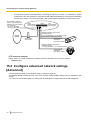
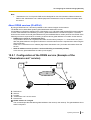
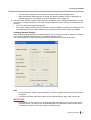
To access the camera via the Internet by connecting the camera to a router, it is necessary to assign
a respective HTTP port number for each camera and address translation by using the port forwarding
function of the router. For further information, refer to the operating instructions of the router in use.
Enter [Global IP address + :
(colon) + port number] in the
"Address" box of the browser
via the Internet.
vvv.xxx.yyy.zzz:50000
vvv.xxx.yyy.zzz:50001
WAN
Global address
vvv.xxx.yyy.zzz
Router
LAN
Private address
192.168.0.254
Address translation using the port
forwarding function
vvv.xxx.yyy.zzz:50000 A 192.168.0.1:50000
Internet
(WAN)
Cable modem
XDSL modem
Private address
192.168.0.1
Port number: 50000
Address translation using the port
forwarding function
vvv.xxx.yyy.zzz:50001 A 192.168.0.2:50001
Private address
192.168.0.2
Port number: 50001
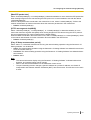
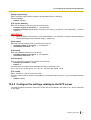
[FTP access to camera]
Select “Allow” or “Forbid” to determine whether to allow or forbid the FTP access to camera.
• Default: Forbid
15.2 Configure advanced network settings
[Advanced]
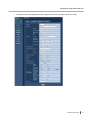
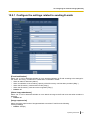
Click the [Advanced] tab on the “Network” page. (®page 44, page 46)
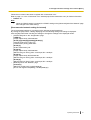
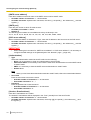
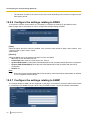
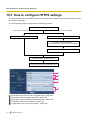
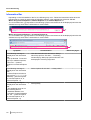
The settings related to SMTP (E-mail), FTP, UPnP, HTTPS, DDNS, SNMP, Diffserv can be configured in this
section.
You can move to the setting page of a setting item by clicking the corresponding link for that setting item.
140
Operating Instructions