1
Grades K-2
2 and 3-6
6 Assemblies
ICAC
Getting Started
Internet Crimes Against Children
Task Force
1. Print the presenter guide for grades K-2 or grades 3-6. The guides include a page that you
can print out and laminate to help you during the assembly. It contains the keyboard shortcuts
and instructions for how to control the presentation.
2. Before presenting, it is recommended that you carefully run through the presenter guide with
the assembly to familiarize yourself with the controls and the appropriate times to interact with
the audience.
3. Access "supplemental materials" for information you can hand out to the audience, including
Internet safety pledges for children. This section also includes handouts for adults containing
information about NetSmartz.
4. Play the presentation.
How to run the program
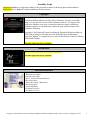
Use the keyboard shortcuts to control the program.
Press 1 to begin the presentation
Press the number keys to skip to that part in the program
Press the right or down arrow key or page down to go forward
Press the left or up arrow key or page up to go backward
Press the spacebar to toggle between "pause" and "play"
Press M to go to the keyboard shortcut menu
Press X to exit the program
Using a remote control
To control using
your mouse
Left-click to go backward
Right-click to go forward
Click any other button
(scroll or thumb button)
to go to the menu
To run with a wireless presentation remote
If you have a wireless remote for PowerPoint™
presentations, you can use it for this program.
Top button = pointer
Right and left arrow keys =
move forward and backward
Bottom button =
goes to the keyboard shortcut menu
Copyright © 2004 National Center for Missing & Exploited Children and Boys & Girls Clubs of America. All rights reserved.
1