1
Grades K-2
2 and 3-6
6 Assemblies
ICAC
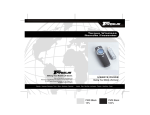
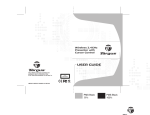
If you do not have a wireless remote, you can order one.
Internet Crimes Against Children
Task Force
Kensington - part #33062, price $69.99
http://www.kensington.com/html/4390.html
CDW - part #529911, price $65.03
http://www.cdw.com/shop/products/default.aspx?EDC=529911
Targus - part #PAUM30U, price $49.99
http://www.targus.com/us/product_details.asp?sku=PAUM30U
CDW - part #469110, price $54.08
http://www.cdw.com/shop/products/default.aspx?EDC=469110
Using a projector
If you are using a laptop and a projector to present, arrive early to hook up your equipment and
make sure it works correctly. Connect your laptop to the projector first and then turn on the laptop.
If you have connected everything properly and you still have no image projected, you may need
to use a keyboard command to tell the laptop that something is connected to its external output
port. Look for a symbol of a monitor on your function keys. For instance, on some laptops, the
command is "Function key + F4." Consult your computer’s user manual or search online for the
proper command for your computer.
On most laptops, when an external display is used, such as a projector, the internal display
(the laptop screen) is disabled. Therefore, you will only be able to see the presentation where
it is being projected; your laptop screen will be a black screen.
troubleshooting
1. The install does not automatically run when I put the CD in
my computer.
Click on "My Computer"
Click on your CD drive
Click on "setup.exe"
2. The program ran, but the screen is black.
Click on the black screen and hit "enter" key
Click on "My Computer"
Browse to C:\Program Files\NetSmartz\Assemblies\LE k2
and 36\Media Player Install or the directory you installed the
program to.
Click on the file that corresponds with your version of Windows.
Go through the installation process to install this program. If
you cannot install the program, you may not have administrative
rights to install programs onto this computer. Contact your
IT administrator for help. For more information, go to
www.windowsmedia.com/download.
Minimum sy
requireme stem
nts
PC
Pentium 3
Windows 20
00 or XP
Windows M
edia Player
9
Copyright © 2004 National Center for Missing & Exploited Children and Boys & Girls Clubs of America. All rights reserved.
2