1
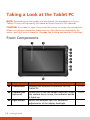
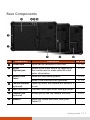
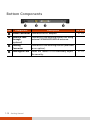
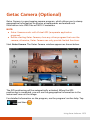
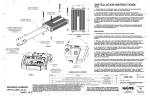
Rear Components Ref Component Description See Also Tether Hole Stylus can be tethered to this hole. P. 1-6 Stylus/ Digitizer pen Serves as the input device by tapping on the touchscreen to make selections and enter information. P. 2-2 Battery Pack Cover Inside are two battery packs. P. 3-3 Inside is the SIM card slot (optional). P. 1-3 Camera Indicator (optional) Lights up when the camera lens beside it is in use. Flash (optional) Provides extra light when taking pictures. Camera Lens (optional) Allows you to use the camera function. Speaker Sends out sound and voice from your Tablet PC. P. 6-5 Getting Started 1-11