1
5. Web-Based Management
This section introduces the configuration and functions of the Web-Based
management.
About Web-based Management
Inside the CPU board of the switch, there exists an embedded HTML web site residing
in flash memory. It offers advanced management features and allow users to manage
the switch from anywhere on the network through a standard browser such as
Microsoft Internet Explorer.
The Web-Based Management supports Internet Explorer 6.0. It is based on Java
Applets with an aim to reduce network bandwidth consumption, enhance access
speed and present an easy viewing screen.
Preparing for Web Management
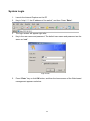
Before use web management, you can use console to login the switch checking the
default IP of the Switch. Please refer to Console Management Chapter for console
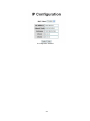
login. If you need change IP address in first time, you can use console mode to modify
it. The default value is as below:
IP Address: 192.168.16.1
Subnet Mask: 255.255.255.0
Default Gateway: 192.168.16.254
User Name: root
Password: root
17