1
Monitoring and Modifying Data with the View Objects
5.5
Monitoring the Block Registers
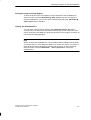
Displaying the Contents of the Block Registers
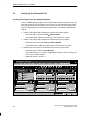
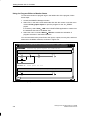
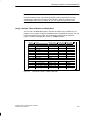
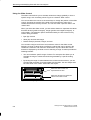
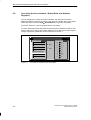
You can view the contents of the data and logic block registers by opening the
“Block Regs” view object. Select the menu command View Block Registers to
open this view object.
Figure 5-5 shows the “Block Regs” view object.
For more information about the block registers for the S7-300 and S7-400 CPUs,
refer to the System Software for S7-300 and S7-400 Program Design
Programming Manual or to the online help for STEP 7.
Block Regs
Data Block
1 0
2 0
Figure 5-5
Logic Block
1 OB 1
SAC
16
2 0
0
Block Registers View Object
Testing Your S7 Progams with S7-PLCSIM
C79000-G7076-C201-02
5-9