1
Table of Contents
1. Introduction to Sysax Multi Server .............................................................................................. 1
1.1. Introduction to Sysax Multi Server .................................................................................... 2
2. Minimum System Requirements .................................................................................................. 4
2.1. System Requirements ...................................................................................................... 5
3. How to Install/Uninstall ............................................................................................................. 6
3.1. Install/Uninstall Sysax Multi Server ................................................................................... 7
4. Selecting and Installing a License ................................................................................................ 8
4.1. Selecting and Installing a License ...................................................................................... 9
5. Settings for Sysax Multi Server Control Panel .............................................................................. 14
5.1. Setting-up Connection protocols ...................................................................................... 15
5.2. Selecting Server Listen Address ...................................................................................... 17
5.3. Installing SSL Certificate ............................................................................................... 18
5.4. Restricting IP addresses ................................................................................................. 20
5.5. Restricting PASV Mode Settings and HTTP/S File Server Template ....................................... 21
5.6. Setting-up User Accounts ............................................................................................... 25
5.7. Manage Hidden Files and Folders .................................................................................... 37
5.8. Centralized Home Paths for Active Directory or Windows Accounts ...................................... 38
5.9. Home Path Permissions for Active Directory or Windows Accounts ....................................... 39
5.10. Restrict Active Directory or Windows Accounts ............................................................... 41
5.11. Running FTP Scripts Based on Server Events .................................................................. 43
6. FTP Configuration ................................................................................................................... 44
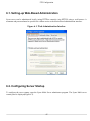
6.1. Setting-up Web-Based Administration .............................................................................. 45
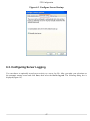
6.2. Configuring Server Startup ............................................................................................. 45
6.3. Configuring Server Logging ........................................................................................... 47
7. How to start and stop Sysax Multi Server .................................................................................... 49
8. Using the web administration interface ........................................................................................ 52
8.1. Checking On Server Status in Real Time .......................................................................... 53
8.2. Updating Server Settings using Web Interface .................................................................... 55
9. Using the Web File Access Interface .......................................................................................... 66
9.1. Links for Sysax Multi Server Web File Access Server Interface ............................................. 67
10. How to connect using FTP ...................................................................................................... 75
11. How to connect using FTPS .................................................................................................... 79
12. How to Connect Using Telnet .................................................................................................. 85
13. How to Connect Using SFTP .................................................................................................. 91
14. How to Connect Using SSH2 Secure Shell ................................................................................. 96
15. How to Connect Using HTTP .................................................................................................. 99
16. How to Connect Using HTTPS .............................................................................................. 104
17. Troubleshooting Tips ............................................................................................................ 107
18. How to Get Technical Support ............................................................................................... 109
18.1. Get technical support ................................................................................................. 110
19. Frequently Asked Questions (FAQ) About Sysax Multi Server ..................................................... 111
ii