1
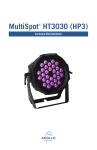
MultiSpot HT3012
®
Exclusive USA Distributor
Introduction
Since 1992, Apollo Design Technology, Inc. has been one of the world’s leading
innovators, manufacturers and distributors of gobos, color filters, lights and related
equipment and accessories for the lighting industry.
We are continually engineering new products to help you create and execute
the designs of your dreams for theaters, bands, advertising, touring companies,
television, motion pictures, museums, retail and architecture.
Apollo Design is recognized for creating innovative and award-winning products of
superior quality and value. Focused on you, our goal is to ensure unparalleled support
from the initial conversation to after sales service.
Our lighting experts and engineers will consult with you on ways to use our standard
products or engineer custom solutions. Allow your imagination to run free. Let the
Apollo Design team help you create the lighting design you only imagined.
There is virtually no limit to what we can do together.
Joel Nichols, Owner/CEO
Apollo Design Technology
Product Description
Congratulations on the purchase of your MultiSpot® HT3012. Apollo Design is
proud to be the exclusive USA distributor.
The MultiSpot® HT3012 provides medium flood dispersion, massive power density
and quiet operation, packed into a road-ready all-metal construction cabinet.
USER MANUAL
MULTISPOT-GI-HT3012
High-Power RGB LED Lighting Fixture
For firmware 50-010-0018-00111-1-00 (RevL)
ENGLISH Page 2-15
Updated versions of this document may be available at
WWW.MULTIFORM-LIGHTING.COM
RevB 08/2013 Order code: 12-010-0253-80102-1-01
User Manual: Multispot-GI-HT3012
■ Introduction
Dear customer,
congratulations on the purchase of a Multiform-branded item and the trust having been
put in us with this decision. Multiform is one of the leading global manufacturers of
professional lighting equipment and has decades of experience in design, production
and quality assurance.
To meet your requirements, this unit has been designed and built to the highest
standards, so that we can assure you that you have made a good and satisfying
investment. To take full advantage of all possibilities and for your own safety and the
safety of your environment, please read these operating instructions carefully before
you start using the unit.
■ Description
The MultiSpot-GI-HT3012 is a powerful yet compact RGB color-mixing light fixture for
indoor applications, which range from architectural purposes to stage lighting. With its
compact design, high-efficiency drive electronics and advanced cooling system, this
fixture has been designed for both flexibility and reliability.
SAFETY INFORMATION
Read the safety precautions in this chapter before installing,
powering up, operating or servicing this device. Failure to do so
may void the product warranty, and releases the manufacturer
from all product liability.
■ Symbols used in this manual
The following symbols are used to identify important safety information on the product
and in this manual:
WARNING! Read manual before installation, operation or servicing.
WARNING! Safety hazard. Risk of injury or death.
WARNING! Hazardous voltage. Risk of severe or fatal electric shock.
V3.00 (08-2013)
2
User Manual: Multispot-GI-HT3012
WARNING! Shock hazard. Equipment must be properly grounded.
WARNING! Hot surface. Risk of skin burn or skin irritation.
WARNING! Fire hazard.
WARNING! Laser radiation. Risk of surface damage.
WARNING! LED light emission. Risk of eye injury.
■ Security advice before use
General advice:
1. Read this manual completely before using the product.
2. Keep this manual in your records for future reference.
3. Follow all instruction printed in this manual.
4. Follow all printed security advice on the product itself.
5. Take care of enough distance between this product and sources of
hum and noise like electric motors and transformers.
6. Carry this product with greatest care. Punches, big forces and
heavy vibration may damage this product mechanically.
Protection from eye injury
1. Warning: Depending on the configuration of the device, this device
may reach or exceed the limits of EN62471, risk group 2, and may
hence reach to risk group 3.
2. To avoid eye injury, do not look into the beam from a distance of
less than 8.5 m (27 ft. 11 ins) from the front surface of the fixture
without protective eyewear such as shade-5 welding goggles. At
larger distances, light output is harmless to the naked eye provided
that the eye’s natural aversion response is not affected.
3. Do not view the beam directly with optical instruments such as
magnifiers, telescopes, binoculars or similar optical instruments
that may concentrate the light output.
4. Ensure that during setup and DMX programming, no persons are
inside a 8.50m (27 ft. 11 ins) vicinity of the device’s front surface, to
avoid that they may accidently be exposed to the light beam.
V3.00 (08-2013)
3
User Manual: Multispot-GI-HT3012
Protection from electric shock:
1. Only connect this unit to a mains socket outlet with protective earth
connection, ground-fault (earth-fault) and overload protection.
2. Where the mains plug or an appliance coupler is used as a disconnect device, such device shall remain readily operable.
3. To pull the AC Cord out of the wall outlet or the unit’s AC socket,
never pull the cable itself, but only the AC plug.
4. Disconnect the unit from AC supply before any kind of cleaning on
the product. Use smooth and dry cloth only for cleaning.
5. Do not expose this unit to any dripping or splashing liquids, and do
not place objects filled with liquids, such as vases, on the unit.
6. Do not operate this unit near to open water or in high humidity.
7. Choose the position of the AC cord according to the lowest risk of
damage by foot steps or by squeezing it.
8. Do not open the unit for service, there are no user-serviceable
parts inside. Warranty will be void in any case of unauthorized
service by the user or other not authorized persons.
Protection from fire:
1. Take care of not placing the unit near sources of heat (e.g.
powerful amplifiers, fog machines).
2. Allow at least about 0.15m (6 ins.) between this unit and other
devices or a wall to allow for proper cooling.
3. Take always care of sufficient air convection in the unit’s
environment to avoid overheating. Make sure air convection slots
are not blocked. Do not operate this unit in environmental
temperatures exceeding 40 degrees Celsius.
4. Be sure this fixture is kept at least 0.75m (30ins.) away from any
flammable materials (decoration etc.).
5. Do not stick filters, masks or other materials directly on the LEDs or
the LED cover screen.
6. Check the total maximum power of your AC wall outlet if you
connect several units to one wall outlet and avoid any overloading.
7. If the device itself has an AC outlet for providing power to other
units, make sure to not exceed the specified maximum load.
Protection from injury and damage:
1. Never use any accessories or modifications not authorized by the
manufacturer of this unit.
2. Choose a location for operation where the unit is protected from
vibration and where a fixed mounting position is provided. In case
of overhead-mounting, follow applicable rigging requirements.
3. Before plugging the AC cord in the wall outlet, check whether the
AC plug, the mains voltage and frequency are the same as this
product is specified for. If not, contact you dealer immediately.
V3.00 (08-2013)
4
User Manual: Multispot-GI-HT3012
4.
5.
6.
7.
8.
The surface of the device may get hot during operation, and heat
sink areas may reach to or exceed the limits of EN60950. Do not
touch heat sink areas of the device during operation, and allow 20
minutes of cool-down time after powering off before touching.
If fluids have spilled into the unit or small parts have intruded the
unit, immediately switch off the unit and hand it over to the
authorized service for a security check.
Disconnect the unit from AC supply by pulling the AC plug out of
the wall outlet or the unit’s AC socket during a thunder-storm in
order to avoid any damage on the unit due to AC voltage peaks.
In cause of not correct function of this unit or damaged AC cord or
other damaged parts, pull immediately the AC plug out of the wall
outlet and hand the unit over to the authorized service for a
security check.
To meet all aspects of functionality and security during maintenance work to be preformed on this unit, all parts should be
replaced by genuine spare parts. Consequently, take care of your
dealer or maintenance company to be authorized by the
manufacturer.
■ Health advice
This unit produces and absorbs electromagnetic radiation. The strength of radiation and
the sensitivity for disturbing interference matches the CE and FCC requirements. A
corresponding sign is printed on the backside of the unit. Any change or modification
may affect the behavior of the unit concerning electromagnetic radiation, with the CE
requirements eventually not to be met any more. The manufacturer takes no
responsibility in this case.
■ Functional advice
This unit is immune to the presence of electromagnetic disturbances – both conducted
and radiated - up to a certain level. Under peak conditions, the unit is classified to show
a “class C” performance criteria and may encounter temporary degradation or loss of
function which may need manual help to recover. In such case, disconnect the AC
power from the unit and reconnect it again to recover.
■ Environmental advice
This unit is built to conform to the ROHS standards and the WEEE
directive 2002/96/EC of the European Parliament and of the Council of
the European Union. Under these regulations, the product shall not be
discarded into regular garbage at the end of its life, but shall be returned
to authorized recycling stations.
V3.00 (08-2013)
5
User Manual: Multispot-GI-HT3012
■ LED Lifetime advice
LED lifetime is determined by the gradually declining brightness of a LED over time,
with a point of 50% brightness reduction marking the defined end of its lifetime. The
driving factor of this effect is the heat that the chip inside the LED is exposed to. While
a chip may under ideal circumstances reach to more than 100000 hours of lifetime, the
real-world lifetime may only be 30000 to 50000 hours or less if the LED is exposed to
excessive heat, which can be caused by continuously running all LEDs inside this
device at full power and operating the unit in high environmental temperatures. If
improving the lifespan expectancy is a priority, take care of providing for lower
operational temperatures. This may include forced external cooling and/or the reduction
of overall projection intensity.
■ Unpacking
Please check that the box contains the following items, and contact your dealer
immediately for replacement if any part is missing:
Main parts:
1 pc. Multispot-GI-HT3012 passive RGB LED panel
1 pc. PS020A-2 DMX-controlled 3-channel power supply
1 pc. Power cord
1 pc. Operation manual
■ Getting started: choosing a location
Risk of fire: The Multispot-GI-HT3012 has been designed to work in
dry indoor environments at environmental temperatures up to 35
degrees Celsius. For proper operation, the unit must be operated with
its heatsink side of the power supply up, and unobstructed air
convection to the heatsink.
Note:
Do not operate the Multispot-GI-HT3012 in environments with more than 35
degrees environmental temperature or more than 75% relative humidity.
Do not operate the Multispot-GI-HT3012 in any position inclined or reclined
more than 45 degrees from being upright (heatsink on top).
Do not operate the Multispot-GI-HT3012 in any closed environment smaller
than 10cbm, unless forced air convection is provided.
V3.00 (08-2013)
6
User Manual: Multispot-GI-HT3012
■ Getting started: secure mounting
The Multispot-GI-HT3012 can be positioned for operation in various ways:
Floor standing operation
•
•
•
Turn the bracket to the lower side of the unit and fold out the second, inlaying
bracket.
Place the unit in a secure position where it can neither be touched by anyone or
could possibly become an objective for anyone to stumble.
Make sure to comply with cooling requirements of the used power supply if any.
Hanging/Rigging, ceiling-mounted operation
Risk of injury: Overhead mounting requires extensive experience, like
calculating working load limits, knowledge installation materials, and
periodic safety inspection of all installation material and the unit. If you
lack such qualifications, do not attempt the installation yourself.
Improper installation can result in body injury. Be sure to complete all
rigging and installation procedures before applying power to the unit.
•
•
•
•
•
•
•
•
•
Leave the inner and outer bracket folded.
The unit should be installed out of reach of people and outside areas where
persons may walk by or be seated.
Make sure that the installation area can hold a minimum point load of 10 times the
device’s weight.
In fixed installations, fix the unit with self-locking screws/nuts to the mounting point.
When mounting the unit to truss be sure to secure an appropriately rated clamp to
the hanging yoke using a M10 screw fitted through the center hole of the hanging
yoke.
Where required, secure the installation with an appropriate safety cable. Always
use a certified safety cable according to DIN56927 that can hold 12 times the
weight of the device when installing the unit. This secondary safety attachment
should be installed in a way that no part of the installation can drop more than
20cm if the main attachment fails.
Never stand directly below the device when mounting, removing, or servicing the
fixture. Make sure the area below the installation place is free from unwanted
persons during rigging, de-rigging and servicing.
The operator has to make sure that the safety-relating and machine-technical
installations are approved by an expert before using them for the first time. The
installations should be re-inspected every year.
Make sure to comply with applicable cooling requirements if any.
V3.00 (08-2013)
7
User Manual: Multispot-GI-HT3012
■ Getting started: making AC supply connections
Risk of fire / Safety risk
The Multispot-GI-HT3012 requires an AC power source with sufficient
power carriage and correct grounding to ensure safe operation. The AC
power source must be equipped with a circuit breaker and earth
leakage detector. Make sure to only use compliant AC supply lines.
■ Getting started: making DMX control connections
Connect the Multispot-GI-HT3012 to a suitable DMX controller where needed, and
interconnect several units by means of their DMX In/Outputs as required. The last unit
shall be equipped with a proper 120 Ohm termination resistor equipped DMX-plug as
shown in below drawing. Please make sure that all used DMX cables comply to below
standard:
V3.00 (08-2013)
8
User Manual: Multispot-GI-HT3012
■ Operation
All user controls are located on the rear, bottom and side of the backpanel of the unit:
User interface overview:
1
2
3
4
5
6
7
8
9
10
11
12
13
14
In A-Mode: Speed Control (except A1 = Mix Control)
In C-Mode: Level-Control
Display showing the Mode, DMX-address, LOC-function etc.
Indicates presence of a DMX signal
Indicates the sound-activated mode (internal microphone)
MODE selection button
UP-button
DOWN-button
Internal microphone
Switches on the termination for the last unit in the DMX-chain
Switching the display on or off (with delay)
Maintenance (not in use)
Power-Input 90-250V AC
DMX-Output connector
DMX-Input connector
V3.00 (08-2013)
9
User Manual: Multispot-GI-HT3012
Upon the user’s choice, the unit can work stand-alone or may be controlled by external
DMX-controllers. Available modes:
“A” Auto Mode
Press the MODE button (5) until the first digit on the display shows “A”, indicating
operation in “A” (AUTO) mode. Then choose your desired pattern by using the
UP/DOWN buttons (6/7), see list below. Changing the setting becomes effective 1
second after the new setting is made to allow stepping through presets without
previewing all intermediate presets.
NOTE: The “A” Mode is automatically disabled and can not be chosen when an
external DMX signal is received [DMX indicator LED (3) is lit].
Whilst being in pattern A 1 (static scene), turning knob (1) determines the mix, whereas
being in one of the other 26 patterns, knob (1) controls the speed or selects the soundactivated function (refer to below pattern list). The sound-activated function can be
activated by setting the knob (1) inside the first 10 degrees of its travel from left detent
and it works from a built-in microphone (8) which picks up the environmental sound. Its
activity is shown by the flashing of the right dot (4) in the display. The level for all
patterns is maximum.
In “A” mode, the unit does not receive any values from the DMX input, but generates
related DMX values on the output according to the selected pattern, so that other
similar units can show the same pattern if they are connected by DMX signal cables
and set to mode “d3”.
If you leave mode “A” for any reason and come back later into mode “A”, the unit will
recall the last chosen pattern (even if the unit was switched off in between). Pattern list:
#
A0
A1
A2
A3
A4
A5
A6
A7
A8
A9
A10
A11
A12
A13
A14
Description
All off
Static scene
Soft fade red-green
Soft fade green-blue
Soft fade red-blue
Soft fade red-yellow
Soft fade candy-lime
Soft fade pink-blue
Soft fade turquoise-pink
Soft fade red-green-blue (RGB)
Hard switch red-green
Hard switch green-blue
Hard switch red-blue
Hard switch red-yellow
Hard switch candy-lime
V3.00 (08-2013)
Function of Knob (1)
none
Colour
Speed
Speed
Speed
Speed
Speed
Speed
Speed
Speed
Sound-to-light, Speed
Sound-to-light, Speed
Sound-to-light, Speed
Sound-to-light, Speed
Sound-to-light, Speed
10
User Manual: Multispot-GI-HT3012
A15
A16
A17
A18
A19
A20
A21
A22
A23
A24
A25
A26
A27
Hard switch pink-blue
Hard switch turquoise-pink
Hard switch red-green-blue
Hard switch red-yellow-green-turquoise-blue-pink
Random speed red-yellow (Fire)
Random speed green-blue (Ocean)
Random speed red-blue (Plush)
Random speed red-green-blue (RGB Burst)
White strobe
Red strobe
Green strobe
Blue strobe
Strobe chase red-green-blue
Sound-to-light, Speed
Sound-to-light, Speed
Sound-to-light, Speed
Sound-to-light, Speed
Base speed
Base speed
Base speed
Base speed
Sound-to-light, Speed
Sound-to-light, Speed
Sound-to-light, Speed
Sound-to-light, Speed
Sound-to-light, Speed
“C” Colour Mode
Press the MODE button (5) until the first digit on the display shows “C”, indicating
operation in “C” mode. Then choose by using the UP/DOWN buttons (6/7) one of the
19 presets as shown in the list below. Changing the setting becomes effective directly.
Knob (1) determines the output level.
In “C” mode, the unit does not receive any values from the DMX input but generates
related DMX values on the output according to the selected pattern, so that other
similar units can show the same behaviour if they are connected by DMX signal cables
and set to mode “d3”.
NOTE: The “C” Mode is automatically disabled and can not be chosen when an
external DMX signal is received [DMX indicator LED (3) is lit].
If you leave mode “C” for any reason and come back later into mode “C”, the unit will
recall the last chosen mix (even if the unit was switched off in between).
Available colour presets:
C0
C1
C2
C3
C4
C5
C6
C7
C8
C9
all off
Red
Green
Blue
Yellow
Pink
Turquoise
Lime
Orange
Marine
V3.00 (08-2013)
C10
C11
C12
C13
C14
C15
C16
C17
C18
C19
Frog
Lavender
Candy
Peach
Aqua
Leaf
Purple
Barbie
Breeze
White
11
User Manual: Multispot-GI-HT3012
“d3” Mode (DMX 3-Channel RAW Mode)
Press the MODE button (5) until the display shows “d3”, indicating operation in “d3” (3channel DMX) mode. Shortly after that, the display shows the DMX starting address.
You can choose any DMX starting address by simply using the UP/DOWN buttons (6/7).
The chosen DMX-address comes effective approximately 3 seconds later and will show
up on the display (2) in alternation to the “d”. This allows control of the unit by any
external DMX signal sending on the chosen channel. In this mode the potentiometer (1)
is disabled.
The unit receives DMX values on a packet of three channels and mirrors the received
data on the DMX output (13). If a DMX signal is present the DMX LED (3) will turn on.
The three channels control the unit as follows:
DMX channel
CH1
CH2
CH3
Value Range
000-255
000-255
000-255
Function
Red Intensity
Green Intensity
Blue Intensity
This setting is stored even if the device is switched off.
Note: For master/slave operation, the slave units shall be set to “d3” mode.
“d4” Mode (DMX 4-Channel Combined Master/Strobe Mode)
Press the MODE button (5) until the display shows “d4”, indicating operation in “d4” (4Channel DMX) mode. Shortly after that, the display shows the DMX starting address.
You can choose any DMX starting address by simply using the UP/DOWN buttons (6/7).
The chosen DMX-address comes effective approximately 3 seconds later and will show
up on the display (2) in alternation to the “d”. This allows control of the unit by any
external DMX signal sending on the chosen channel. In this mode the potentiometer (1)
is disabled.
The unit receives DMX values on a packet of four channels and mirrors the received
data on the DMX output (13). If a DMX signal is present the DMX LED (3) will turn on.
The four channels control the unit as follows:
DMX channel
CH1
CH2
CH3
CH4
Value Range
000-255
000-255
000-255
000-127
128-227
228-255
Function
Red intensity
Green intensity
Blue intensity
Master dimmer
Strobe (128=slow / 227=max. speed 23 Hz)
Master dimmer full on, Strobe off
This setting is stored even if the device is switched off.
V3.00 (08-2013)
12
User Manual: Multispot-GI-HT3012
“d5” Mode (DMX 5-Channel Split Master/Strobe Mode)
Press the MODE button (5) until the display shows “d5”, indicating operation in “d”
(DMX) mode. Shortly after that, the display shows the DMX starting address. You can
choose any DMX starting address by simply using the UP/DOWN buttons (6/7). The
chosen DMX-address comes effective approximately 3 seconds later and will show up
on the display (2) in alternation to the “d”. This allows control of the unit by any external
DMX signal sending on the chosen channel. In this mode the potentiometer (1) is
disabled.
The unit receives DMX values on a packet of five channels and mirrors the received
data on the DMX output (13). If a DMX signal is present the DMX LED (3) will turn on.
The five channels control the unit as follows:
DMX channel
CH1
CH2
CH3
CH4
CH5
Value Range
000-255
000-255
000-255
000-255
000-255
Function
Red Intensity
Green intensity
Blue intensity
Master dimmer
000…049 Strobe off, 050…255 Strobe rate
(050=slow / 255=max. speed 23 Hz)
This setting is stored even if the device is switched off.
“P” DMX Preset Mode
If you want to run the pre-programmed patterns and scenes by an external DMXcontroller you can use the DMX Preset Mode. Press the MODE button (5) until the
display shows “dP”, indicating operation in “P” (DMX Preset) mode. Set the DMX
starting address by simply using the UP/DOWN buttons (6/7). The chosen DMXaddress comes effective approximately 3 seconds later and will show up on the display
(2) in alternation to the “dP”.
The unit receives DMX values on a packet of four channels and mirrors the received
data on the DMX output (13). If a DMX signal is present the DMX LED (3) will turn on.
The four channels control the unit as follows:
If DMX-value of channel 3 is lower than 50 the unit works with static colours:
DMX Channel
CH1
CH2
CH3
CH4
V3.00 (08-2013)
Value Range
000-255
000-255
000-049
000-049
050-255
Function
Output mix choice from presets (see “C” mode)
Master level
Static mix mode active
Tact off
Tact (050=slow / 255=max. speed 23 Hz)
13
User Manual: Multispot-GI-HT3012
Output mix presets can be activated by means of CH1 whilst the chosen mix can be
adjusted with CH2. If the value of CH4 is above 50 the unit is set to tact mode. The tact
speed for any fixed output mix chosen on the first channel can be adjusted from zero
(value <50) to 23 cycles per second (value 255).
If DMX value of channel 3 is equal or higher than 50 the unit works in pattern mode:
CH1
000-015
016-030
031-045
046-060
061-075
076-090
091-105
106-120
121-135
Pattern
Soft fade red-green
Soft fade green-blue
Soft fade red-blue
Soft fade red-yellow
Soft fade candy-lime
Soft fade pink-blue
Soft fade turquoise-pink
Soft fade red-green-blue (RGB)
Hard switch red-green
DMX
CH2
CH3
CH4
Value range
000-255
050-255
000-049
050-255
CH1
136-150
151-165
166-180
181-195
196-210
211-225
226-240
241-255
Pattern
Hard switch green-blue
Hard switch red-blue
Hard switch red-yellow
Hard switch candy-lime
Hard switch pink-blue
Hard switch turquoise-pink
Hard switch red-green-blue
Hard switch red-yellow-greenturquoise-blue-pink
Function
Level
Chase speed
Tact off
Tact (050=slow / 255=max. speed 23 Hz)
The pre-programmed soft fade or hard switching patterns can be chosen by means of
CH1 whilst CH2 is used as a level channel. CH3 allows to set the fade time or pattern
speed from slow (value 50) to very fast (value 255). If channel 4 reaches a DMX value
of 50 or above a tact function will be added to the chases. The tact speed can be
adjusted from slow (value 50) to 23 pulses per second (value 255).
Note: Whether the unit works in static mix mode or pattern mode only depends on the
value of channel 3. So make sure the value of channel 3 is lower than 50 to be in static
mix mode. Otherwise you will be in pattern mode. In this mode the potentiometer (1) is
disabled.
Display on/off
If you wish the display to be lit only when a change in operation is made, the DIP switch
(10) should be in the position off. Now if any of the buttons is not pressed for more than
approximately 25 seconds the display is switched off. As soon as one of the buttons is
pressed again, the display switches on immediately.
Key lock
Pressing the MODE button (5) for longer than 3 seconds locks all the buttons (5-7) and
the potentiometer (1). The display shows “LOC” in alteration to the mode (changing
V3.00 (08-2013)
14
User Manual: Multispot-GI-HT3012
every 2 seconds). Pressing the MODE button again for more than 3 seconds unlocks
the button- and potentiometer-functions. Please note: If the display is in OFF-mode it
will take approximately 25 seconds before the display switches off. It will be switched
on again if any key is touched and will switch off again after 25 seconds if the keys are
not unlocked by the procedure mentioned above.
Termination
To avoid interference the last unit of a DMX-chain should be terminated. Therefore the
DIP switch (9) of the last unit in the DMX-chain must be switched ON.
Switch on condition
The unit always returns to the last mode before it was switched off; in DMX modes
however DMX values are cleared if power is switched off.
DMX signal drop condition
The device will retain the status that it was in before the DMX signal got lost, but
potential tact settings will be automatically cleared.
■ Maintenance
This unit does not need regular maintenance. The internal circuit is protected by a
250V/2A slow-blow fuse 5x20mm fuse. If this fuse fails, this usually indicates an
internal fault requiring servicing by a qualified engineer.
V3.00 (08-2013)
15
User Manual: Multispot-GI-HT3012
■ Technical data MULTISPOT-GI-HT3012
Panels/Output…………………………………………………………….…..1 panel, 1680 lm
LED configuration….………12×3W RGB 3-in-1 (12×1W red 12×1W green 12×1W blue)
Optics………………………………………………………………….Secondary, 25 degrees
DMX Control & protocol……………………………..……...3-5 Channels DMX 512 (1990)
IP Rating………………………………………………………………………..……20 (indoor)
Mains Input…………………………………………………………….AC100-250V~ 50/60Hz
Power supply type, max. consumption…………………………....……..switch mode, 45W
DMX connections…………………………………………………3 pin XLR (Male / Female)
Modulation Type…………..……….…………..………….Pulse Density Modulation (PDM)
Dimensions (with straight bracket) WxHxD……………………. 269.0 x 275.7 x 115.0mm
Weight…………………………………………………………………………...………….2.8kg
■ Standards
This product complies with the following standards:
EU electrical safety................................................EN60598-1:2008, EN60598-2-1:1989
EU general safety…………………………………………………….………. EN60598-2-17
EU photobiological safety.........................................................................EN 62471:2008
EU EMC......................................EN55015: 2006 + A1:2007, EN61547:1995 + A1:2000
EU Harmonics ...................................................................................EN61000-3-2:2006
EU Flicker …………………...…………………………………………….EN61000-3-3:2008
US safety ………….…………..………………………………………………………UL60065
US EMC………………………..…………………………………………………..FCC Part 15
This product meets both the EMC Directive 2004/108/EC and the Low Voltage Directive
2006/95/EC.
Ask your dealer or visit www.multiform-lighting.com for more information.
V3.00 (08-2013)
16
MultiSpot HT3012
®
Apollo Design Technology, Inc.
260.497.9191
ApolloDesign.net
© Copyright 2015 Apollo Design Technology, Inc.
11/15