1
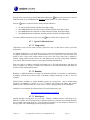
2. Introduction Thank you for your purchase of the Ambient Weather WM-35 Wind Meter with Wind Speed, Temperature, Humidity, Barometer, Wind Chill, Dew Point and Heat Index. The following user guide provides step by step instructions for installation, operation and troubleshooting. To download the latest manual and additional troubleshooting tips, please visit: http://ambientweather.wikispaces.com/wm35 The WM-35 wind meter features: Wind speed in mph, Km/h, m/s, ft/min or Knots Beaufort wind scale bar graph Wind Speed min/max/average selection “Open Air” temperature and humidity sensors for fast response Temperature display in degrees Fahrenheit or Celsius Humidity Wind Chill, Dew Point and Heat Index Barometric Pressure Pressure Altitude LED backlight Wind Speed HOLD feature Low battery display Lanyard included Soft case included Auto power off with override feature Wind speed, temperature and humidity calibration CE Certified & RoHS Compliant 1.1 Parts List QTY 1 1 1 1 1 Item Wind Meter CR2032 3 Volt Lithium Battery Lanyard Soft Carrying Case User Manual 3. Warnings and Cautions Warnings: This meter is accurate at low and mid-range air speeds. Consistent use at very high speeds (example, from the window of a fast moving car) will damage the impeller’s bearing and reduce accuracy. This meter is not a personal safety device 4. Getting Started 1. Open the battery cover, as shown in Figure 1. Turn counter clockwise to open. 2. Inset the included 3V CR2032 lithium cell battery, with the (+) terminal up. Version 1.2 ©Copyright 2015, Ambient LLC. All Rights Reserved. Page 2