1
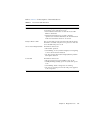
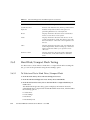
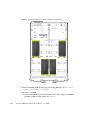
15. When you are prompted, type a user name and password as follows:
User name: root
Password: changeme
The current POST screen is displayed.
3.4
Hardware Debug Tool (HDT)
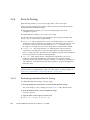
The hardware debug tool (HDT) is a diagnostic tool that allows access to all memory
spaces and CPU registers of the system.
3.4.1
HDT Functionality
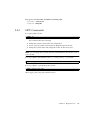
Available functionality includes:
■
Access to CPU registers and memory spaces
■
Automated diagnostics
■
Checking of all HT links for errors at different speeds and widths
■
Testing of BIOS flash access and BIOS progress
■
Testing of access to other board components
HDT can be used to:
■
Check the status and configuration of system
■
Diagnose the system with the following symptoms:
■
No video
■
System hang (any bad HT link will cause this)
■
BIOS POST failure before video comes up
Note – HDT diagnostics will stop or reset and power cycle the system. Do not use
HDT while the operating system is running.
3.4.2
Accessing HDT
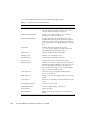
You can access HDT through the server module service processor (SP) as follows:
3-8
Sun Blade X6440 Server Module Service Manual • June 2008